Basic Encryption - Configure Encryption Algorithm and Key
You can configure the Advanced Encryption Standard (AES) algorithm in Contineo by using this component. Contineo supports the AES algorithm to encrypt and decrypt the data. This AES algorithm requires 16 16-digit keys to encrypt or decrypt.
Steps:
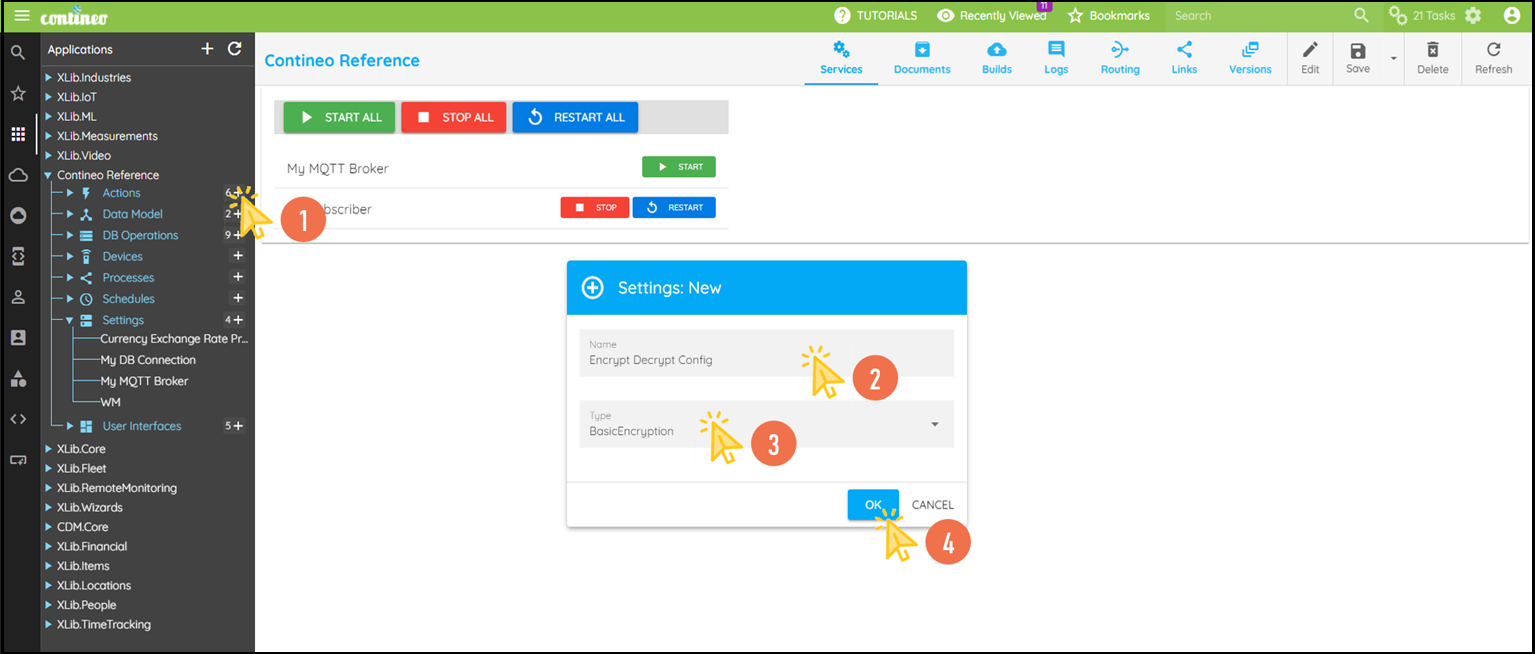
Click + in settings and create an encryption configuration.
Enter the name for Encryption Configuration and select the Type as Basic Encryption.
Click OK.
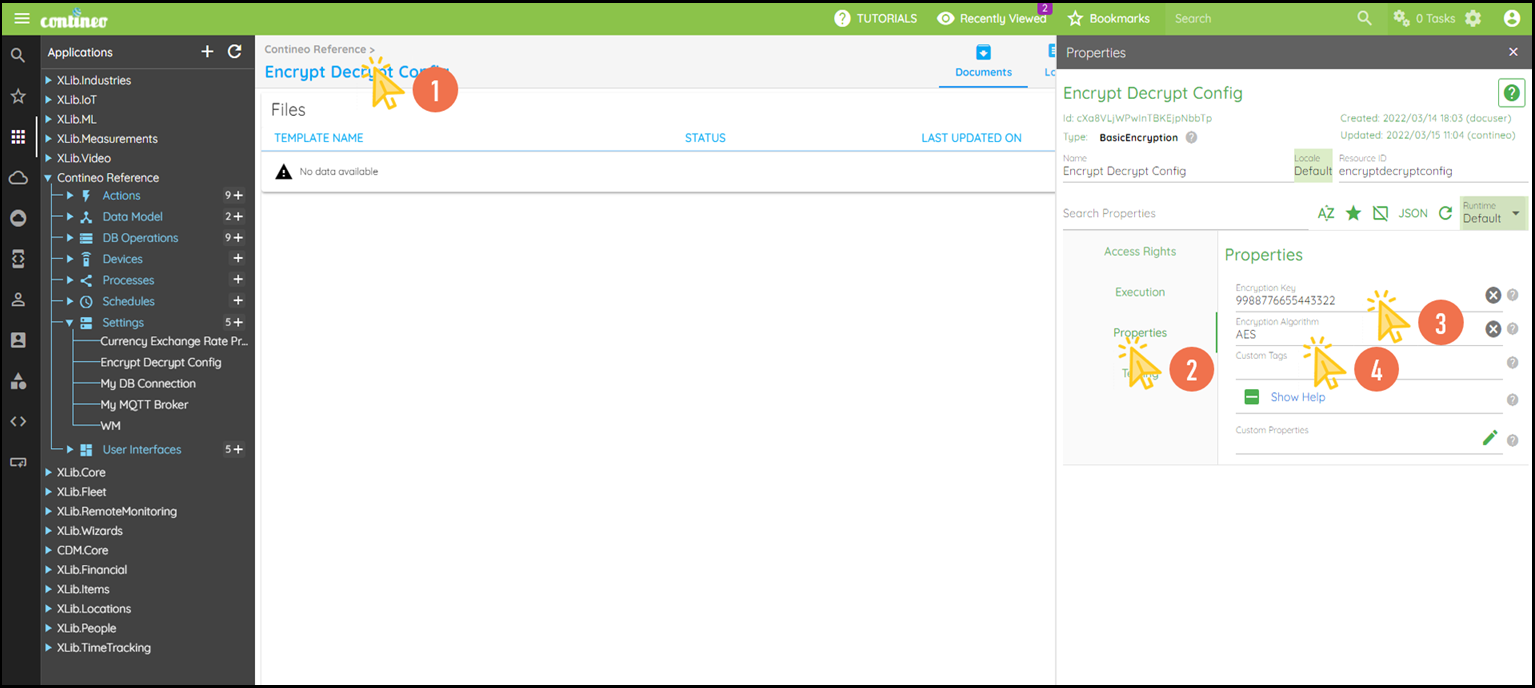
Click the name of Basic Encryption in settings and open the Properties Panel.
Navigate to Properties:
Enter the encryption key under Properties > Encryption Key.
Enter the name of the algorithm as
AESunder Properties > Encryption Algorithm.
Click SAVE to save the configuration.