Encrypt - Encrypt the Data
This component performs encryption of the specified value.
Steps:
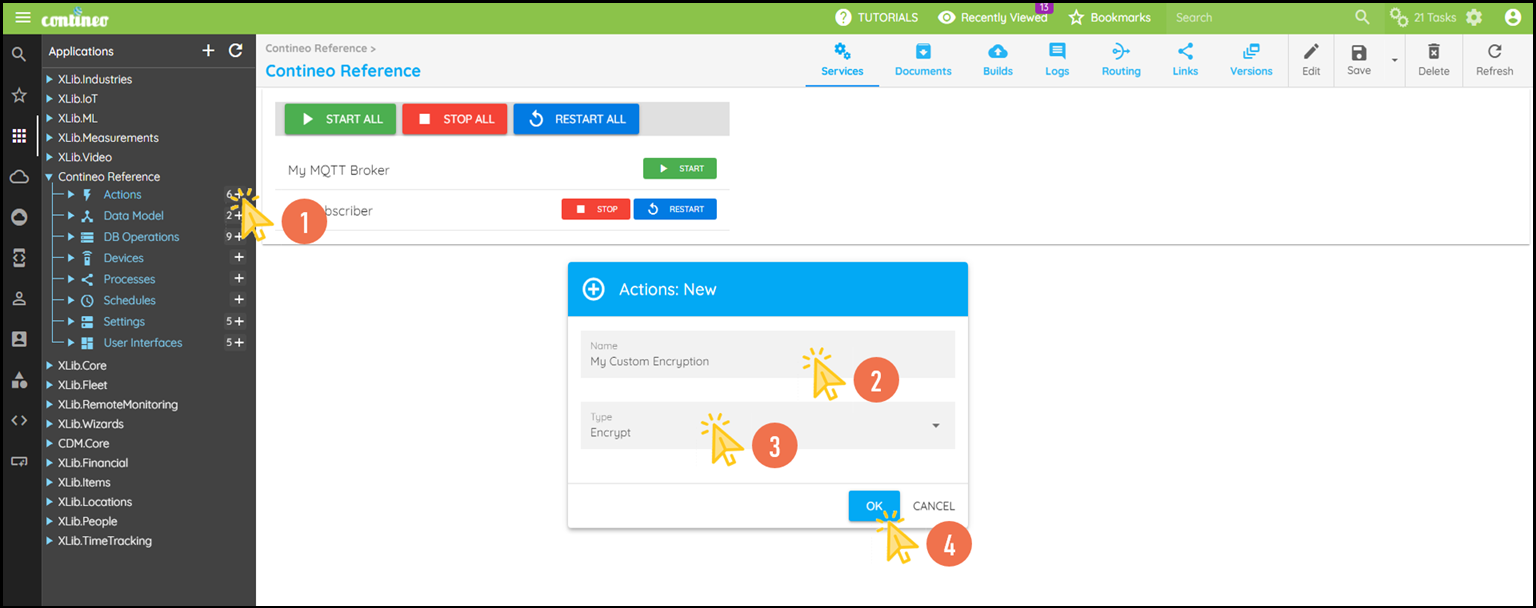
Click + in Actions and create a new Encrypt.
Enter the name for the encrypt action and select the Type as Encrypt.
Click OK. The new component is created and displayed in the designer.
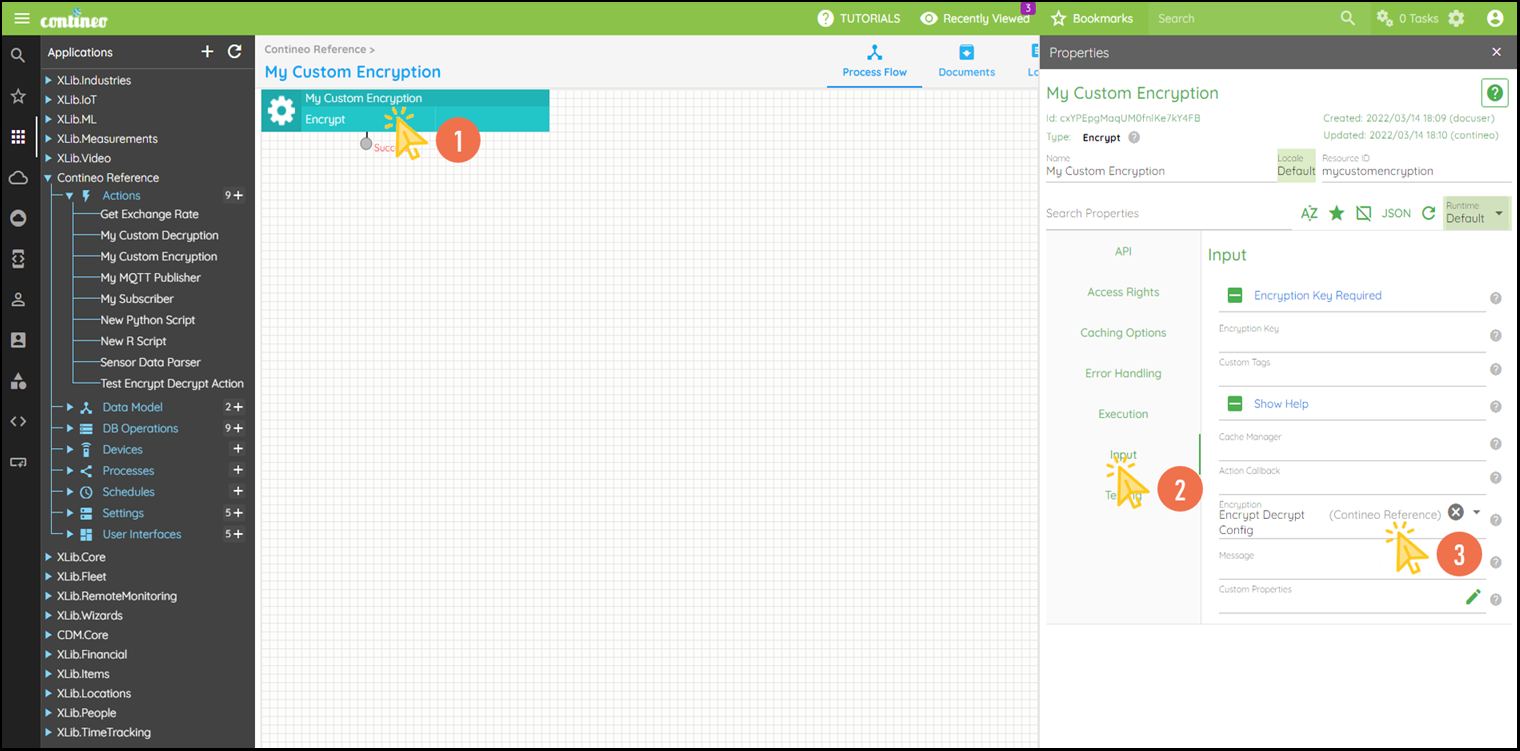
Click Edit in the top menu to open the Properties Panel.
Navigate to Properties:
Select your encryption algorithm under Properties > Encryption.
You can create a new encryption under Settings.Enter the message to be encrypted under Properties > Message.
Click SAVE to save the configuration.