Execute Update - Executes All Non-Select SQL Queries
This component performs a bulk update operation.
Contineo supports Execute Update DB Operation to perform any bulk insert, update, and delete DDL operations. In this database operation, you manually write the SQL Instruction.
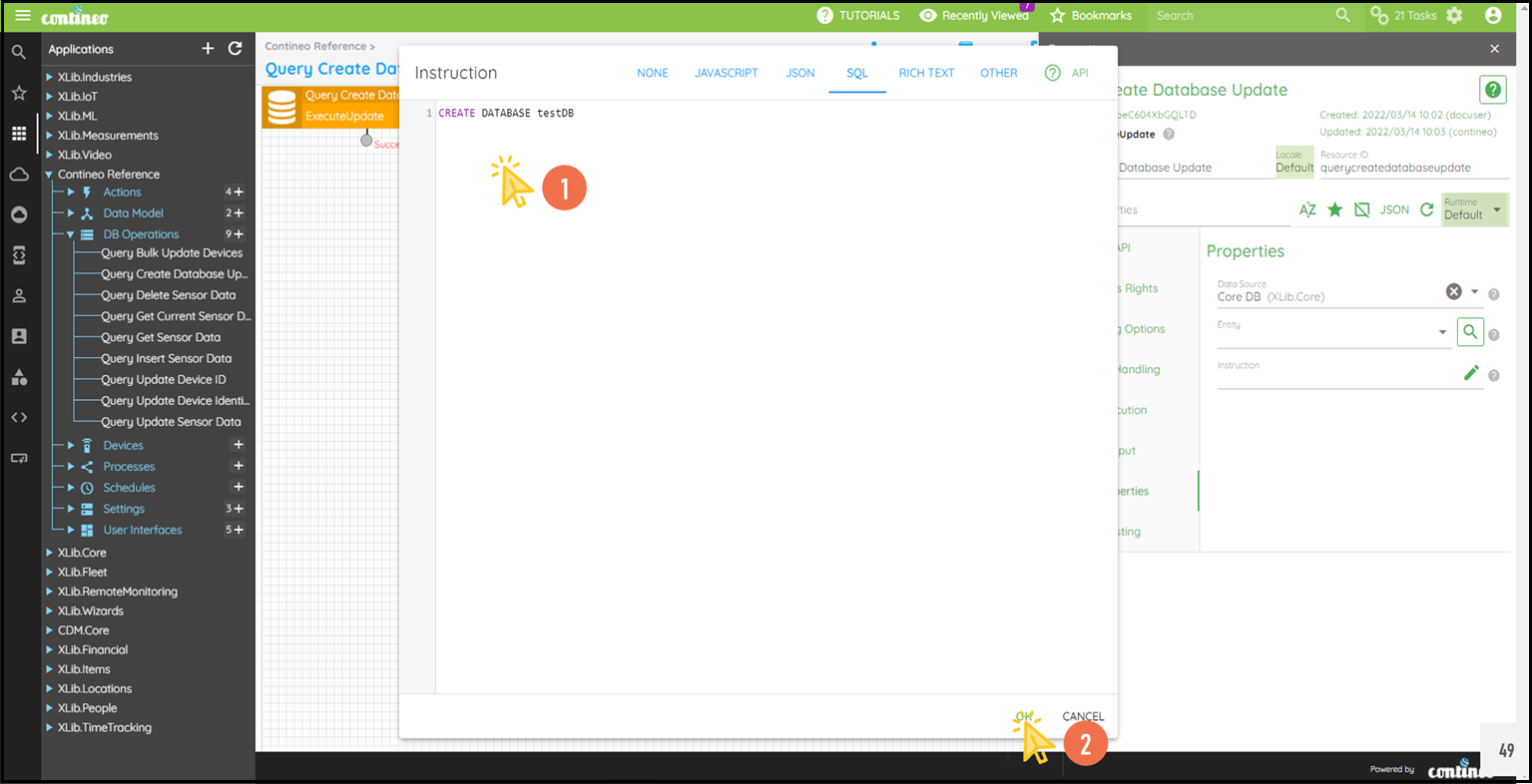
Example: To create a new Database test DB.
Steps:
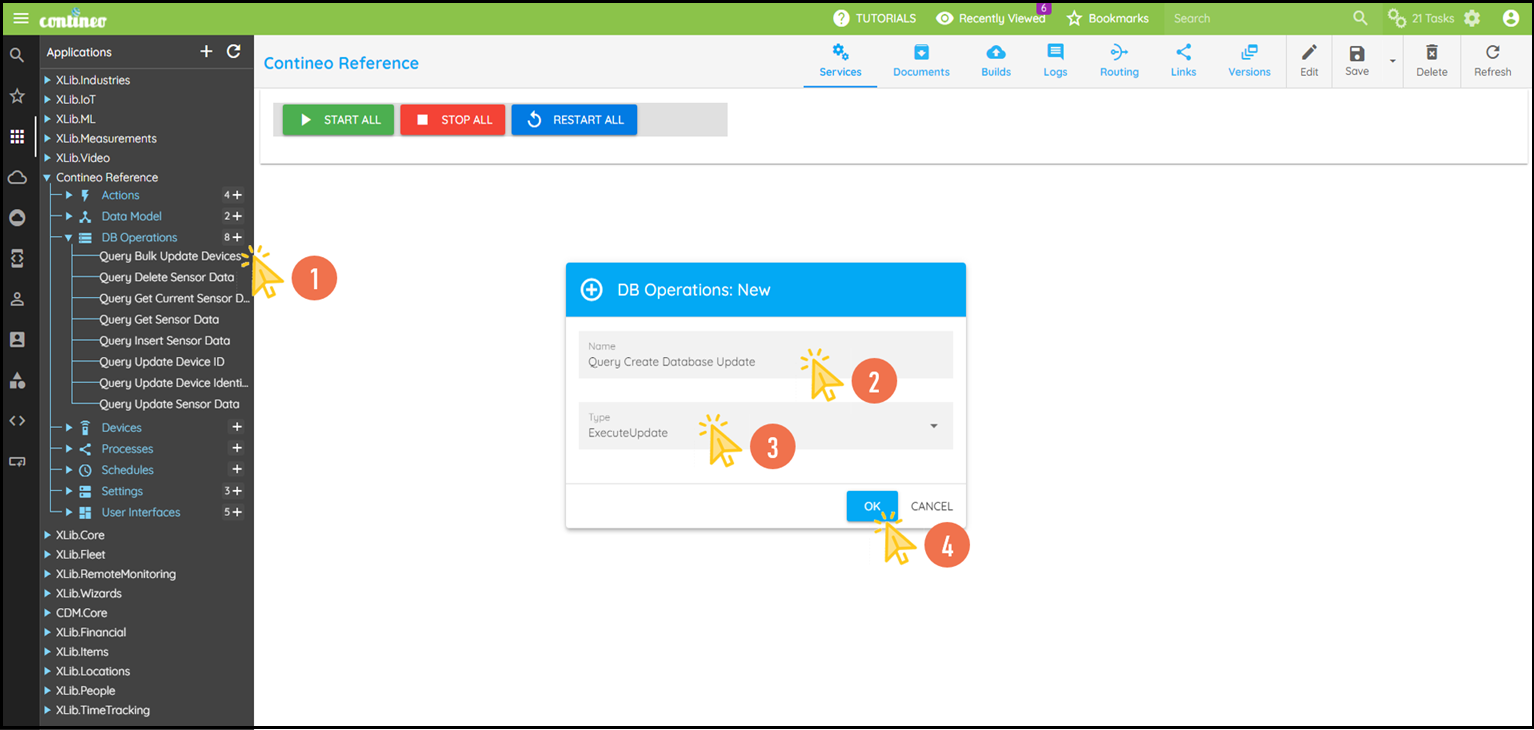
Click + under DB Operations to create the new database operation.
Enter the Name of the operation and select Type as "ExecuteUpdate".
Click OK. The new component is created and opened in the designer.
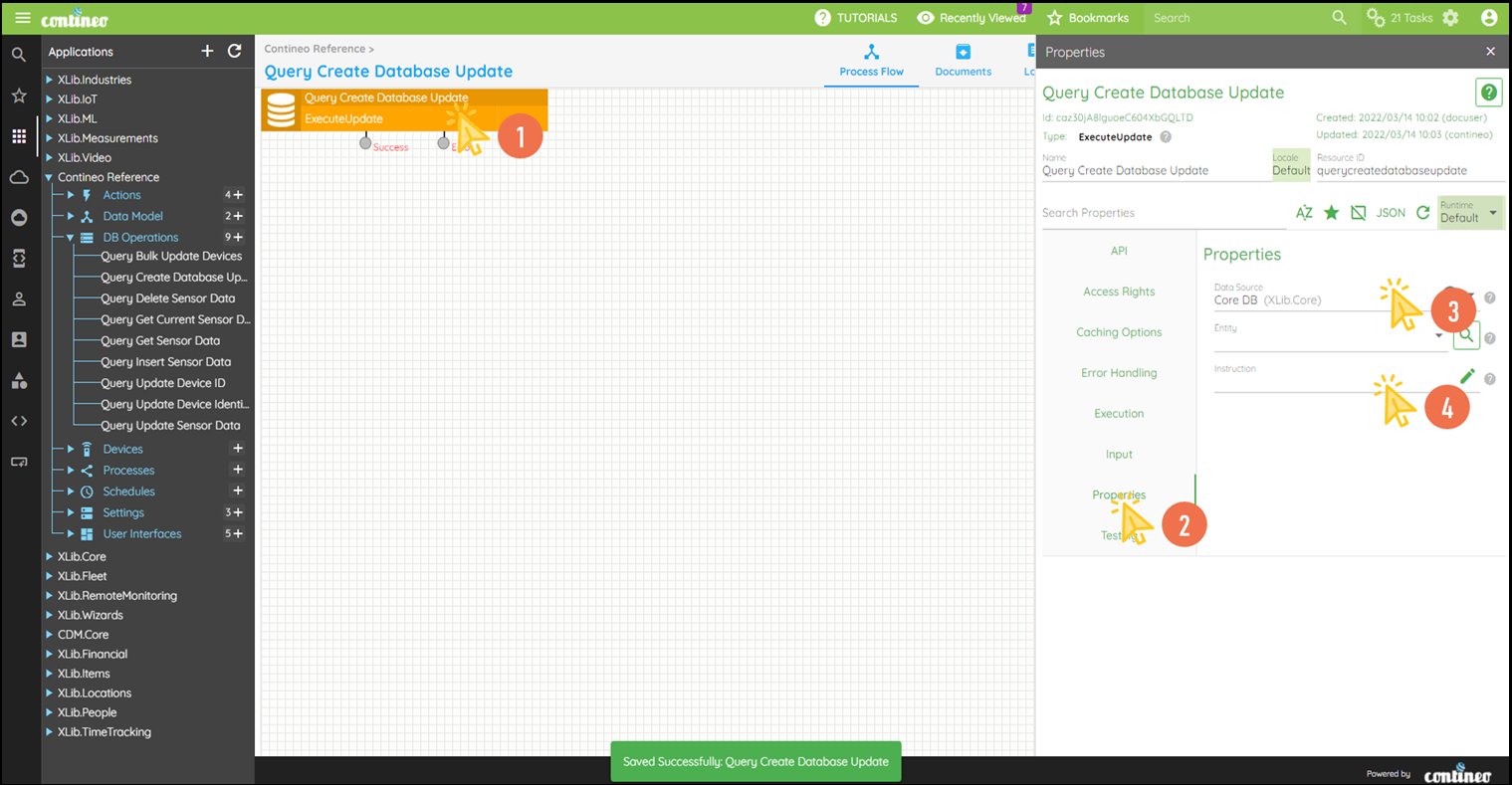
Click EDIT in the top menu to open the Properties Panel.
Navigate to Properties > Data Source and select the required Data Source. You can create a new data source such as SQL Data Source under Settings.
Click on Properties > Instruction to open the editor to write the SQL Instruction.
Write down the SQL Instruction in the editor and click OK.
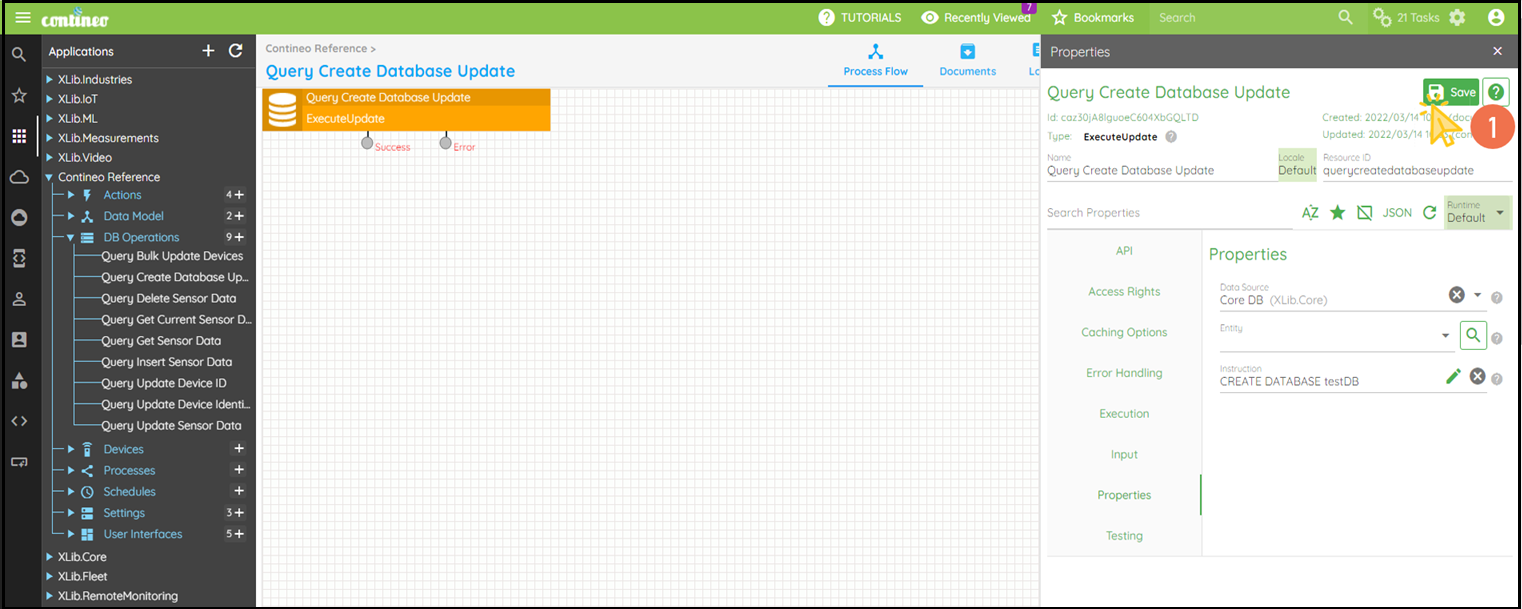
Click SAVE to save the configuration.