REST API Specifications
REST API Specifications for Actions, DB Operations, and Entity APIs.
REST APIs in Contineo:
Every Action created in Contineo can be called as a REST API. Checking the API > Enable Web API property of an Action creates an HTTP endpoint on which the Action can be invoked. For every Entity, all it's Entity APIs can be called as REST APIs.
Terms to replace in API specs below:
{host} - The host server/domain name. If you are using the trial platform this value is trial.contineonx.com.
{tenant} - Platform level Tenant or Subtenant. If you are using the trial platform this value is contineo.
{app} - Application Resource ID
{module} - Resource ID of Web Module that authenticates and return an auth token
{action} - Resource ID of Action
{entity} - Resource ID of Entity
{entityapi} - Resource ID of Entity API
{username} - Username used for authentication
{password} - Password used for authentication
Creating the Auth Token
URL: http(s)://{host}/WebAppAuth
Method: POST
Content-Type: application/json
Body: Provide authentication parameters in the following format:
{
"tenant": "{tenant}",
"app": "{app}",
"module": "{module}",
"username": "{username}",
"password": "{password}"
}
Calling Actions
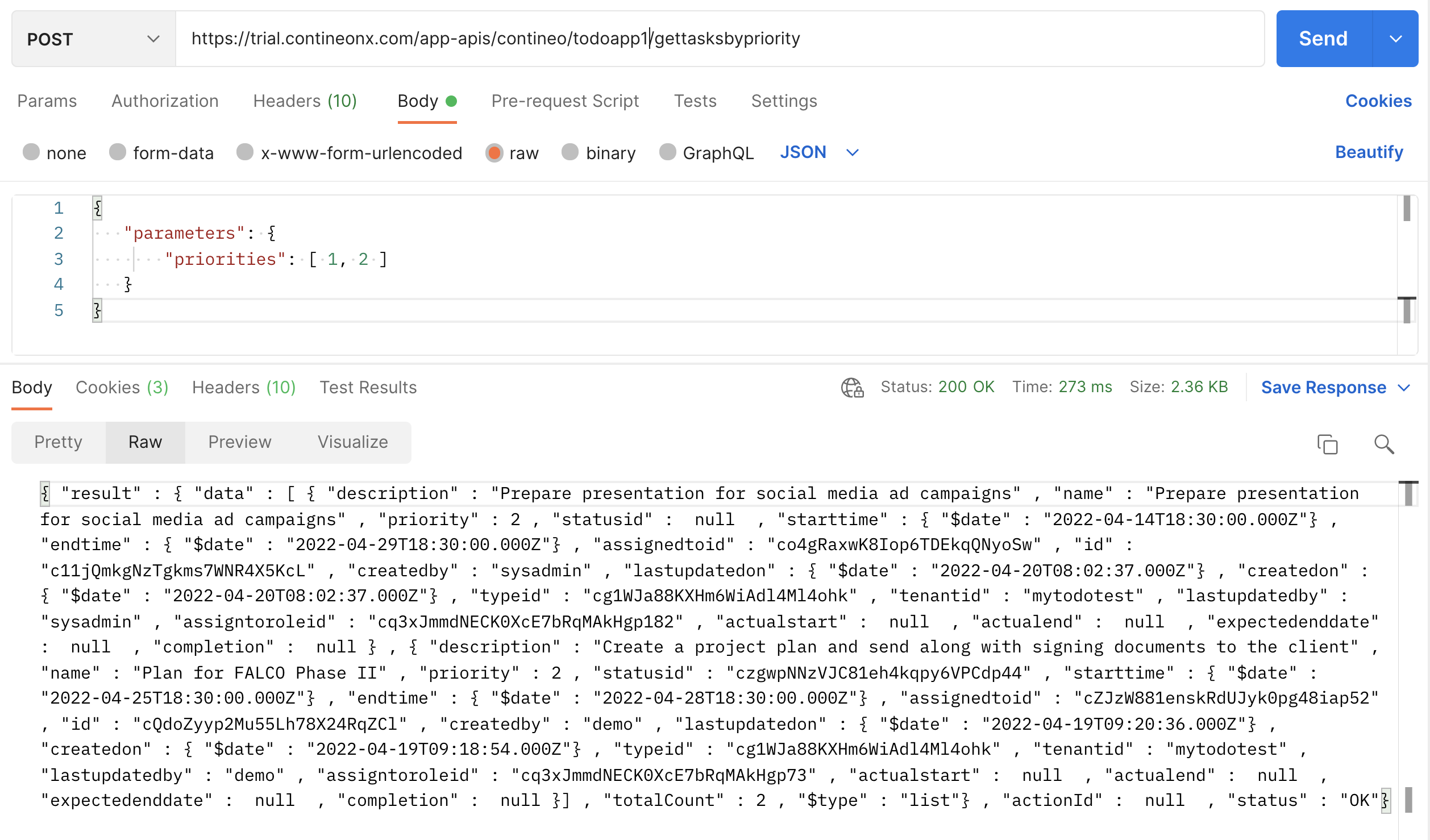
URL: http(s)://{host}/app-apis/{tenant}/{app}/{action}
Method: POST
Headers: Provide the auth token in the Authorization header
Content-Type: application/json
Body: Provide the input parameters in JSON format. The keys should match the properties of the Action
Sample Request:
Calling Entity APIs
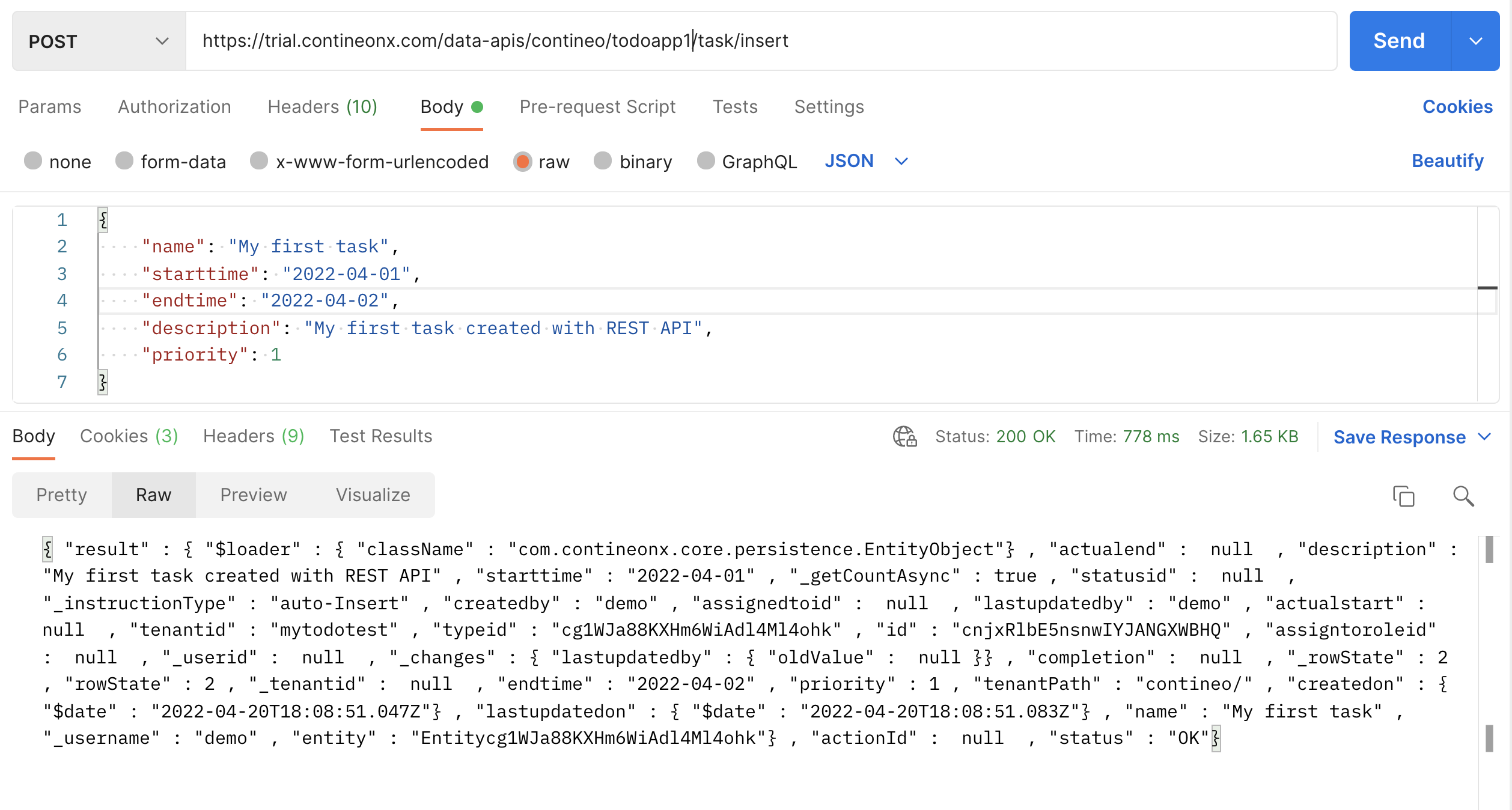
URL: http(s)://{host}/data-apis/{tenant}/{app}/{entity}/{entityapi}
Method: POST
Headers: Provide the auth token in the Authorization header
Content-Type: application/json
Body: Provide the entity data in JSON format. The keys in the body should match the resource IDs of the Entity's fields
Sample Request:
Calling Actions without Authorization
To enable actions to be called without authorization, set the API > Access Key property of the action to <none>. Once this is done you may call the action as follows:
URL: http(s)://{host}/{tenant}-{app}-api/{action}
Method: GET/POST
Content-Type: application/json
In case of POST, provide the input parameters in the request body in JSON format. The keys should match the properties of the Action.
In case of GET:, provide input parameters in query parameters.