SMTP Email Service - Create SMTP Email Service
Simple Mail Transfer Protocol (SMTP) is an internet standard for email transaction. An SMTP service provider helps you reliably send emails from your website to your users. SMTP servers are specially configured to send your emails to other users.
In Contineo, you can configure a mail server using the SMTP Mail Service.
Steps:
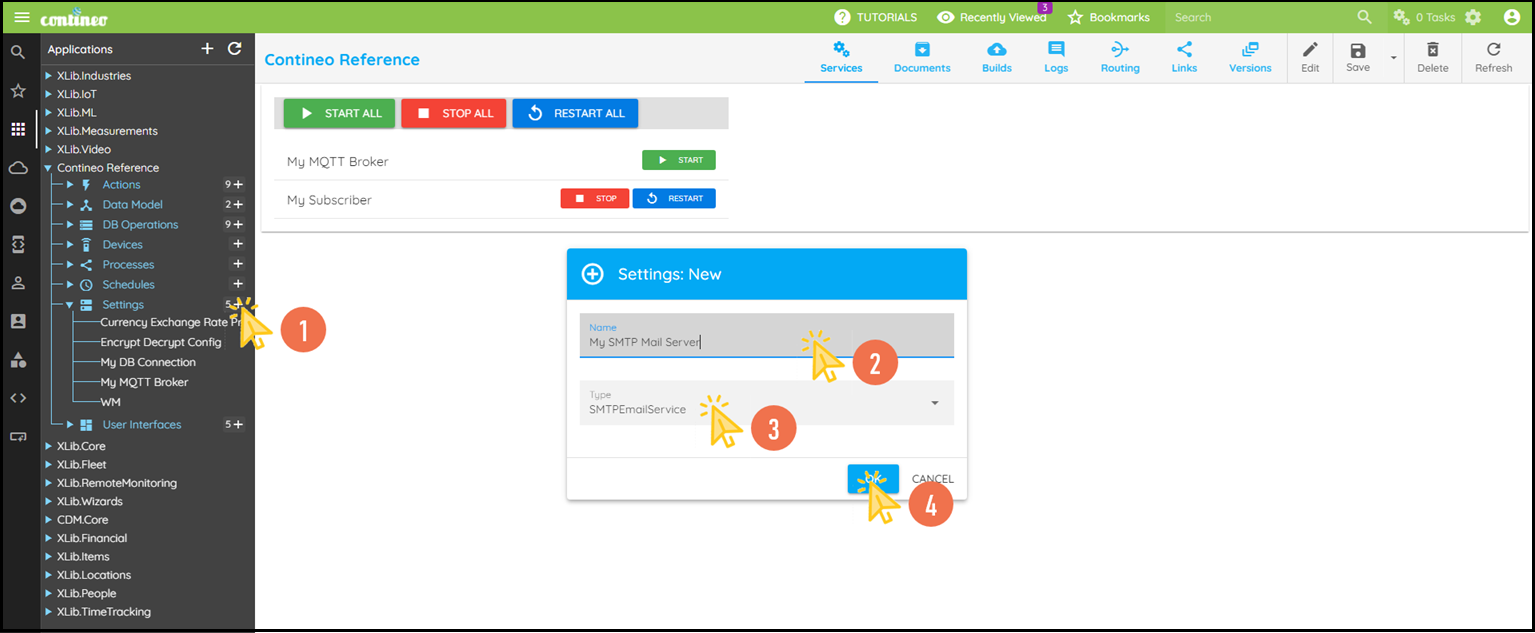
Click + in Settings and create an SMTP Mail Service.
Enter the name of the SMTP Server and select the type as SMTP Mail Service.
Click OK. The new component is created and displayed in the designer.
Click Edit in the top menu to open the Properties Panel.
Select the Connection Properties group:
Enter the host URL/IP under Connection Properties > Host.
Enter the port number under Connection Properties > Port.
Enter the username (your mail ID) under Connection Properties > Username.
Enter the password for the mail ID under Connection Properties > Password.
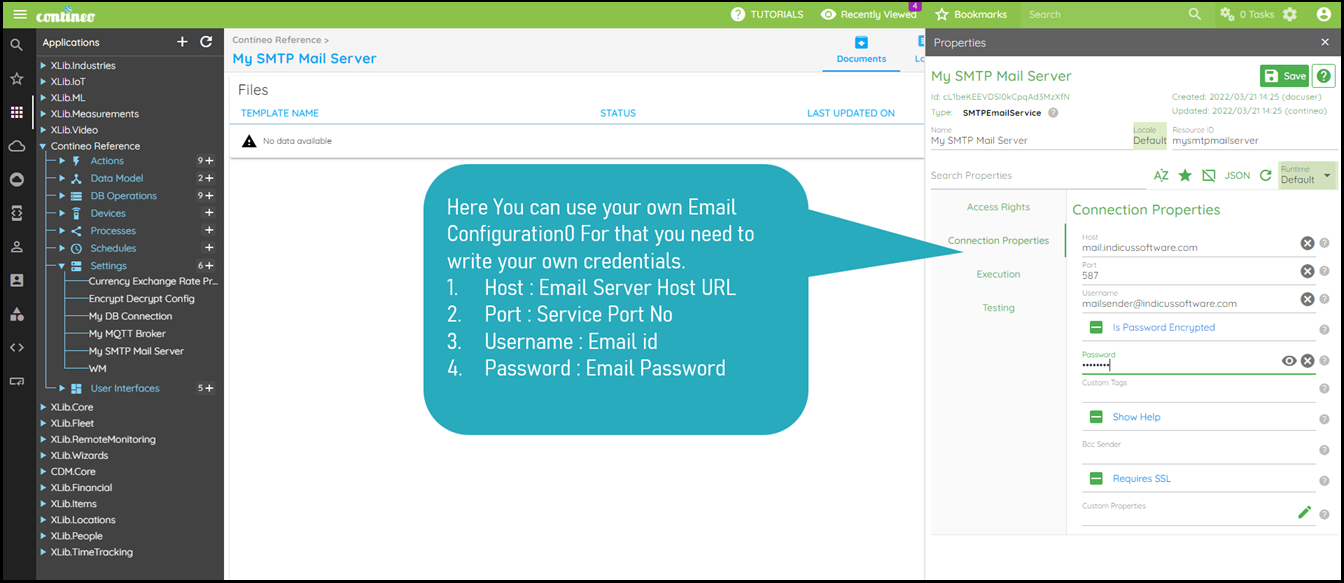
Click SAVE to save the configuration.