Version Management
Version Management also called Version Control or Revision Control, is a means to effectively track and control changes to a collection of related entities and applications.
Why you need Version Management:
Version management helps you track and control changes to related entities and applications.
Example Scenario:
You work on an Entity and almost complete it. The client asks you to add two new fields. You add the fields, but the web page stops working. Version management solves this problem.
By using version management you can return your Component or entire application to any previous version.
To Create a New Version of the Application:
Click on the Application name. Click Create New Version.
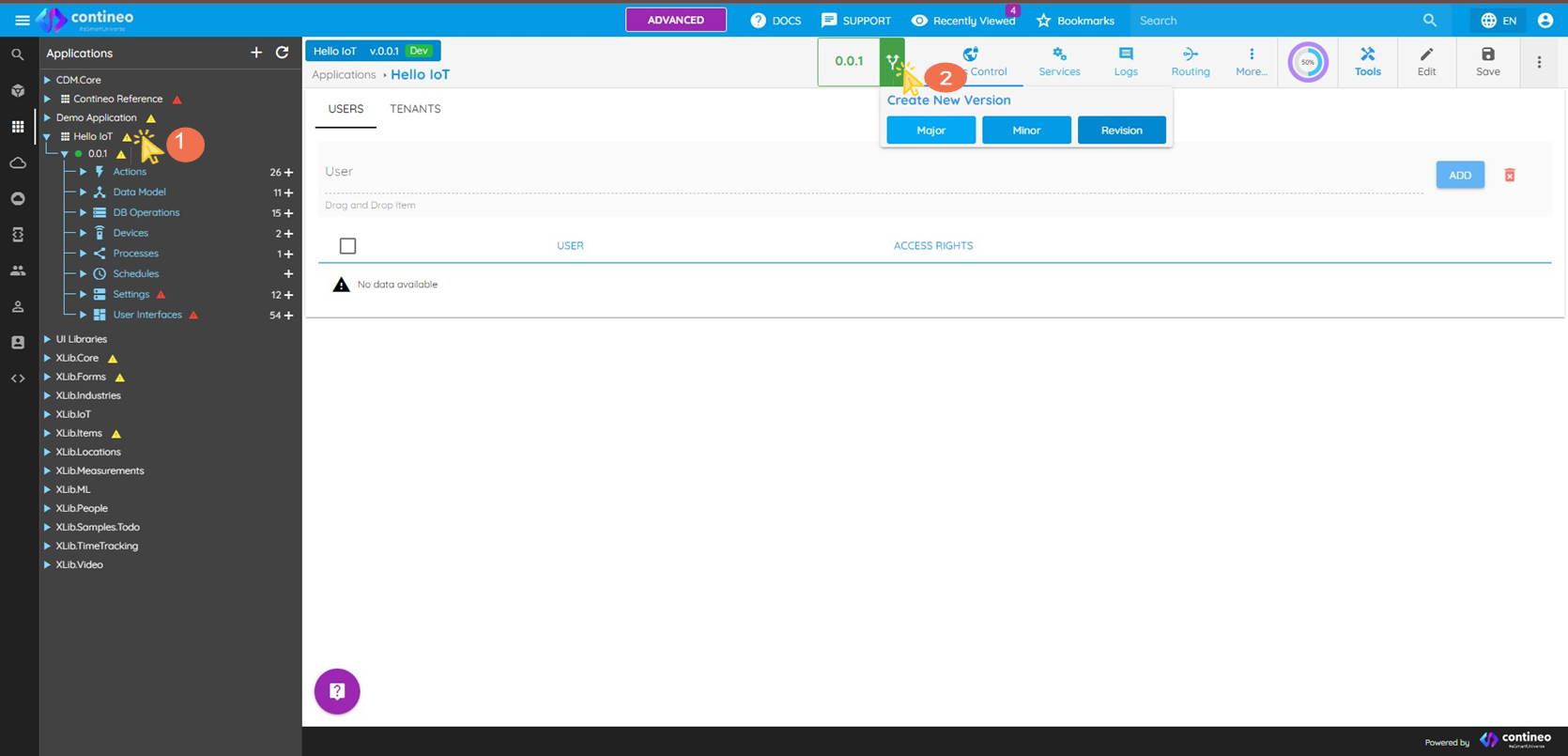
Create a new version of the existing application, with a desired version number.
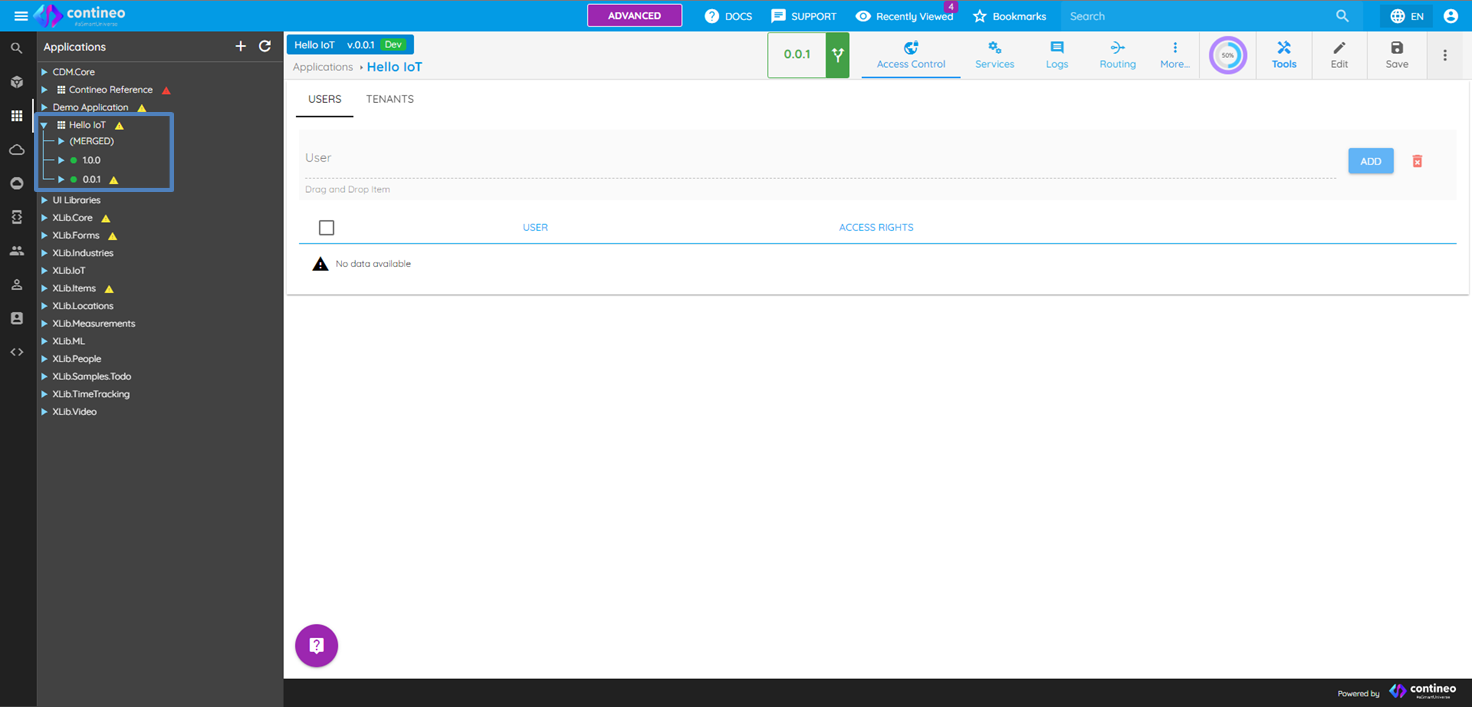
As shown in the following image, all the versions created for the application are visible under the application name.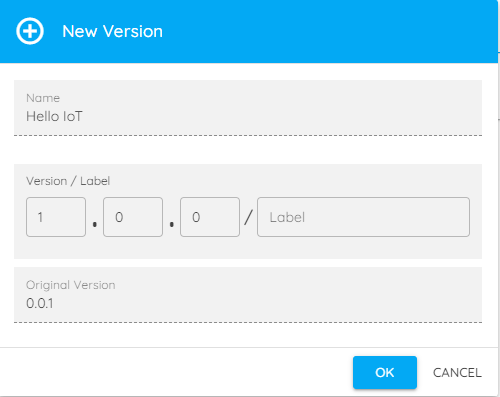
Explanation of tree structure used for Version management:
Version 0.0.1: Contains all created components.
Version 1.0.0: a) Contains components you copy from version 0.0.1 to version 1.0.0.
b) Contains components you create new in version 1.0.0.MERGED Section: Contains the latest version of every component.
To create a copy of the Component in different versions:
Click on the component you want to copy.
Click on Create Copy. The system shows you a list of versions that do not contain this component.
Select the Version where you want to create the component. A copy of the component is created.
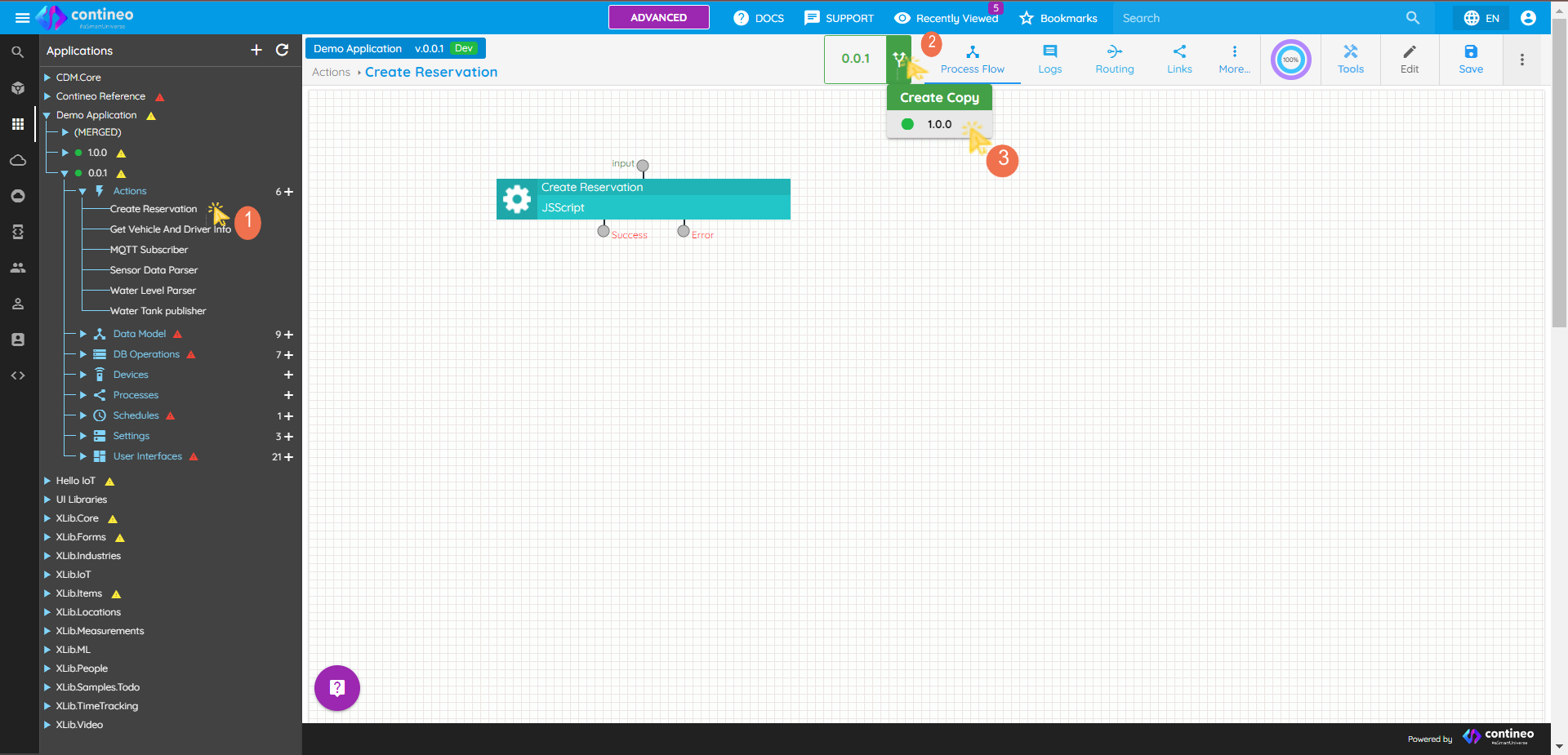
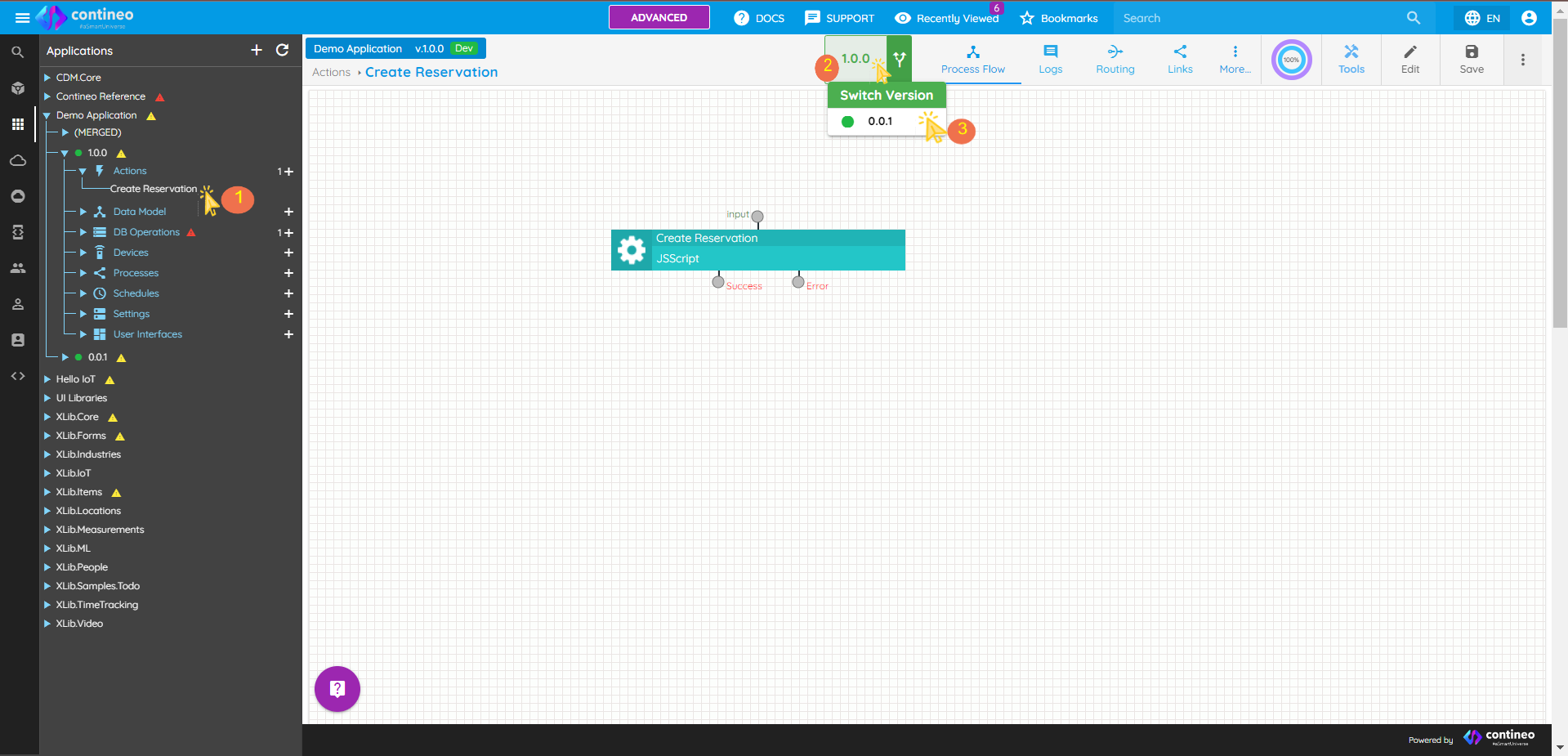
To Switch between component versions:
Click the Switch Version symbol displayed as ②, as shown in the image.
The system shows you a list of versions that contain this component.
Select the Version you want to switch to. You are redirected to the selected version.