To get started with the NeoPilot Application Builder, a few prerequisites must be in place. The Application Builder is fundamentally a GenAI-powered agent, developed by using the NeoPilot Agent Builder framework. It relies on state-of-the-art Large Language Models (LLMs), primarily Claude by Anthropic and GPT-4 by OpenAI, to drive intelligent automation and application logic.
To enable these capabilities, users must obtain valid API keys for both Anthropic and OpenAI models. These keys allow the Application Builder to securely access and utilize the LLMs during execution. Without them, the generative features do not function.
Additionally, you must create an account on the NeoPilot Platform. This account grants you access to the builder interface, along with tools for managing agents and pipelines.
Detailed steps to acquire LLM API keys and set up your NeoPilot Platform account are provided in the following sections.
LLM API Keys
To integrate AI capabilities from OpenAI and Anthropic Claude into your applications, follow these steps to sign up and obtain API keys for both platforms.
OpenAI
Visit the OpenAI website: OpenAI Platform.
Click Sign Up to create a new account or "Log In" if you already have one.
After logging in, navigate to the API Keys section.
Click Create new secret key to generate a new API key.
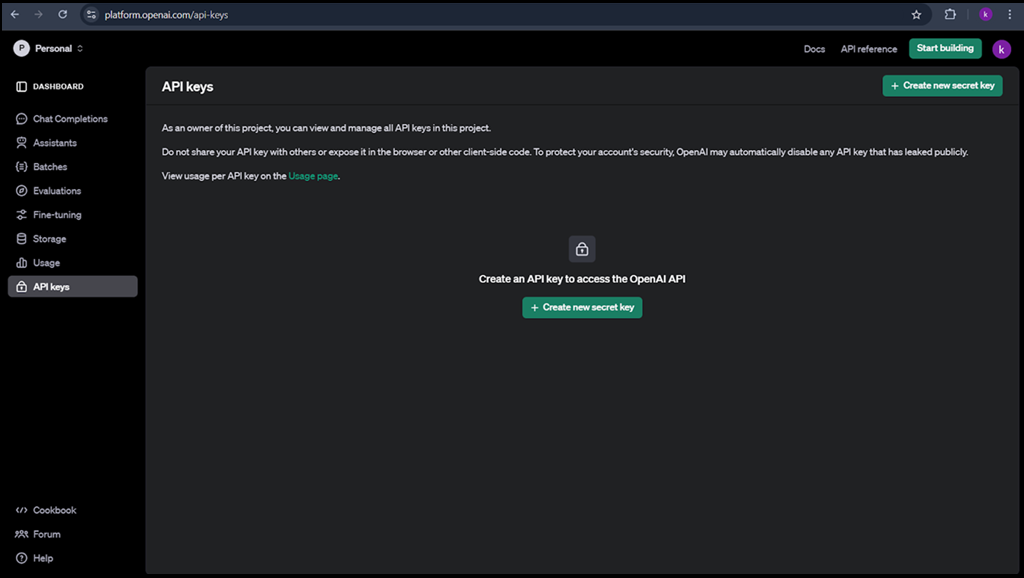 Figure 1: Create OpenAI API key
Copy and securely store your API key, as it is not displayed again.
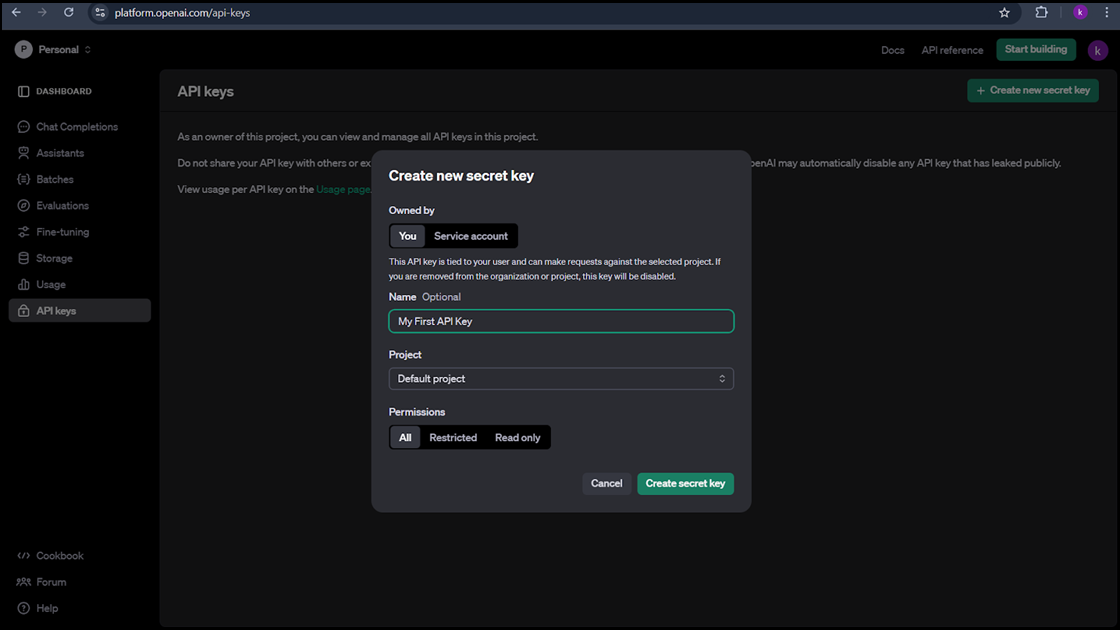 Figure 2: Create OpenAI API Secret key
Additional Resources:
OpenAI API Quickstart Guide: OpenAI Quickstart Guide
Anthropic's Claude AI
Access the Anthropic Console: Anthropic Console
Sign up for a new account or log in if you already have one.
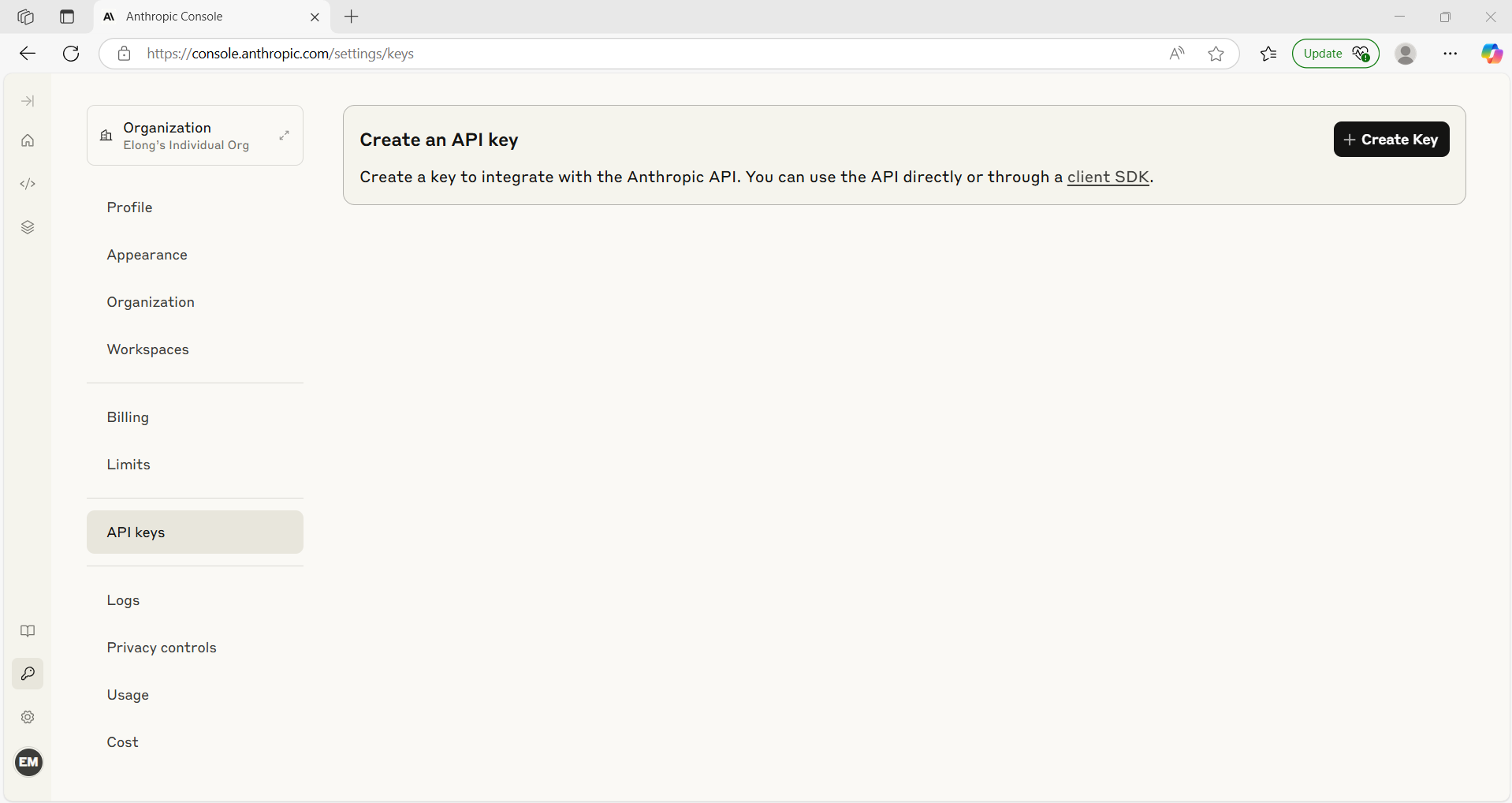
Once logged in, navigate to the API Keys section within Account Settings.
Click Create Key to generate a new API key.
Name your key appropriately and confirm the creation.
Copy and securely store your API key, as it is not displayed again.
Additional Resources:
Anthropic API Getting Started Guide: Anthropic API Getting Started
For a visual walkthrough on obtaining a Claude API key, you can see the video on YouTube
Other Platforms:
Groq: Get a Groq API key
Googel Maps: Use API Keys | Maps Embed API | Google for Developers
New user registration
Browse to the Neopilot website and click Start Your Free Trial.
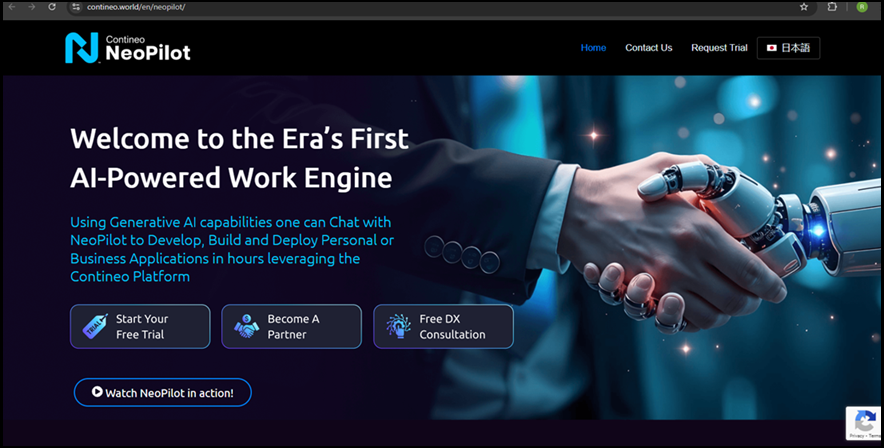 Figure 4: NeoPilot website Homepage
Enter your credentials to get started with Neopilot.
Once you click Submit, you receive an email. Open the email and click Activate Account to activate your account.
After your account activation, you can reset your account password.
Once you reset the password, log in again. A pop-up message appears that requests your confirmation.
Read the terms of use carefully and click I Agree.
Log in to the Neopilot console, where you can see the Neopilot Agentic AI Engine.