Create SSL Certificate for Microservices OR independent ECS / EC2 cluster.
Steps to Create an SSL Certificate for ECS / EC2
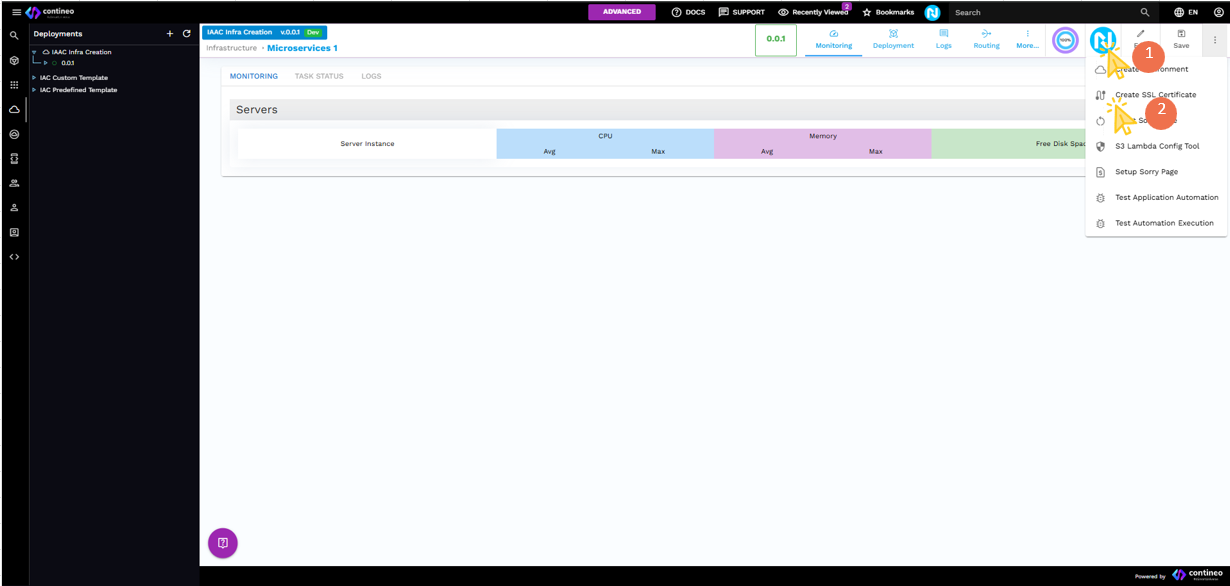
Click Neo-Pilot.
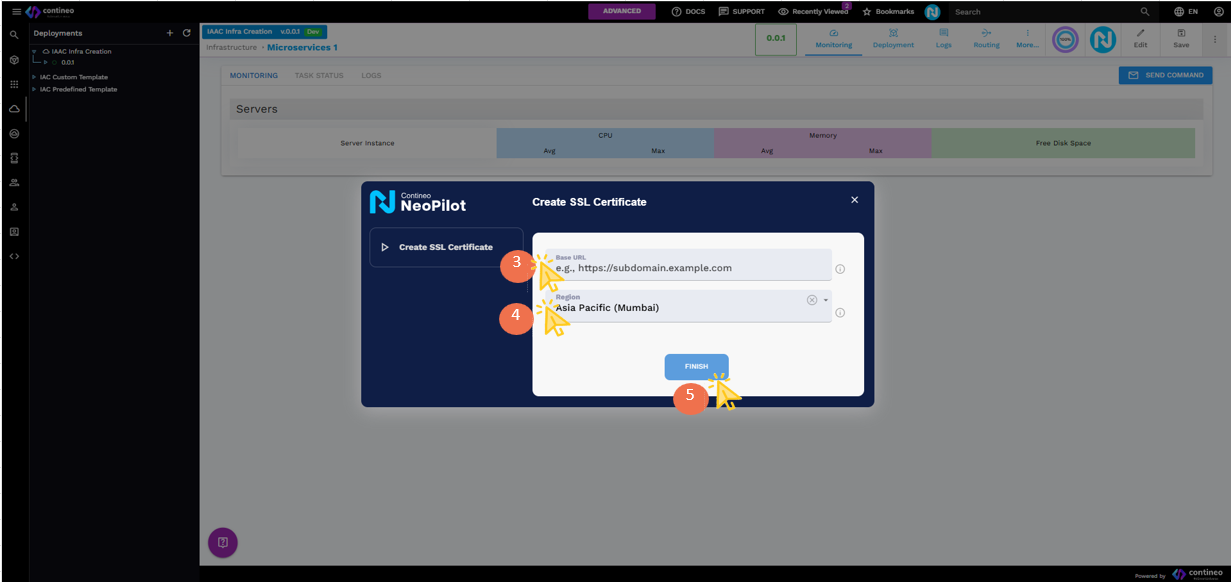
Click the SSL Certificate button — a popup is displayed.
In the popup, enter the Base URL (Domain) of the Microservice / ECS / EC2 for which the SSL certificate is needed.
Note: The SSL certificate is created only if the base URL matches the Microservice / ECS / EC2 configuration.Select the appropriate Region from the dropdown menu.
Click Finish to generate the certificate.
The generated certificate appears in the SSL certificate dropdown menu when creating a new Microservice / ECS / EC2 instance.