The system initiates the data binding process to seamlessly connect frontend components with backend data sources.
It starts with API creation step, where REST or GraphQL endpoints are automatically generated to enable smooth data flow between the interface and backend services.
Next is the SQL query generation step, which creates optimized queries tailored to the application's data operations such as filtering, sorting, and aggregation.
Finally, the system handles database connection setup establishing secure, authenticated links to supported databases such as MySQL or PostgreSQL.
This streamlined process enhances development speed, reduces manual work, and ensures robust backend integration.
The system starts the data binding process, which includes:
API creation
SQL query generations
Database connection setup
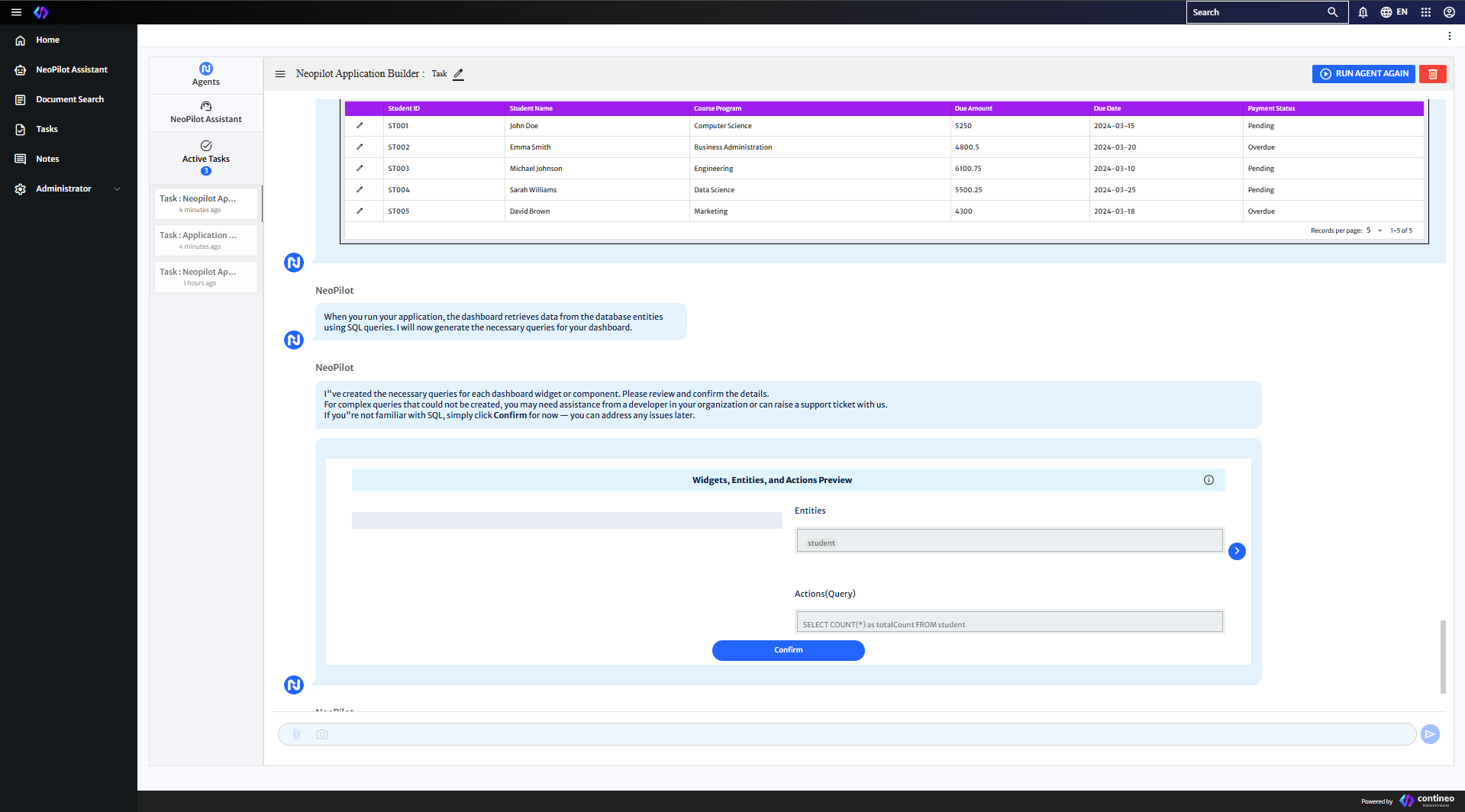
Review the generated SQL queries that fetches data from your database entities to populate the dashboard. Click Confirm.
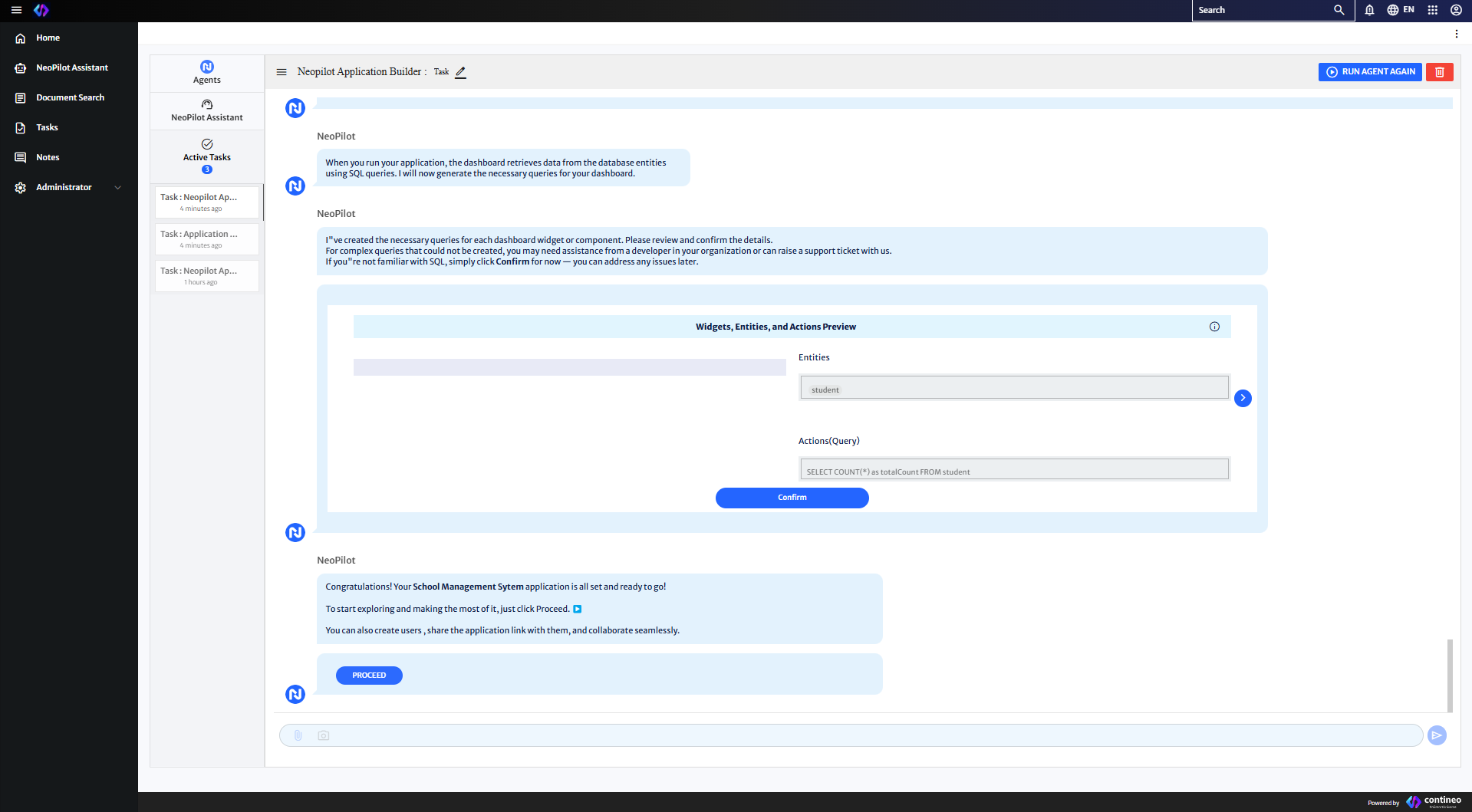
Your application is now configured and ready for deployment. Click Proceed.
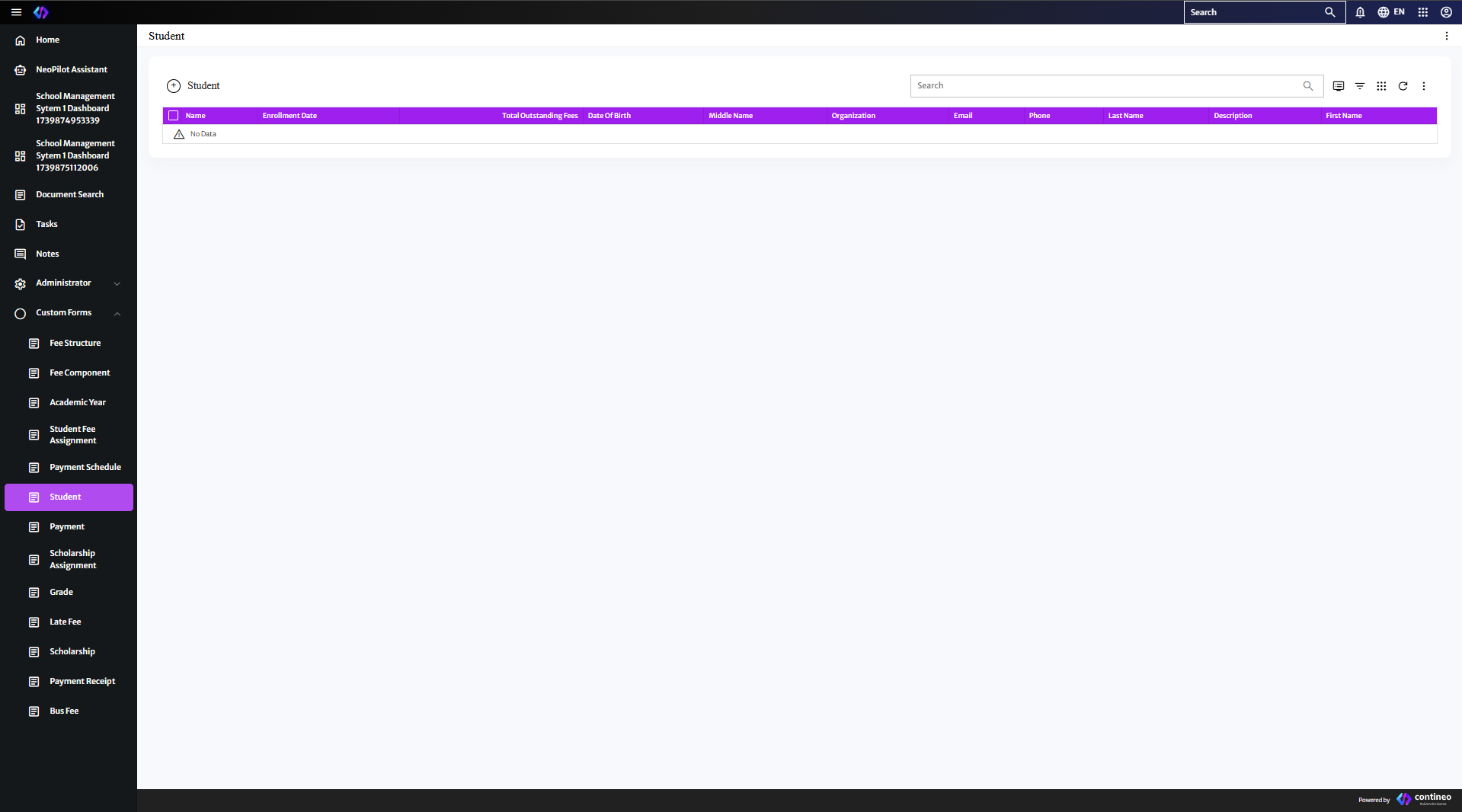
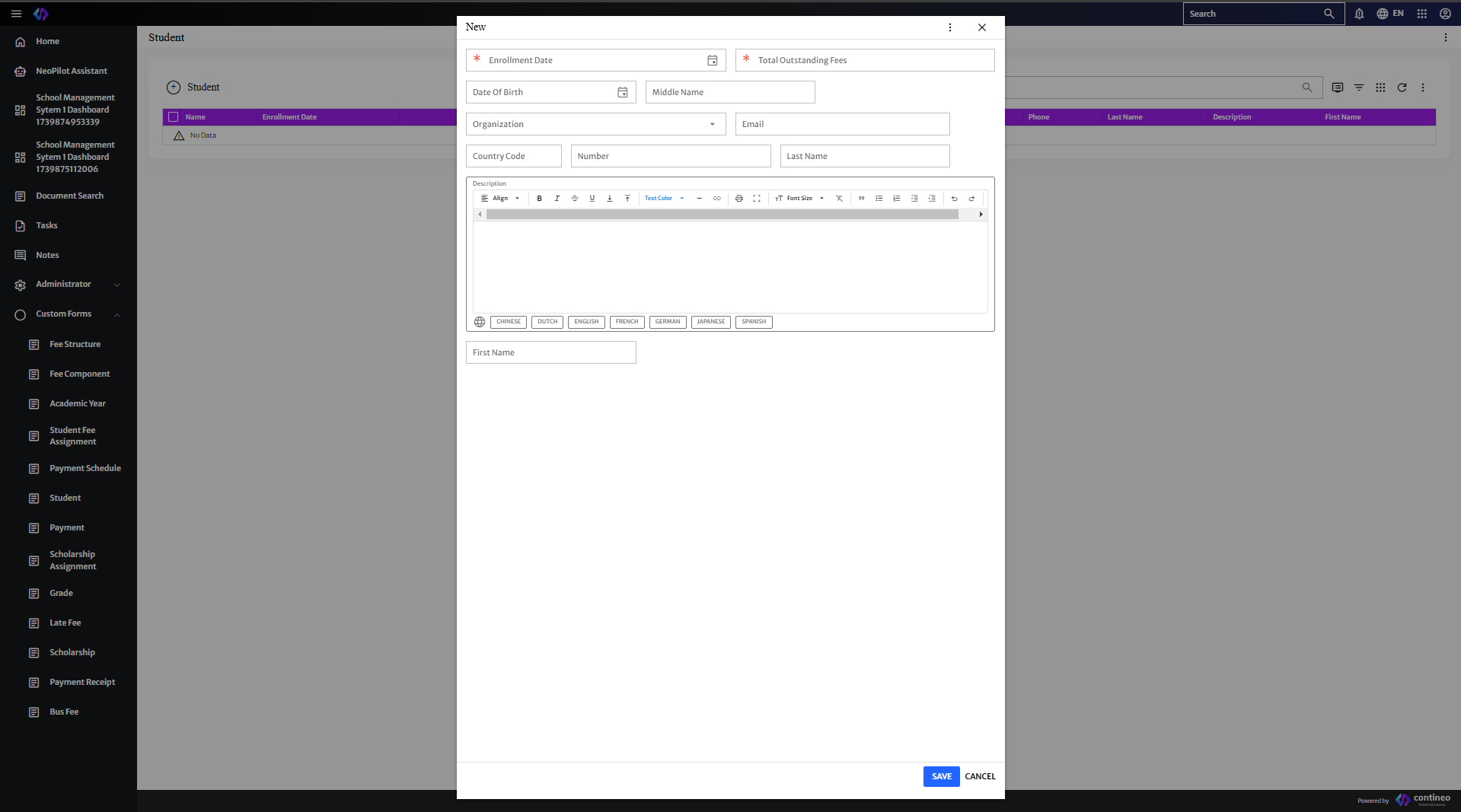
You are then redirected to your completed application interface, where you can begin using your newly created application.
This documentation assumes that you have a valid Neopilot subscription and appropriate access permissions. For additional support or troubleshooting, contact the Neopilot support team.