Create Action SendHttpRequest to Invoke an External Service
The SendHttpRequest action is used to access external applications.
Contineo developers can configure the following using the SendHttpRequest action:
Context Path
Parameters required by the third-party service
HTTP Method (GET/POST)
HTTPClient
Steps
Navigate to:
<Application> → Action → +Provide a unique component name.
Select "SendHttpRequest" in the Type drop-down.
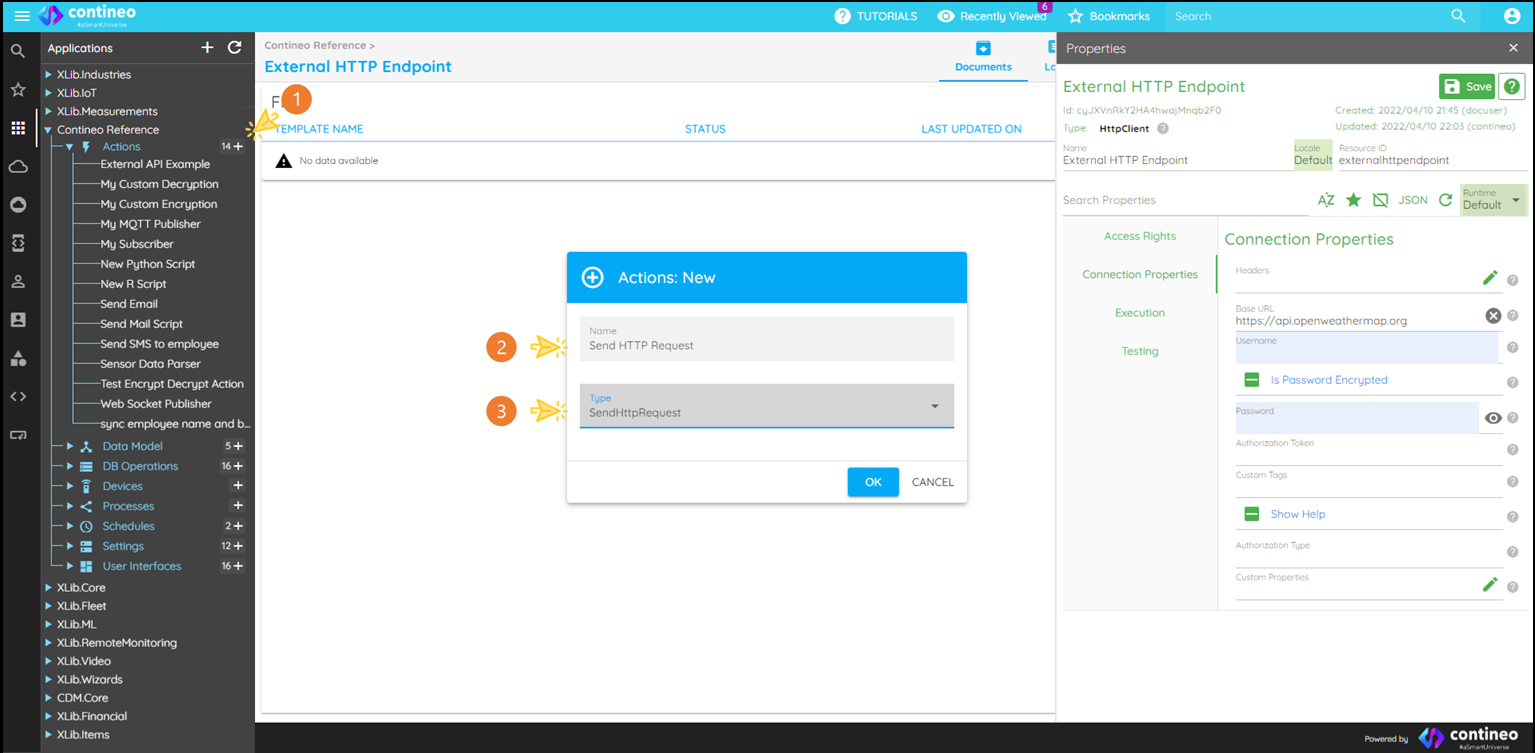
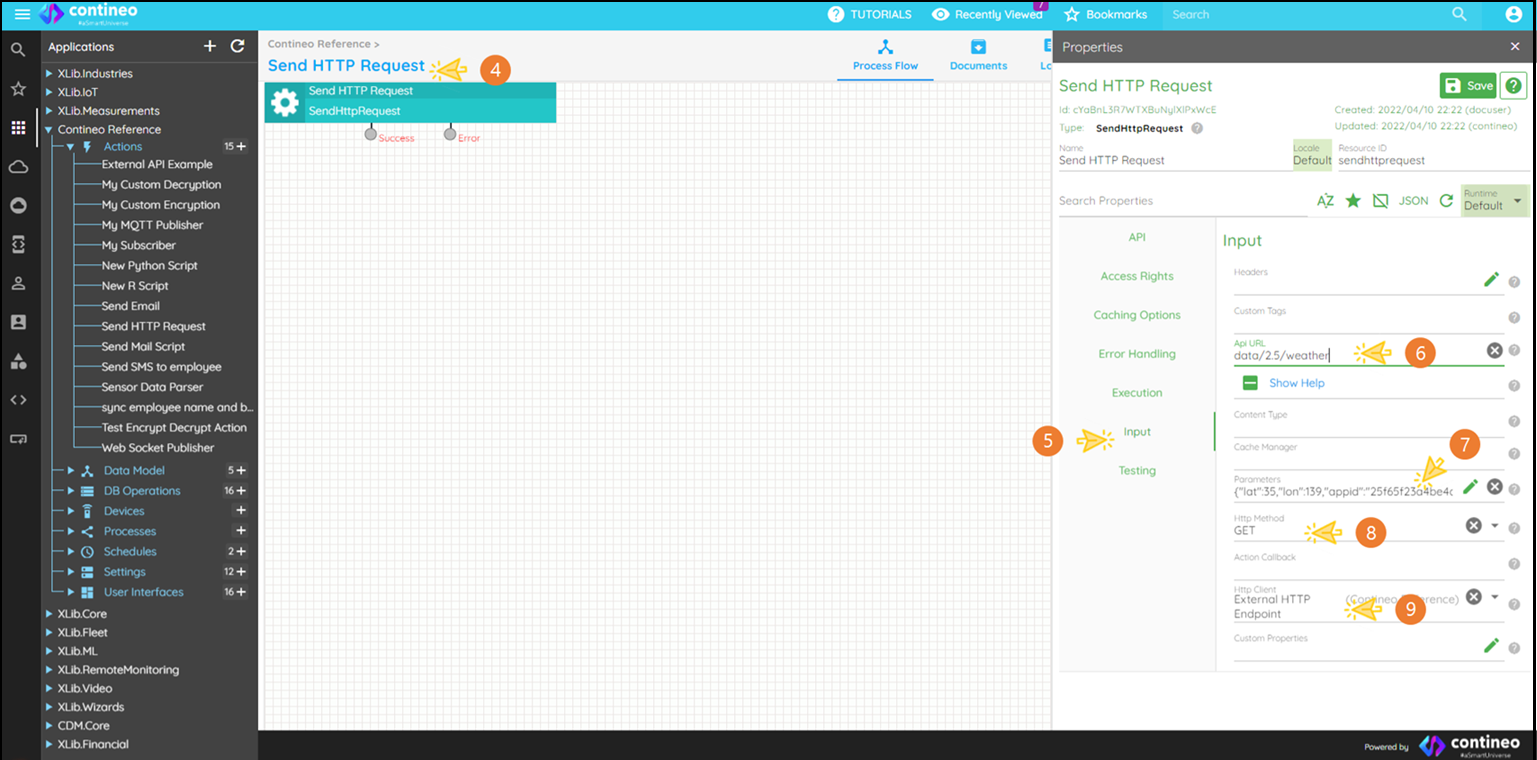
Open the Properties Panel by clicking on the component name.
Click INPUT.
Select the API URL and enter the context path of the HTTP endpoint.
Select Parameters and enter them in JSON format.
Select HTTP Method (GET / POST / DELETE / PUT). Refer to the documentation provided by the service provider.
Select the HTTPClient component from the dropdown.
Example
Consider the example API URL for weather information
The context path is:
data/2.5/weatherThe SendHttpRequest component expects parameters in JSON format. HTTP Parameters "&lon=73&appid=25f65f23a4be4dd3227ef3ab59c67280" are converted in JSON format:
{"lat":35,"lon":139,"appid":"25f65f23a4be4dd3227ef3ab59c67280"}Optionally, you can add headers such as
Content-TypeorAuthorizationin the properties panel.