Create and Configure HTTP Endpoint HTTPClient
HTTP endpoint represents an external application, which supports integration by using HTTP protocol. Using the HTTPClient component, Contineo developers can configure the HTTP endpoint where third-party services are available.
Steps
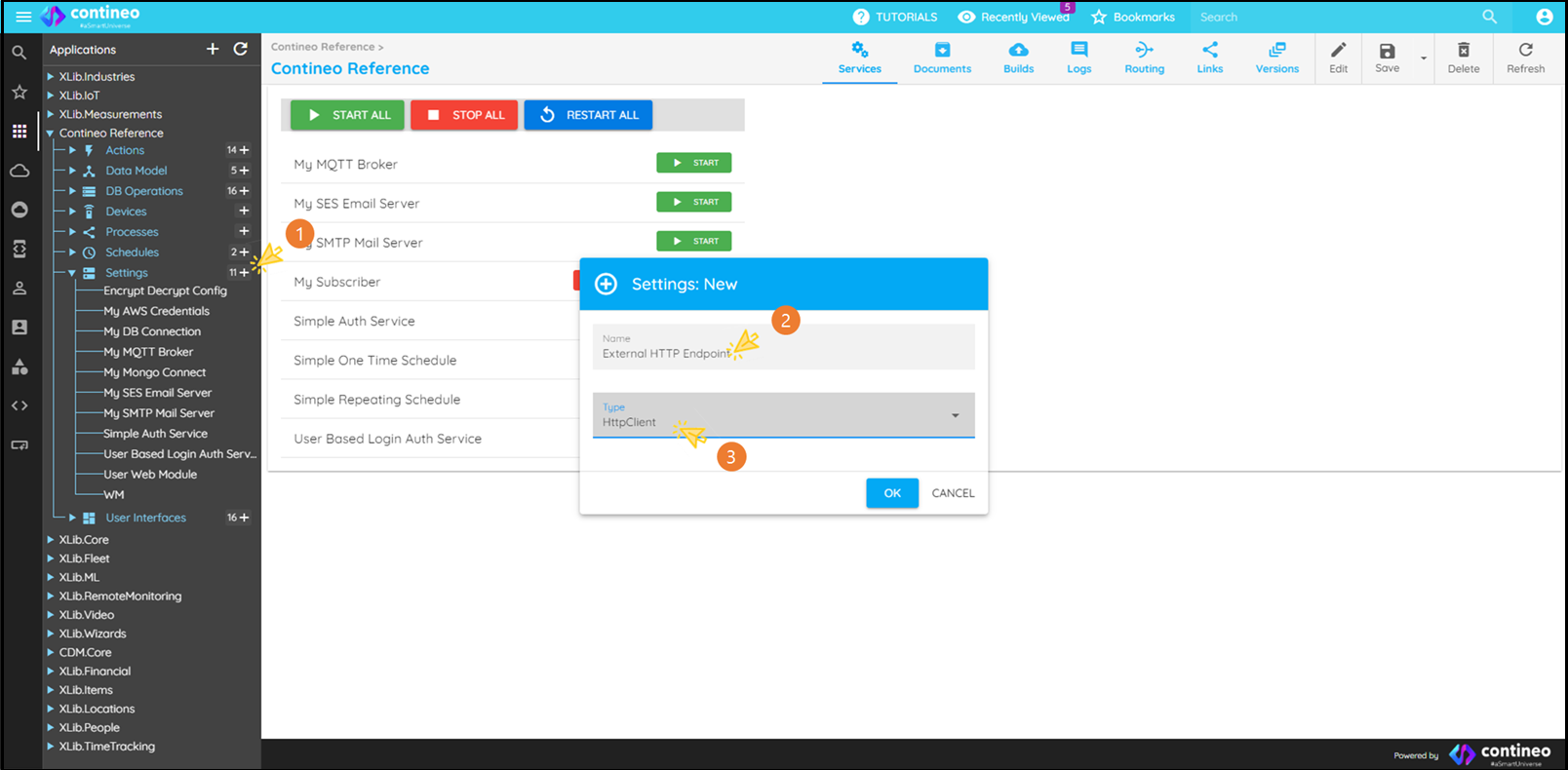
Click
<Application Name> → Settings → +Enter a unique component name.
Select type: HttpClient
Click OK
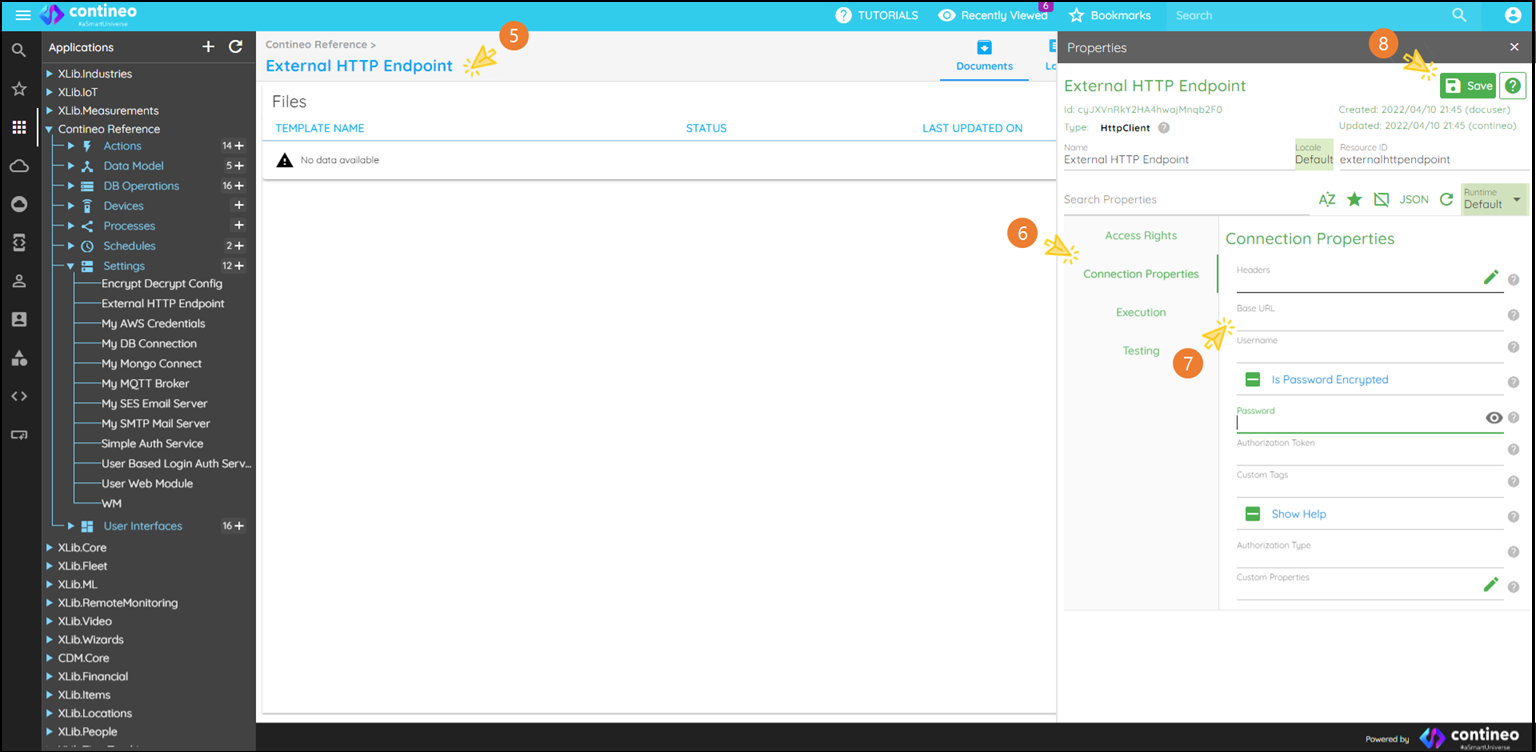
Open the Properties Panel by clicking the component name.
Click Connection Properties.
Enter the Base URL of the application that provides services using the HTTP protocol.
Click Save.
Notes
Base URL: Format —
http(s)://<Server Name or IP Address>:<Port Number>Example: For the weather API, the full URL might be: https://api.openweathermap.org/data/2.5/weather?lat=<latitude>&lon=<longitude>&appid=<API key> In this case, the Base URL is:https://api.openweathermap.orgHeaders: If the endpoint requires common headers such as
AuthorizationorContent-Type, enter them as a JSON object. Example:{"Content-Type":"application/x-www-form-urlencoded","Authorization":"Bearer <your_token>"}