Data Mapping - Update UI Programmatically
This article illustrates how to utilize the Data Bean Path programmatically. At times, it is required to update the screen based on an event. For example, it may be required to display the data when the user clicks a button.
This is done by calling a server-side Action and updating the Data Bean Path.
The example illustrates displaying all Employee names in a Grid, upon a click of a button.
Part 1: Create a server-side component to fetch data from the database
Although this part illustrates fetching the Employee data from the database by creating a database operation, any action including a JavaScript Action, which returns a JSON Object / JSON Array, may be used.
Steps:
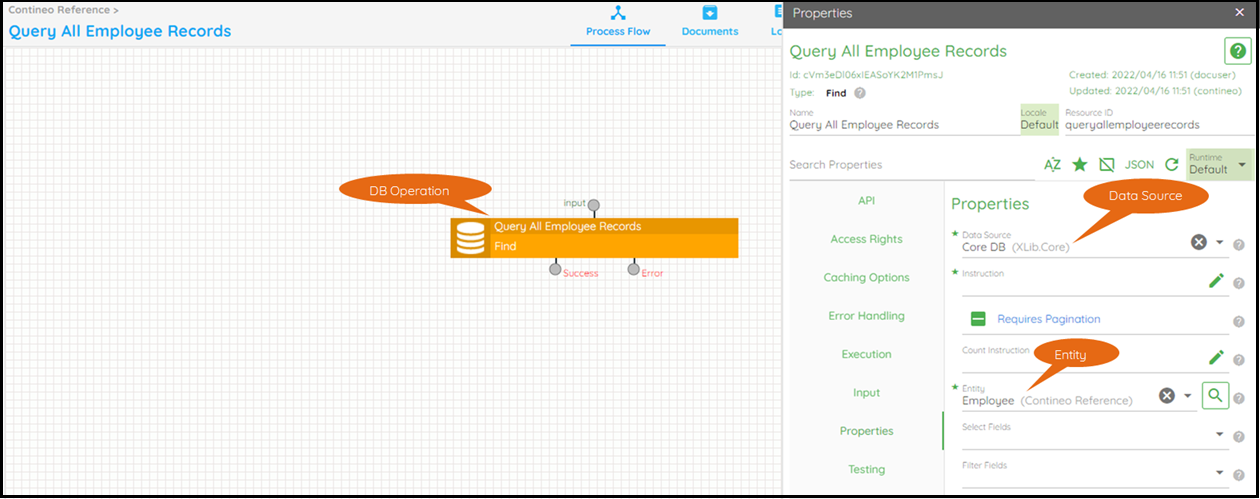
Create a database operation with Type Find.
Select the Entity (or provide an Instruction) and select the Data Source.
Part 2: Create UI
Create a custom widget with a Button and a Grid.
Assign a unique Data Bean Path to the
<Grid Property Panel>> Data Mapping > Data Bean Path.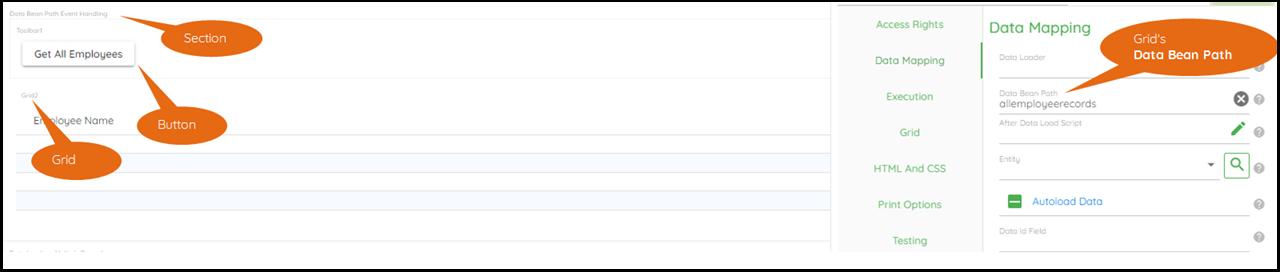
Part 3: Add Event Handler
Open the Event Handling Script Editor by clicking
<Button>> Event Handling > Before Handling Script.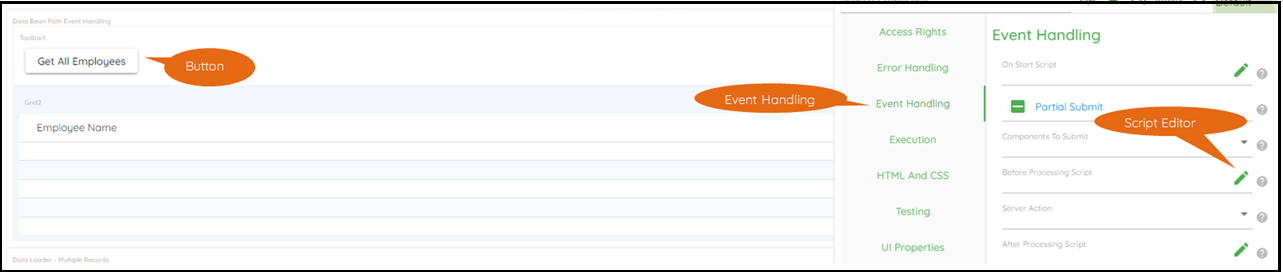
Enter the following script in the script editor:
// responseHandler.processResponse updates the data bean path with the data returned by the server-side actionvar responseHandler = {data: data,processResponse(response) {if(response.result) {data.allemployeerecords = response.result.data;updateModelItemState(data,"allemployeerecords", data.allemployeerecords,false);}}}// executeAppAPI is executed when the user clicks the buttonexecuteAppAPI("queryallemployeerecords", {}, null, responseHandler.processResponse);
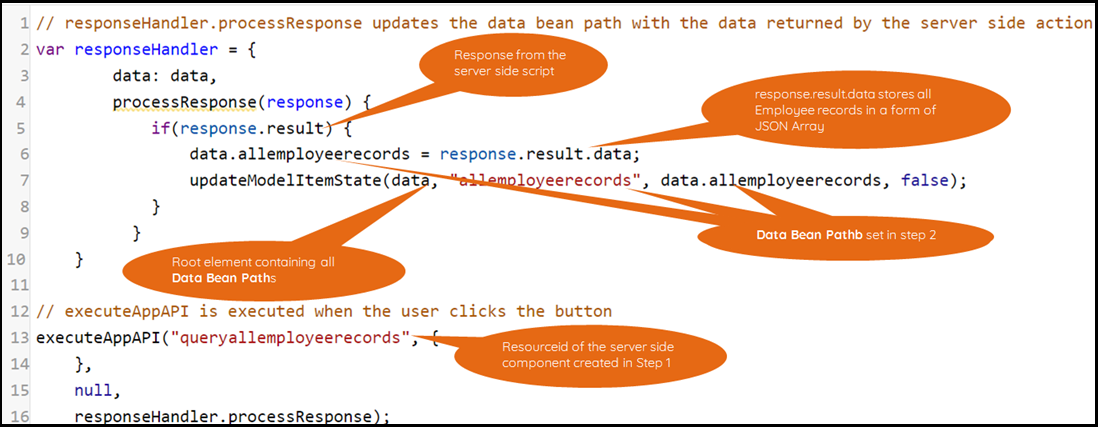
Script Explanation:
Line 13: Executes the server-side action created in Step 1.
Line 16: Executes
responseHandler.processResponsewhen the server-side action returns the result.Line 5:
response.resultis a JSON Object, which stores a JSON Object or Array returned by the server-side script.Line 6: Assigns the result to the Grid’s Data Bean Path (
allemployeerecords) as configured in Step 2.Line 7: Updates the data and refreshes the UI component.