Create Feature Branch
Learn how to create a feature branch in the Contineo platform.
1. Create an application
Open the Applications Explorer.
Click + in the top bar.
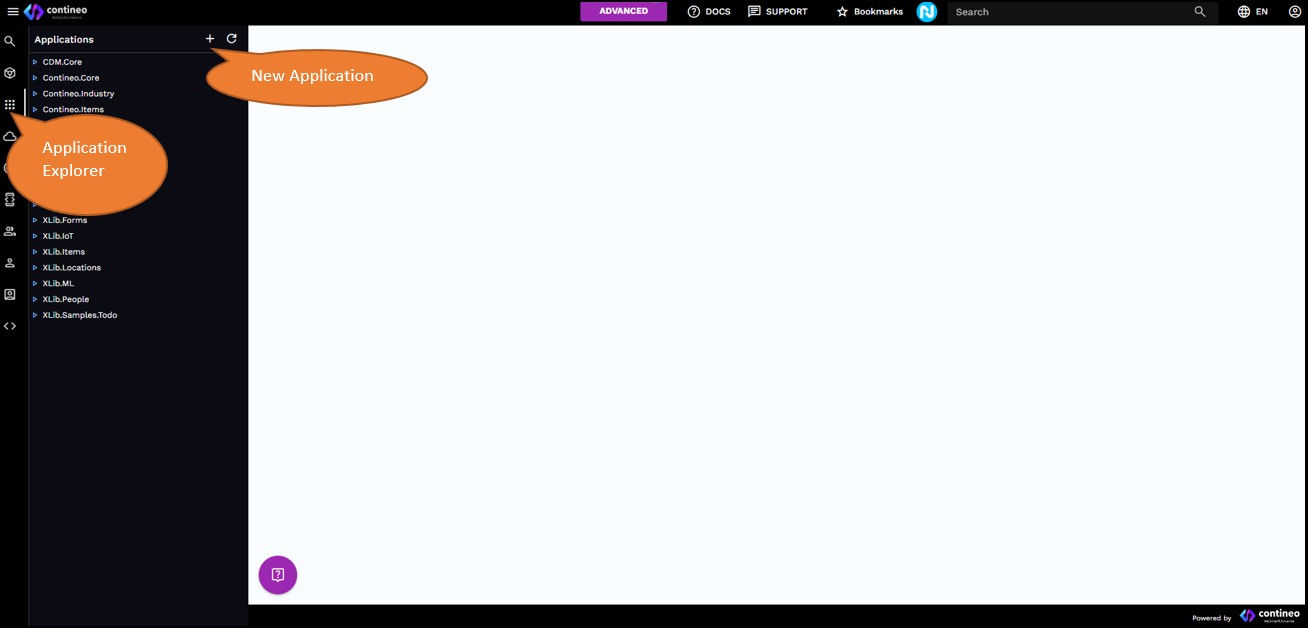
Enter the name of your application.
Note:
If you are using a trial account, your application name must be globally unique. It must not clash with application names created by other users. Component names within an application need not be globally unique; they only need to be unique within the application.
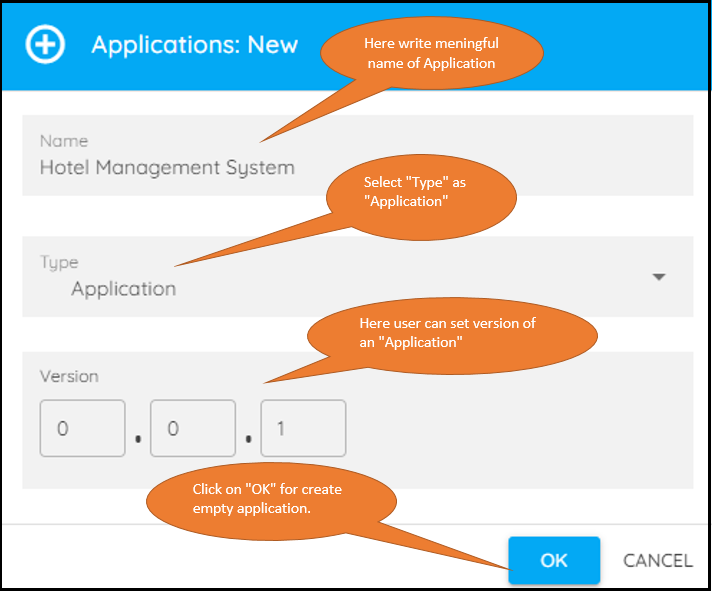
Click OK. The new application is created and displayed in the designer.
2. Create a feature branch for the current application
Open the Applications Designer.
Click Create Copy in the top bar. A menu appears with options to create versions or feature branches for the current application.

Click Feature Branch. A dialog box is displayed.
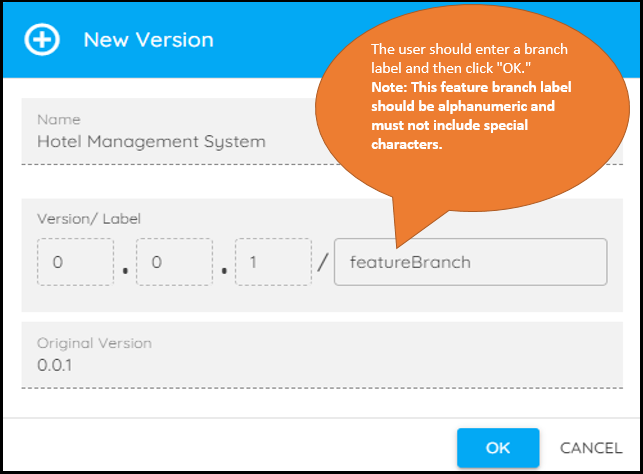
Click OK. The new application branch is created and displayed in the designer.
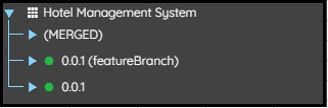
You can see the created feature branch in the left-side menu explorer.