Enabling Global Search
Global search helps to find entity's data in the whole applications global search.
Enable Global Search for Your Entity
To enable the global search for your entity, follow these steps:
Click on the entity.
Navigate to Properties > Custom Tags.
Add the tag:
#includeinglobalsearch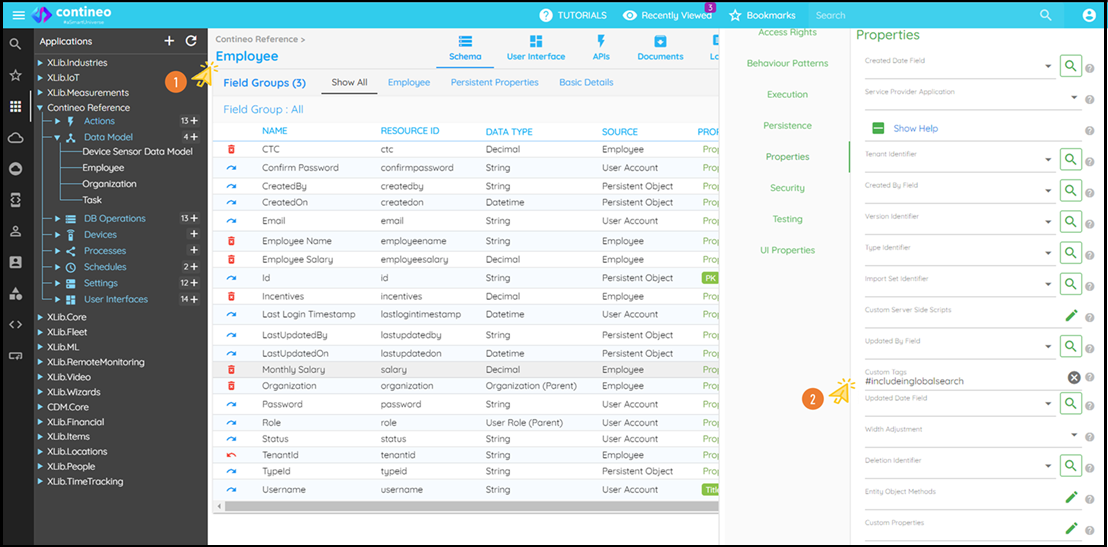
Click SAVE.
Navigate to: Settings > Menu > Your Entity SubMenu > Access Rights > Entity and select the entity name.
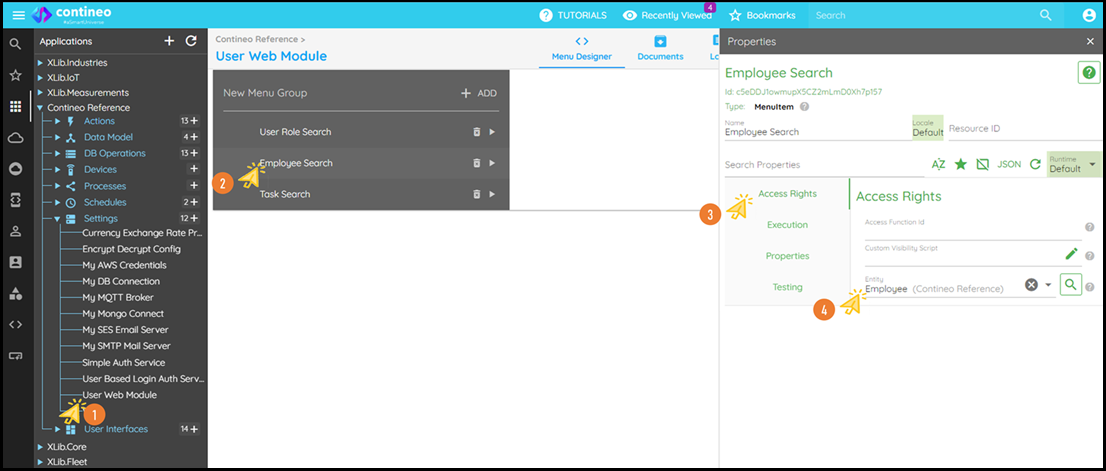
Click SAVE.