Entity APIs
Learn how to build Entity APIs for persistence and business logic.
What are Entity APIs?
Entity APIs are actions that can be performed against an entity. Entity APIs include persistence APIs: Insert, Update, Delete, List, Get**, and business logic APIs: Function, Data Loader.
When an entity inherits a behavior pattern, it inherits not just the data fields but also the behavior exposed by the pattern through APIs that act upon the entity fields or perform actions relevant to the entity. For example, entities that inherit Persistent Object have database find, insert, update, and delete APIs and also benefit from multi-tenancy features.
You can also define custom APIs in your entity and design their process flows using the flow designer. Function APIs are available as a dropdown menu in the auto-generated entity search screen.
For example, the Device entity usually defines the Send Message API which can send configuration commands to the device using the appropriate protocol.
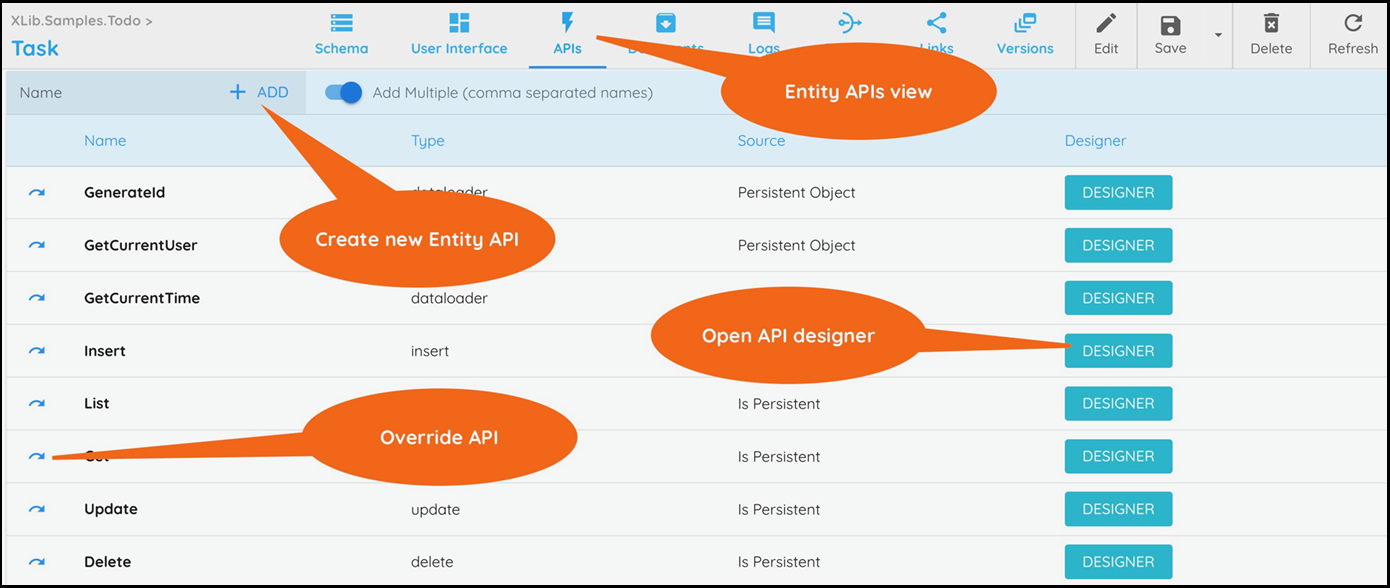
Creating new Entity APIs
To create a new API, select the APIs view in the component menu (see image above).
Enter the name of the new API and click on + Add.
Click on the API name to open its properties.
Select the API type in the Properties > Member Type property.
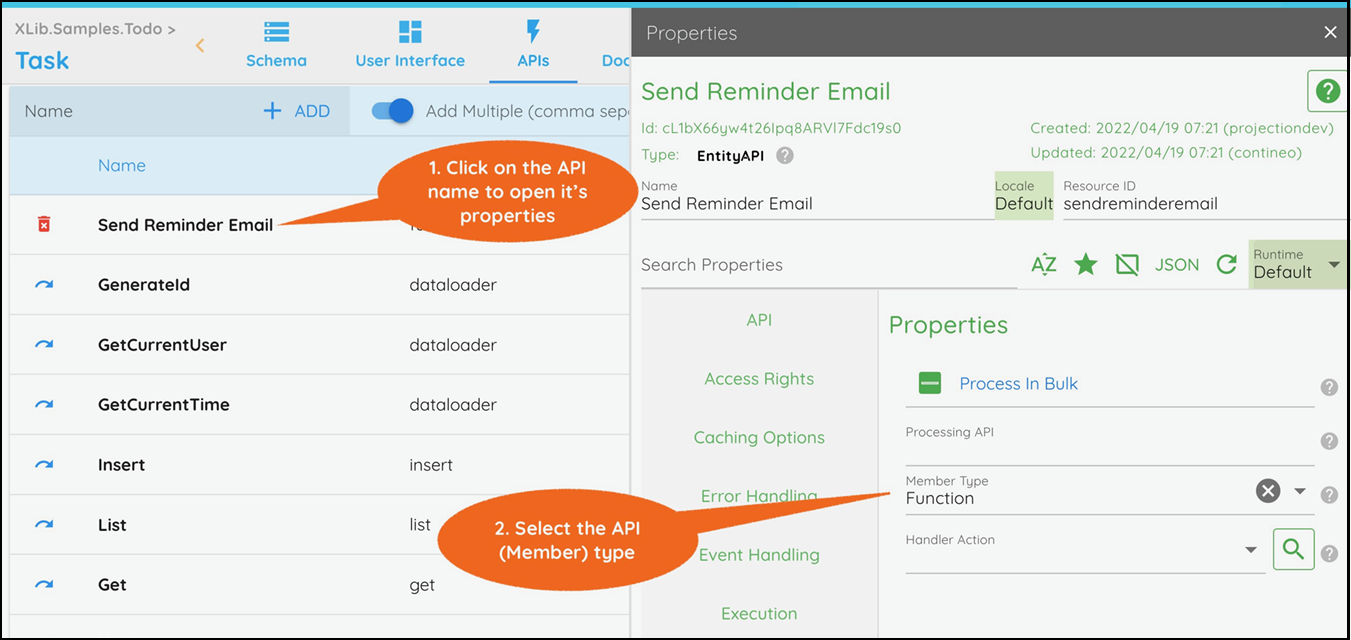
Click Save to save the Entity.
The new API is visible in the API list. Click Designer next to the API to open the API's designer.
Building an Entity API
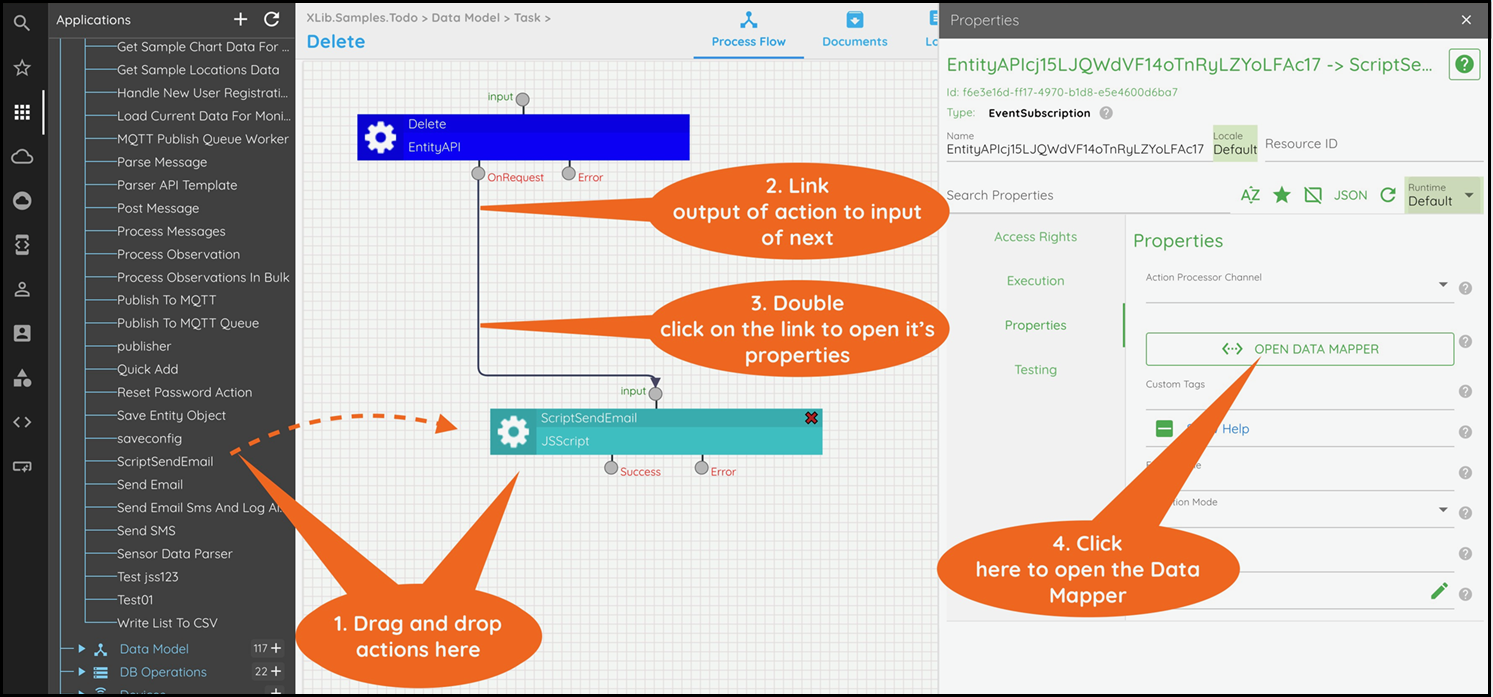
Open the Entity API designer. Drag a JavaScript action or a DataBase Operation action into the process flow designer area.
Connect the OnRequest port of the Entity API to the input of the next action.
Double-click the added link to open its properties.
Click OPEN DATA MAPPER to open the data mapper.

If the next action is:
JavaScript: Connect parameters from the left to input on the right.
DataBase Operation: Connect parameters from the left to parameters on the right.
Click OK to close the Data Mapper.
Click Save to save the Entity API.
Returning the API Result
If the API needs to return a result:
Drag the Set API Result action into the designer.
Connect the action that returns the result to the input of the Set API Result action.
Open the data mapper and map the result to the value to set.
See the inherited "List" or "Get" APIs for examples of how this is done.
Overriding an Entity API
To override an inherited Entity API:
Click on the override (blue arrow) to the left of the API name (see image above).
Click Save to save the Entity.
The new API is visible in the API list. Click Designer next to the API to open the API's designer.