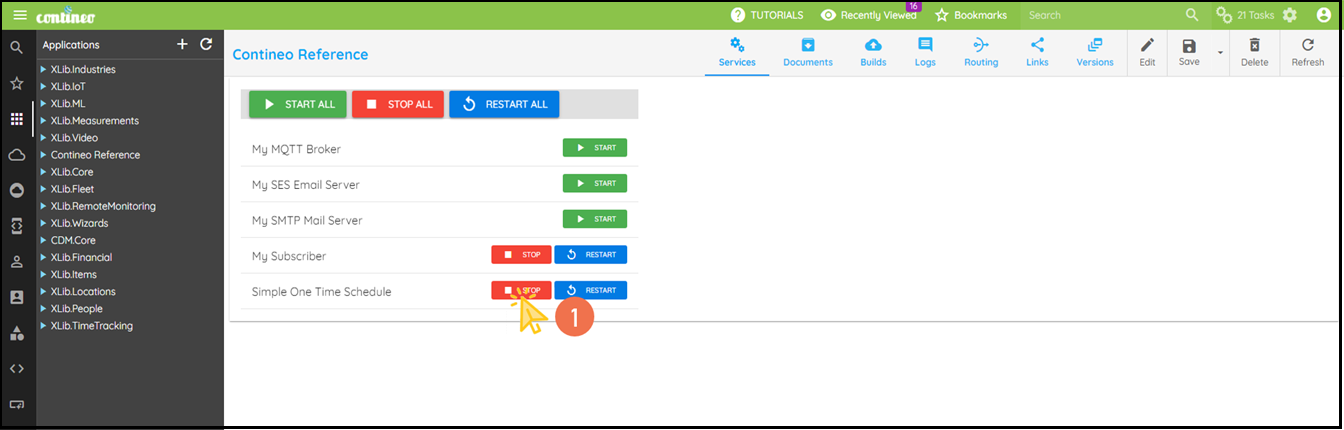
One Time Schedule - One Time Process
Use the Scheduler Action with the One Time Scheduler to run an action once at a specified time. In Contineo, you can create a One Time Schedule from the Schedules section. This helps you automate tasks that must be executed at a specific time.
Steps
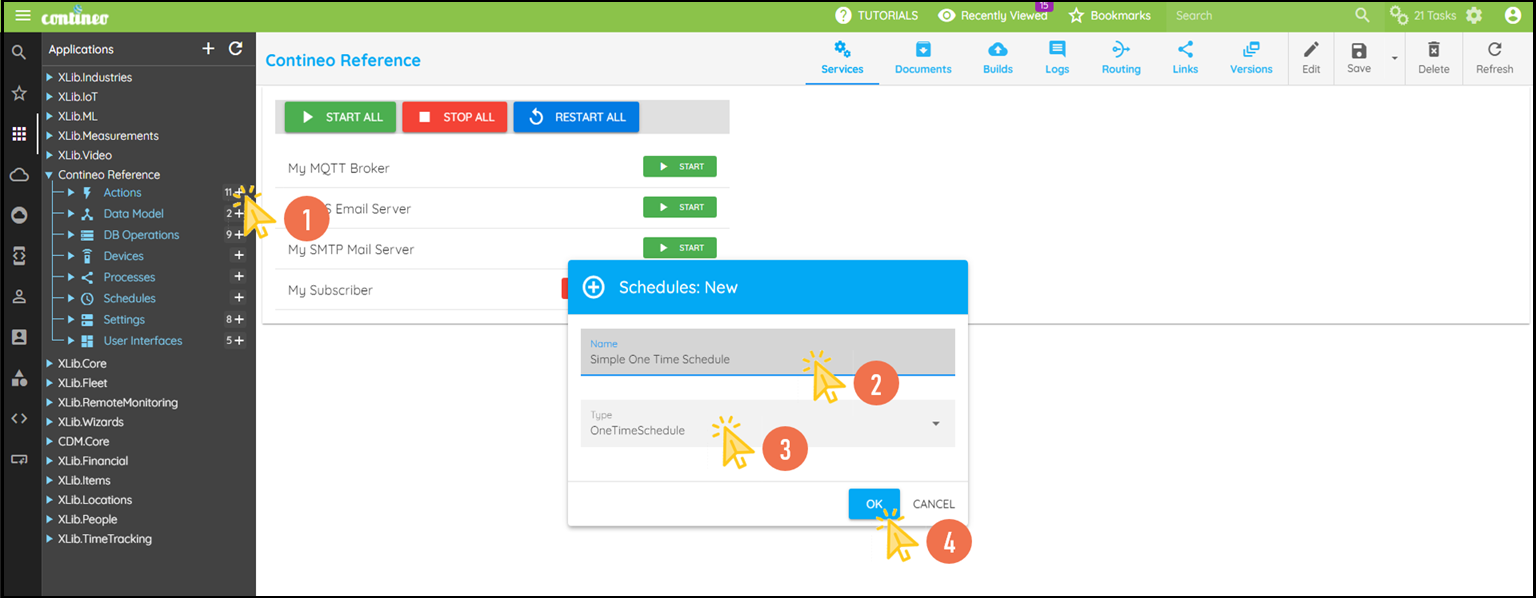
Click + under Schedules to create a One Time Scheduler.
Enter a Name for the scheduler and select One Time Schedule as the type.
Click OK. The new component is created and opened in the designer.
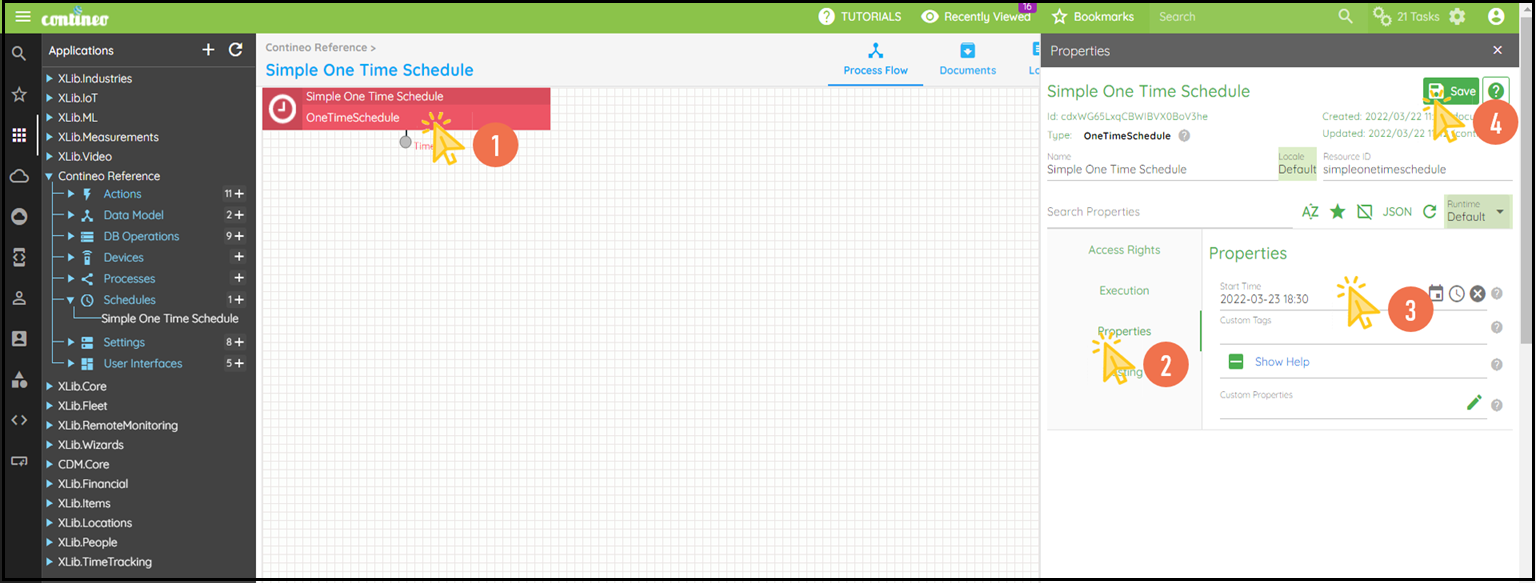
Click the One Time Scheduler and open the Properties Panel.
Enter the specific time under Properties > Start Time.
Click SAVE.
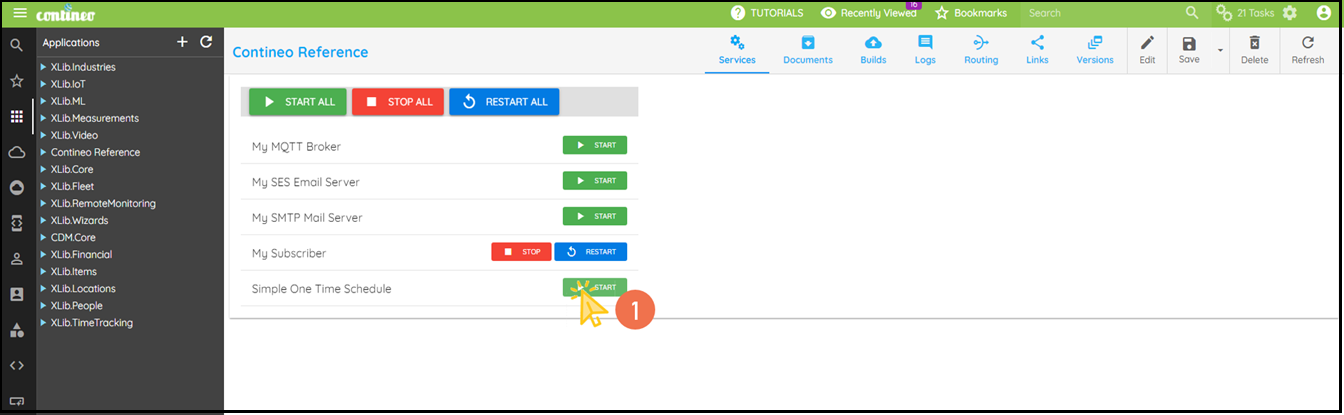
You can start and stop the services from Application > Services.
Start Service
Stop Service