Simple Recurring Schedule - Create Recurring Batch Processes
This scheduler triggers the connected action repeatedly, from the specified start time till end time. Contineo – Simple Recurring Schedule automates routine tasks between web applications using automatic workflows, known as recurring schedules. When you configure a schedule in Contineo, the system automatically handles these tasks on your timetable.
Example: Sending a weekly notification email.
Steps
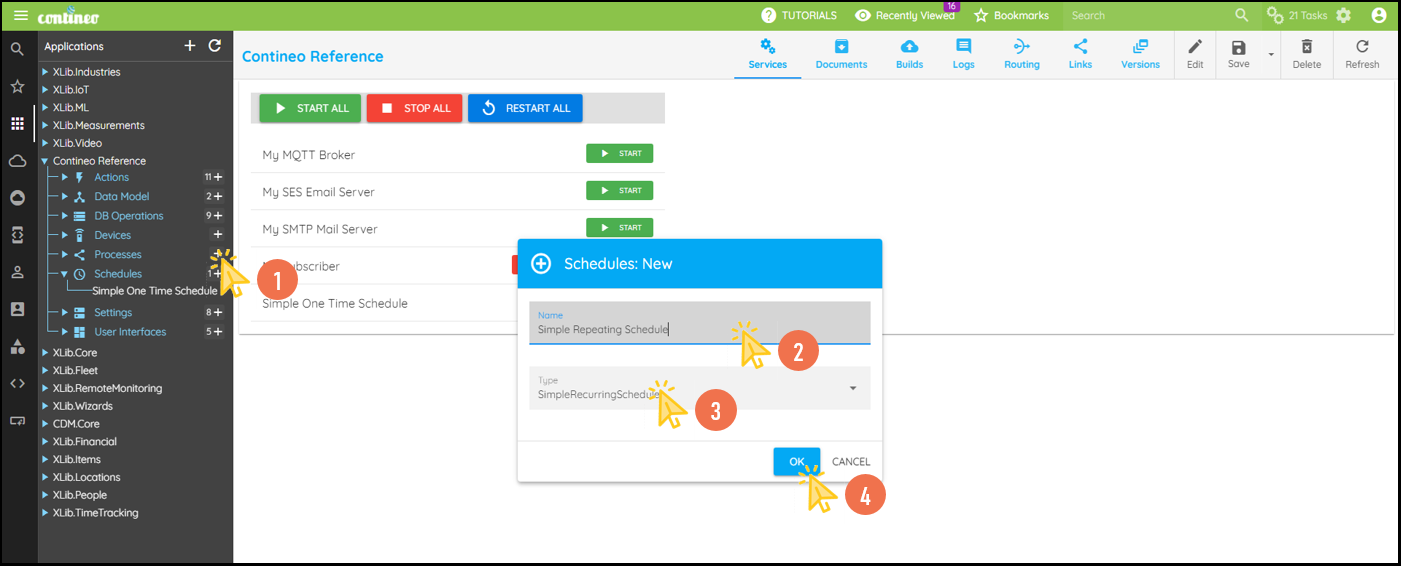
Click + under Schedules to create a new schedule.
Enter a Name for the scheduler and select Simple Recurring Schedule as the type.
Click OK.
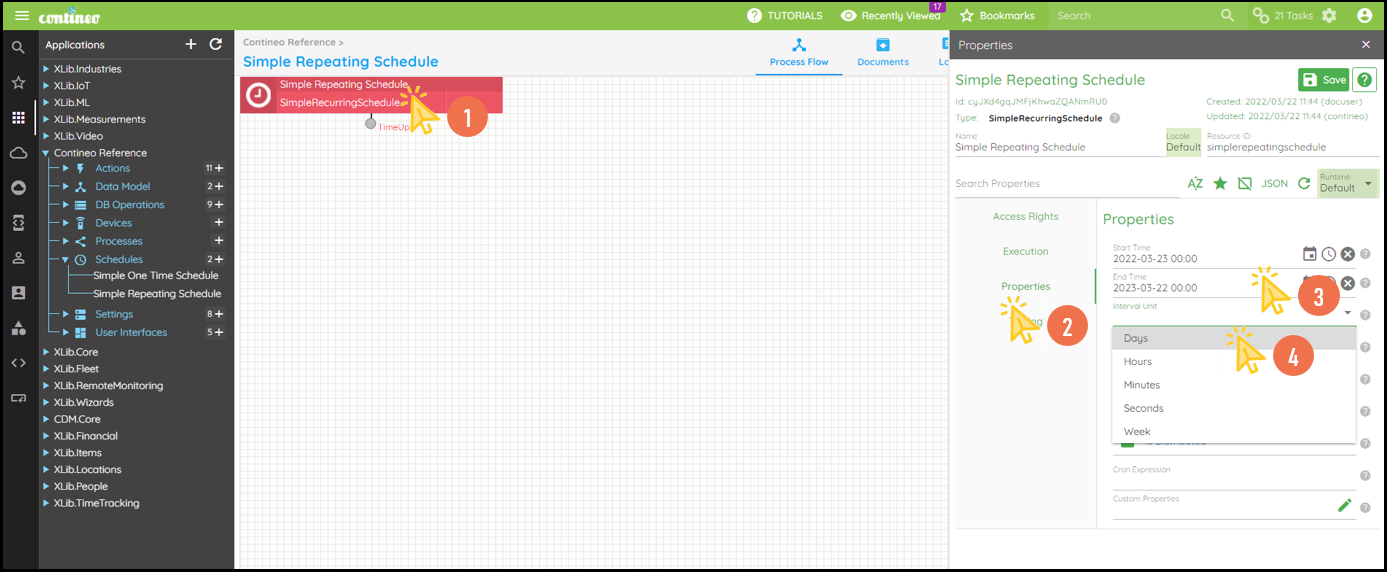
Click the schedule to open the Properties Panel.
Enter the start time under Properties > Start Time.
Enter the end time under Properties > End Time.
Select the interval unit under Properties > Interval Unit.
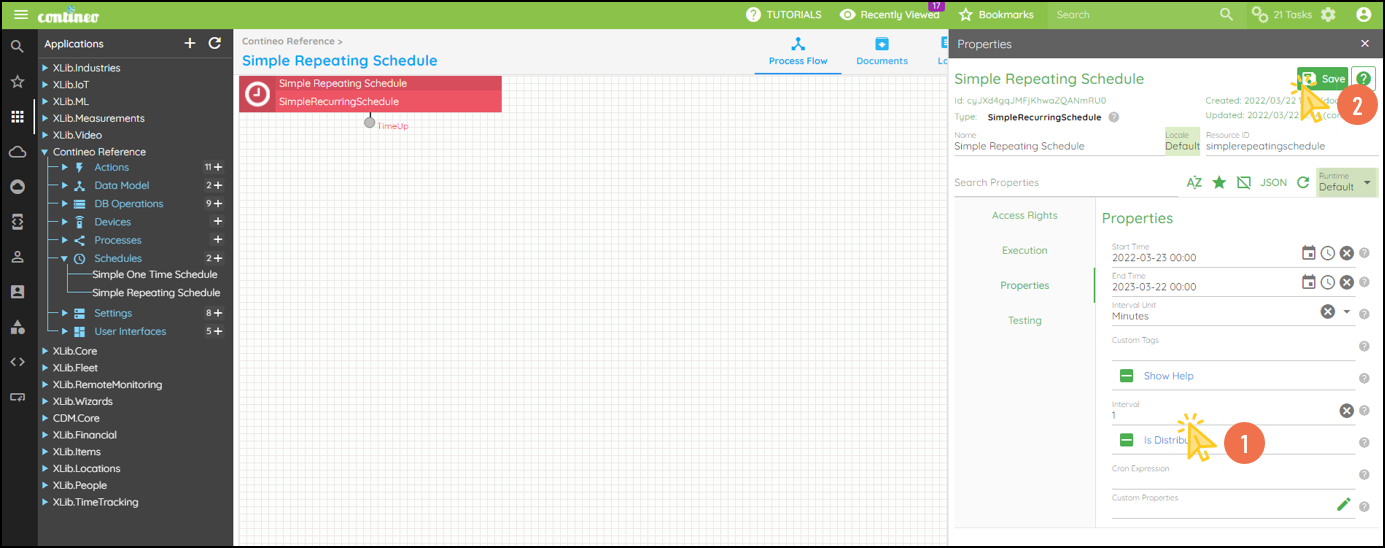
Enter the interval based on the selected unit.
Click SAVE.
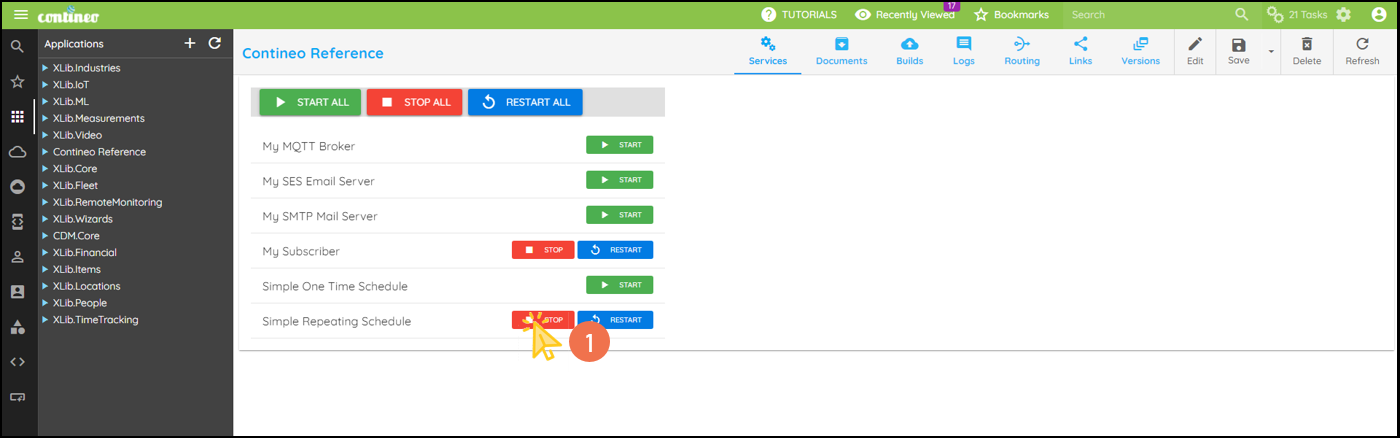
You can start and stop the services from Application > Services.
Starting a Service:
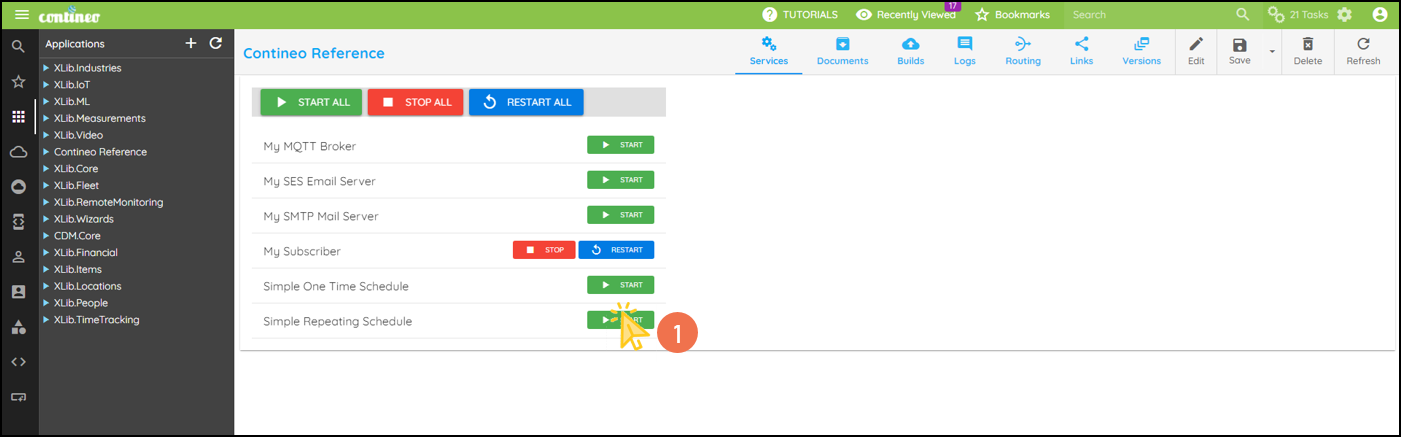
Stopping a Service: