SQL DataSource - Create SQL Data Source
Learn how to set up a SQL data source in Contineo by specifying connection parameters. SQL data source in Contineo represents a relational database or another source of data that can be accessed using a SQL database connection.
A wide variety of commercial relational databases are supported such as Oracle and Microsoft SQL Server.
In addition, freely available databases such as MySQL, SQLite, and PostgreSQL are also supported.
To create the SQL Data Source of a MySQL Database:
Steps:
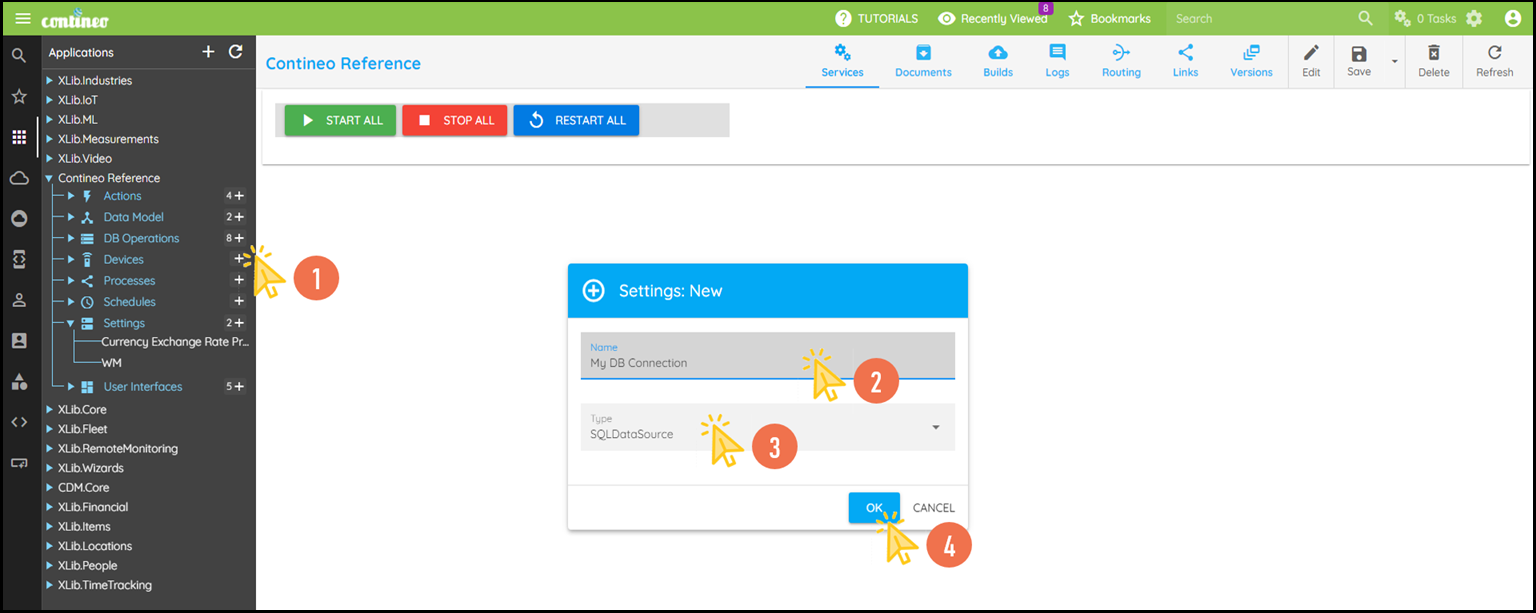
Click + in Settings and create a new SQL data source.
Enter the name of the SQL data source and select the Type as SQL data source.
Click OK. The new component is created and displayed in the designer.
Click Edit in the top menu to open the Properties Panel.
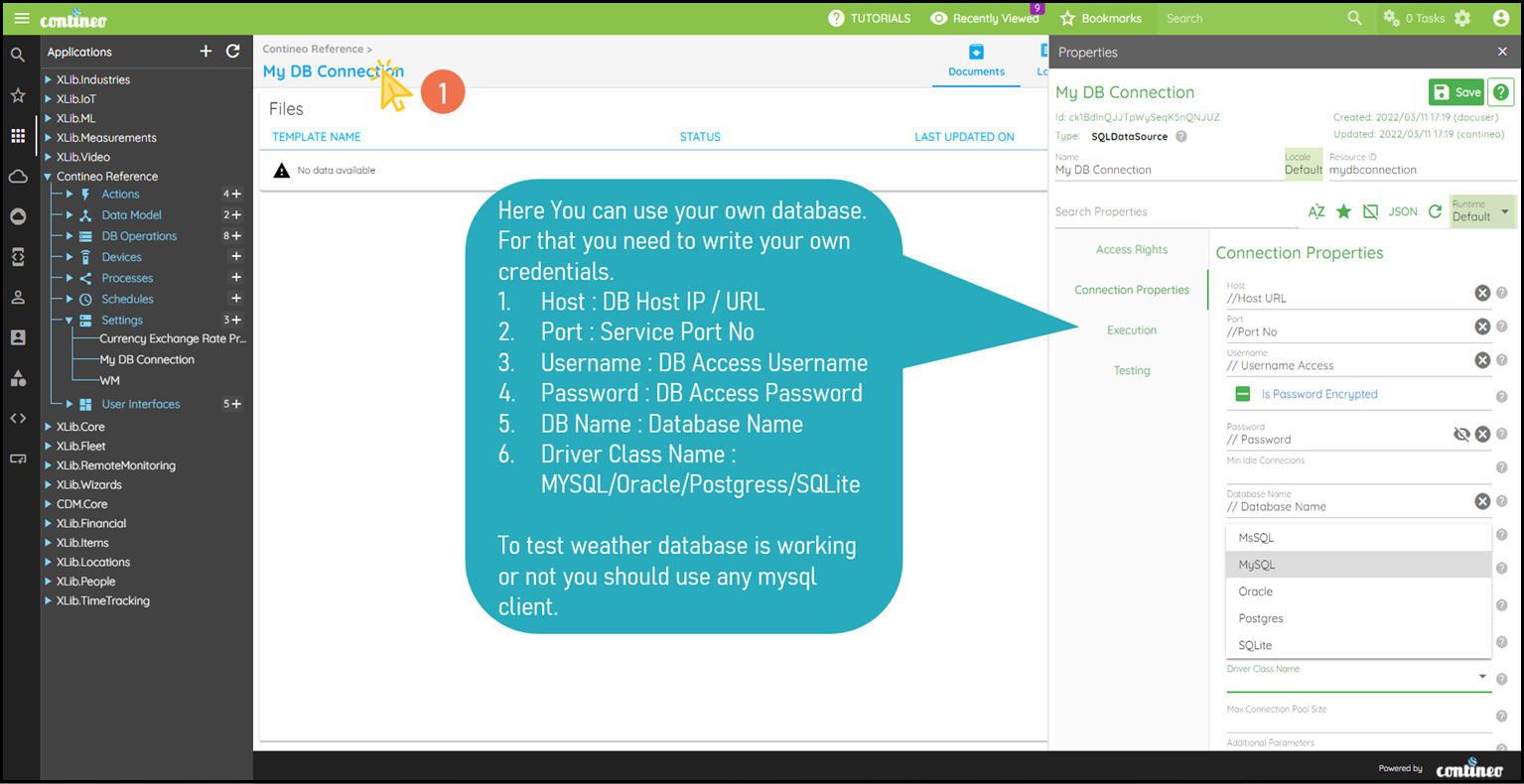
Select the Connection Properties Group and enter the following details:
host URL/IP under Connection Properties > Host.
port number under Connection Properties > Port.
username under Connection Properties > Username.
password under Connection Properties > Password.
name of the database to access under Connection Properties > Database Name.
driver class under Connection Properties > Driver Class.
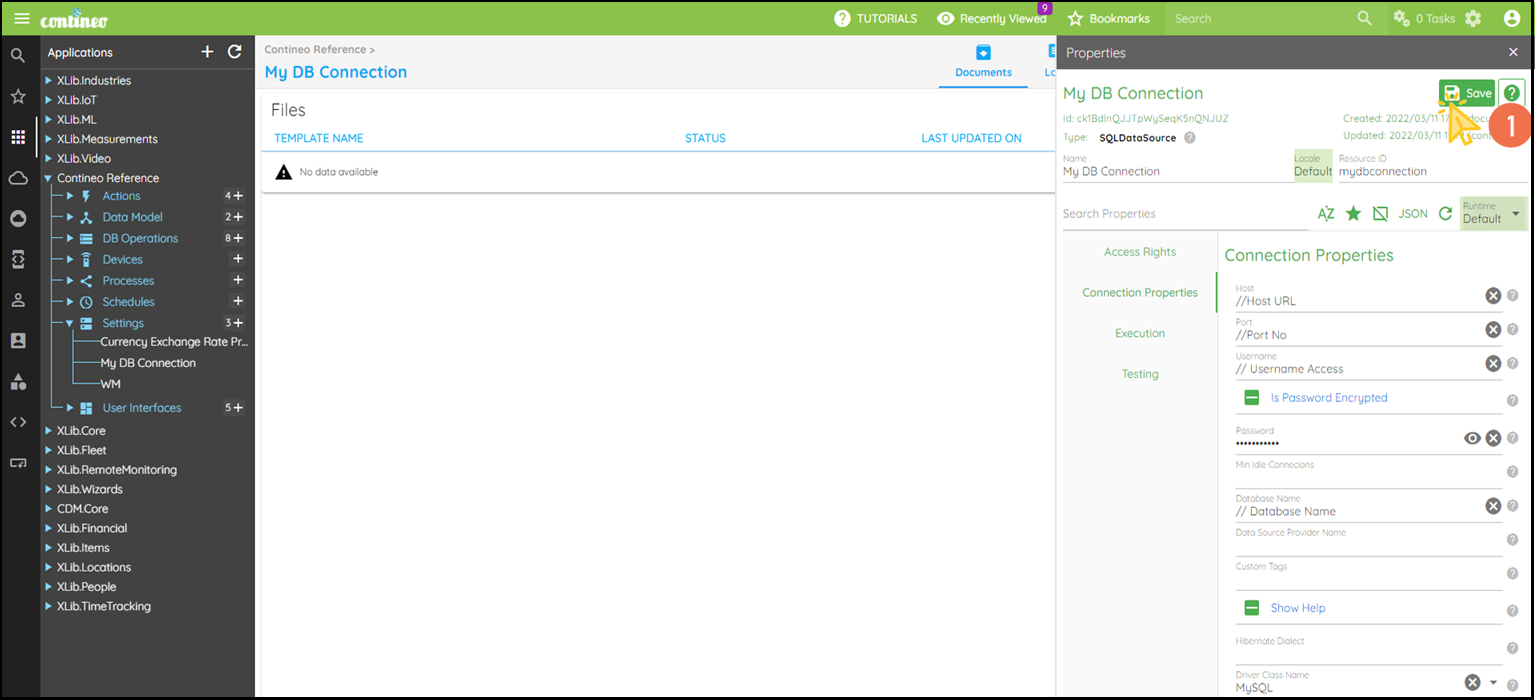
Click SAVE to save the configuration.