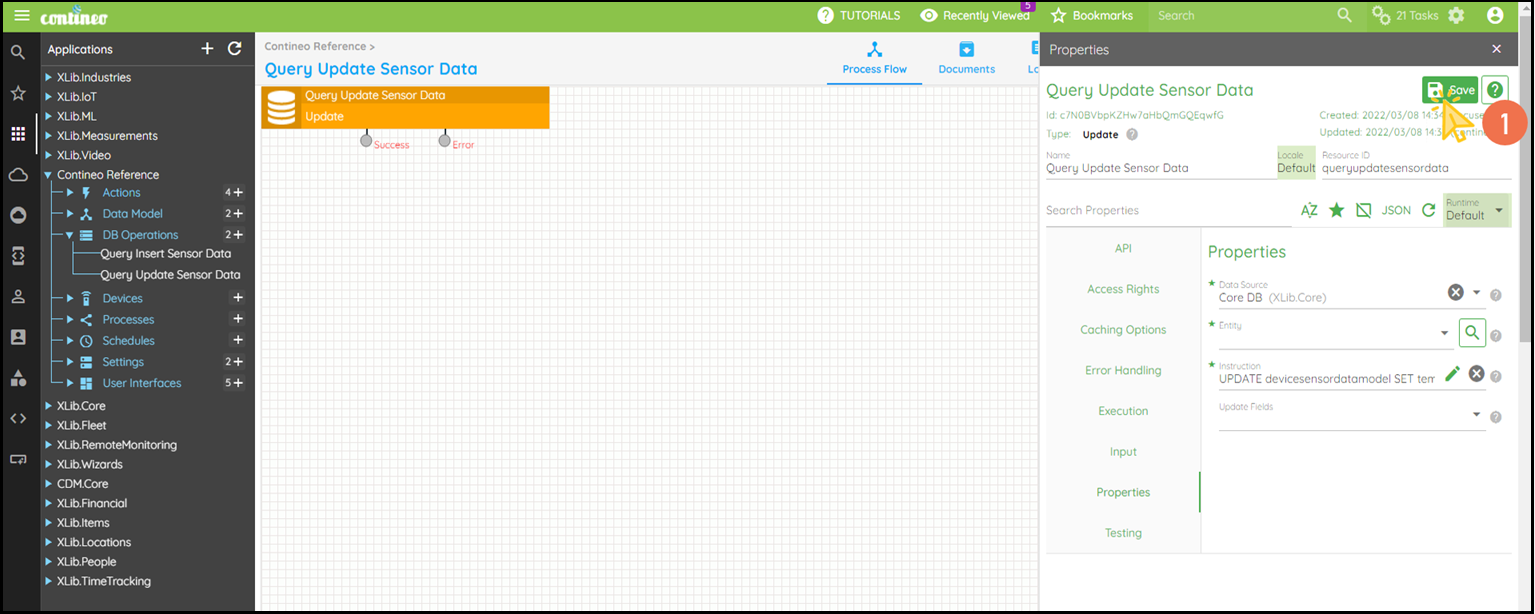
Update - Update a Record In a Database
This is a component to perform update operation on the set of the data source in the process.
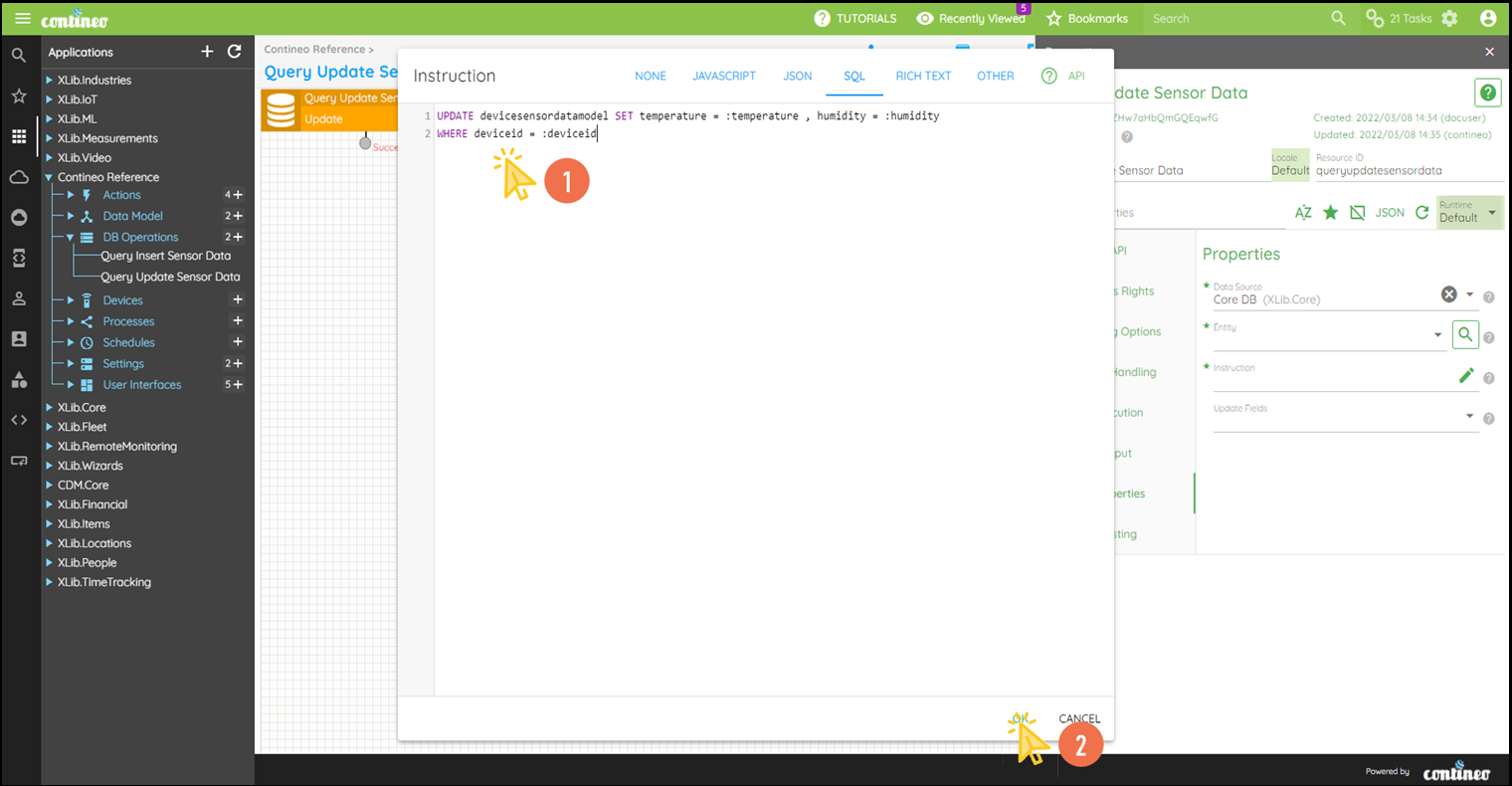
Example: Update the values of Temperature and Humidity for the given Device ID.
Steps:
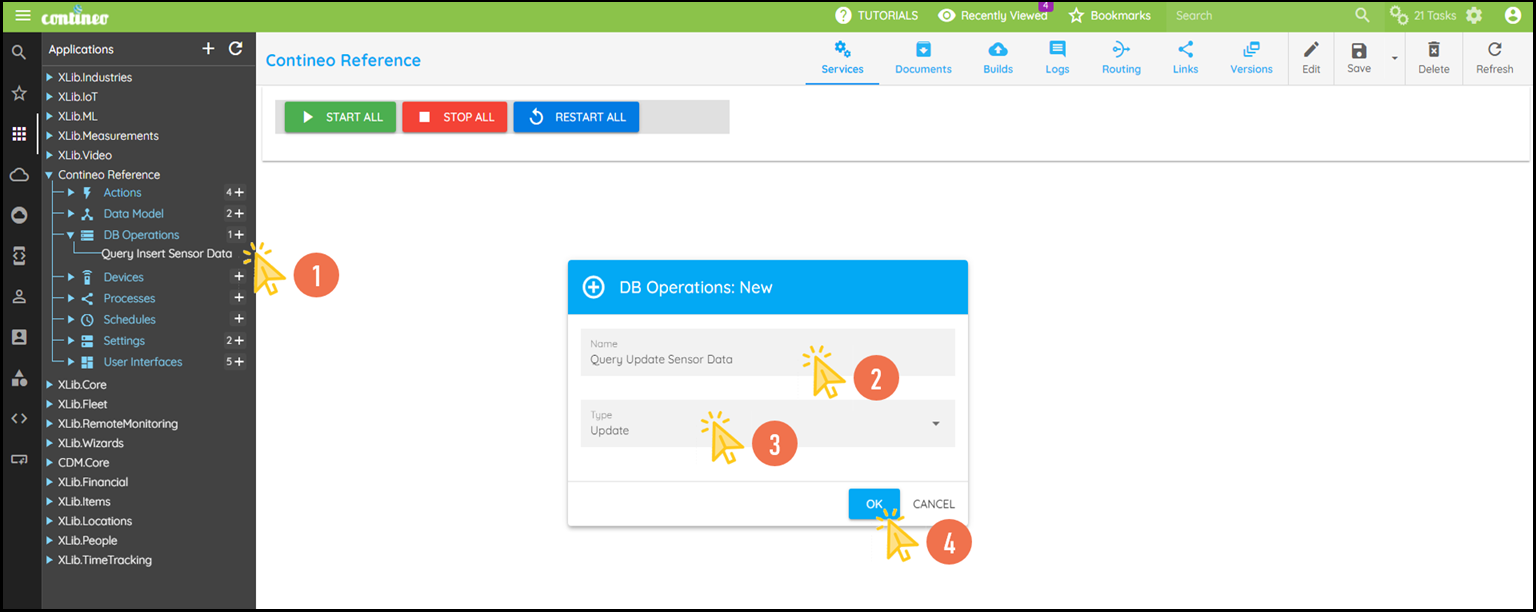
Click + under Database Operations to create a database operation.
Enter the name of the operation and select Type as Update.
Click OK. A new component is created and displayed in the designer.
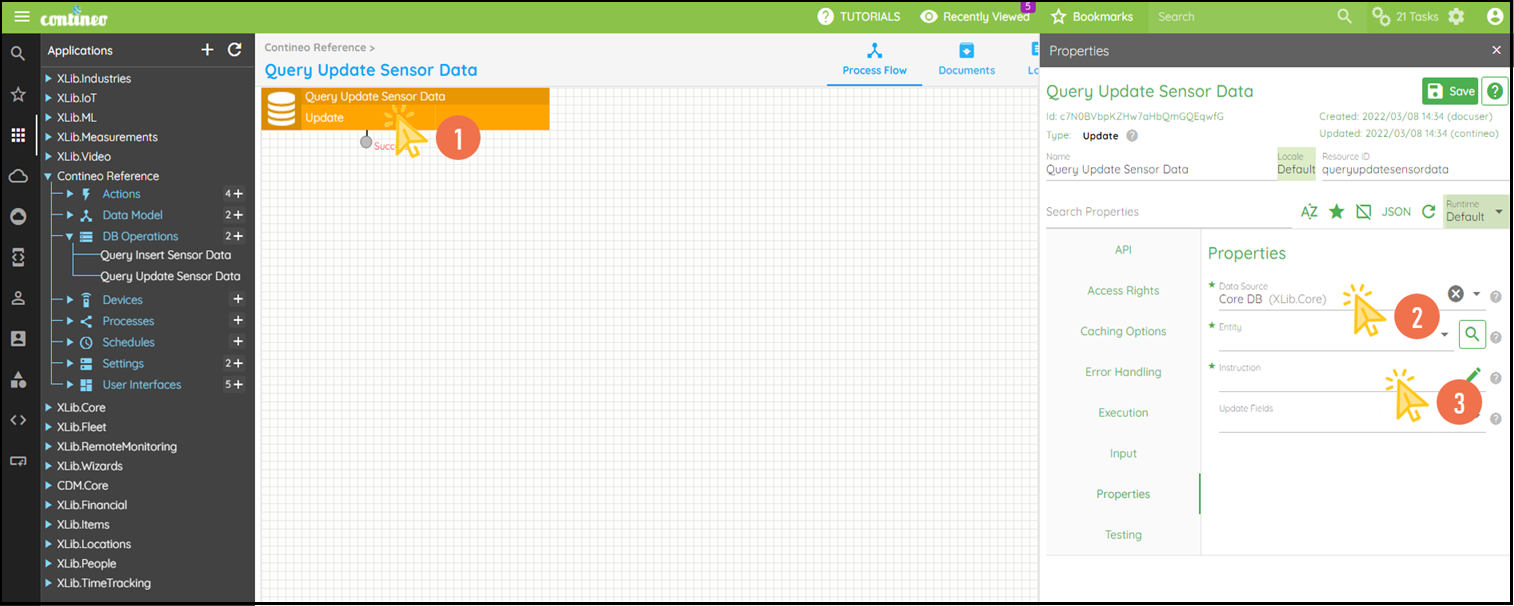
Click Edit in the top menu to open the Properties Panel.
Navigate to Properties > Data Source and select the required data source. You can create a new data source such as SQL Data Source under Settings.
Click Properties > Instruction to open the editor and write the Update SQL Instruction.
Write down the SQL Instruction in the editor and click OK.
Alternatively, you can leave the instruction field blank and select an Entity in the Properties > Entity field.
This generates the update SQL based on the entity schema automatically.
The input parameters are strongly typed to the target table, such as the names of the parameters must match the field Resource IDs in the entity schema.Click SAVE to save the configuration.