Send Email - Send an Email Action
This component is necessary to setup the email service. To send an email from your Contineo application, either call an email alert action or create the email in the process flow. Specify the subject, body, and recipients for the Send an Email action.
Steps:
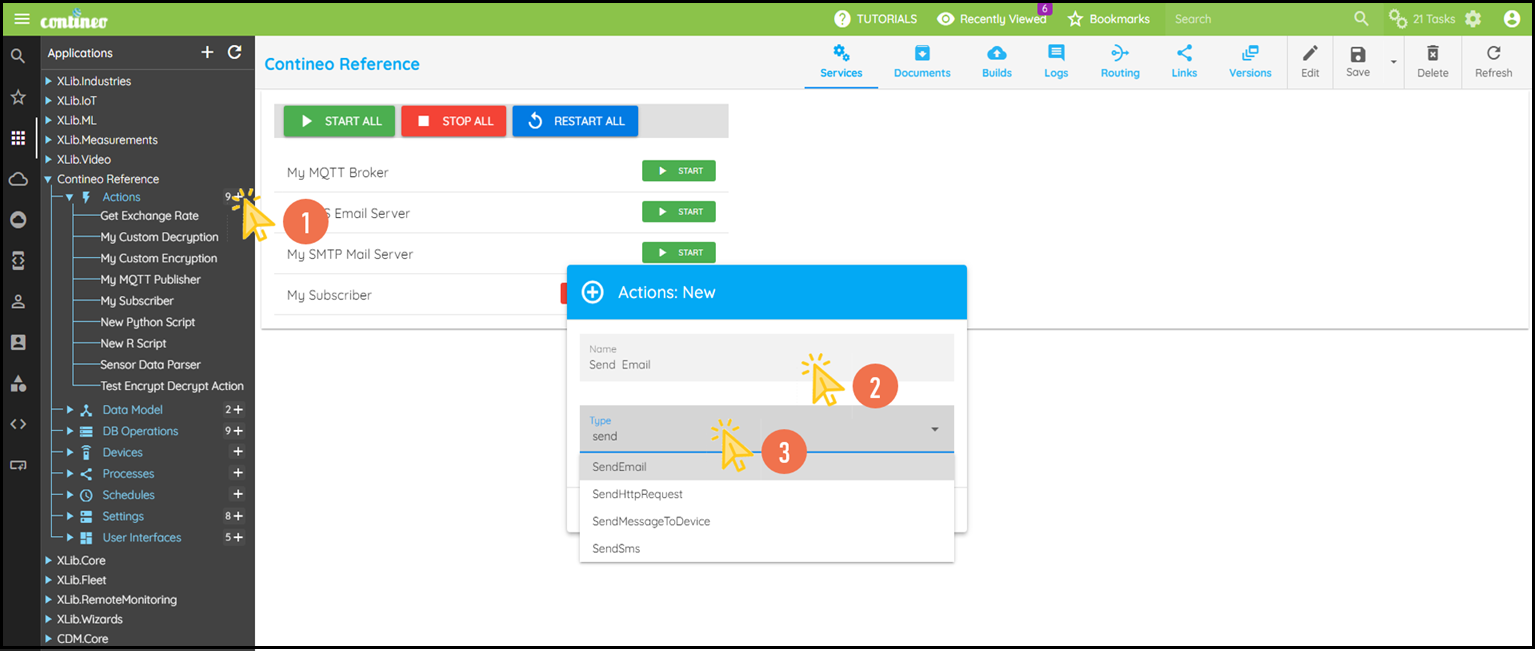
Click + under Actions to create the
Send Mail Action.Enter the name of the action and select the type as SendMail.
Click OK. The new component is created and displayed in the designer.
Click Edit in the top menu to open the Properties Panel.
Navigate to Input > Notification Service and select the required Notification Service that you have configured.
You can create an Email Service (SES or SMTP) under Settings.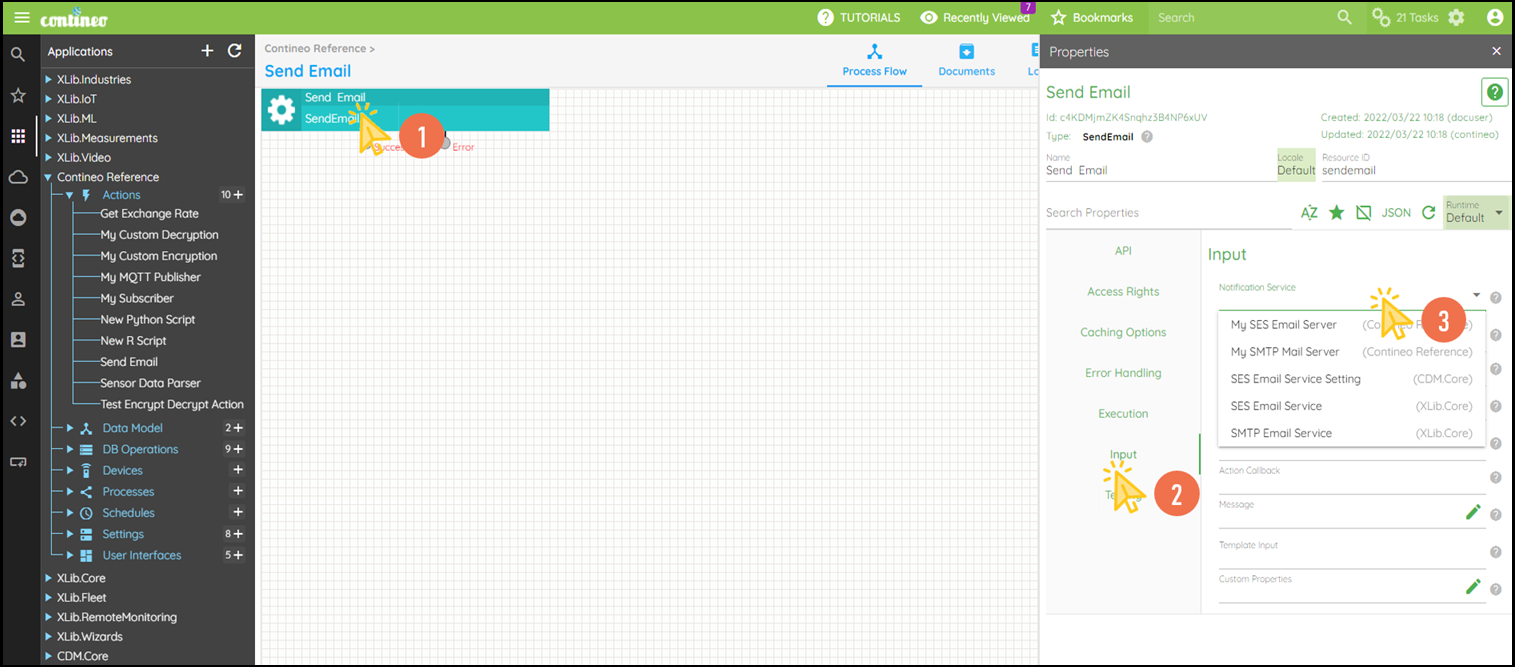
Click SAVE to save the configuration.
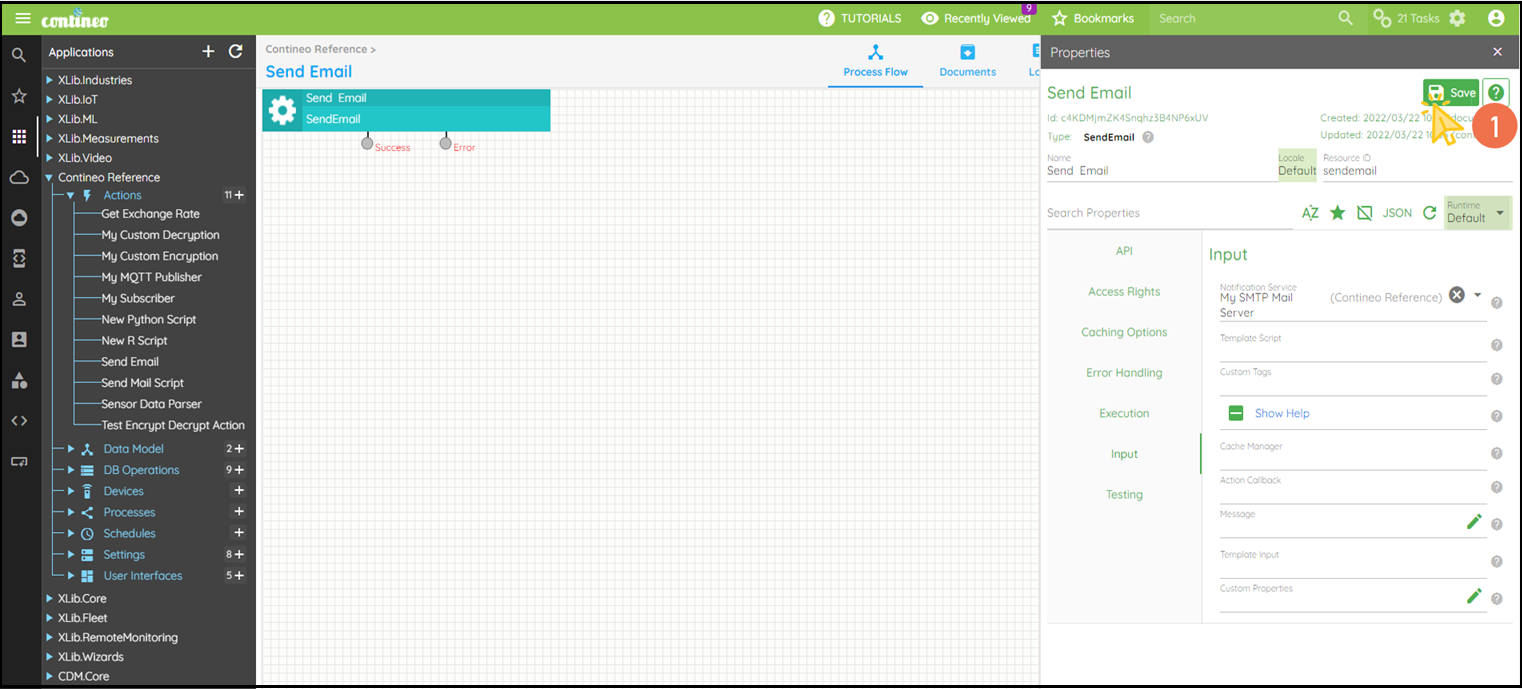
Send all the email details such as subject, body, and recipients in the form of JSON under Input > Message.