Sending Attachments - With Send Mail Action
Sending Attachments with the emails. Contineo supports sending attachments with the Send Mail action. The attachments field in the email message must contain an array of file paths for the attachments.
Example:
The following sample JavaScript action sends an email with attachments.
Steps:
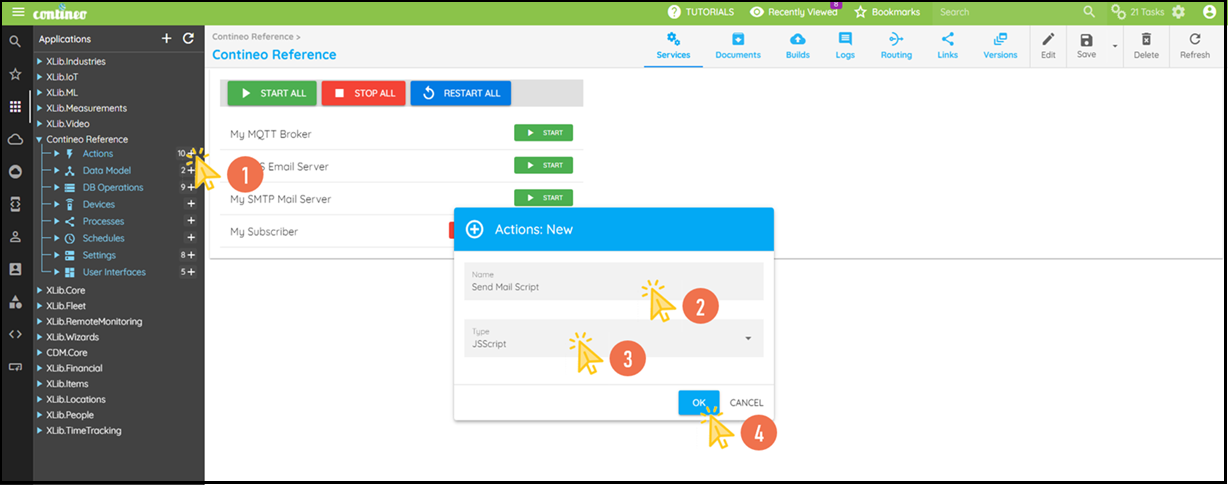
Create a JavaScript Action as per the flow.
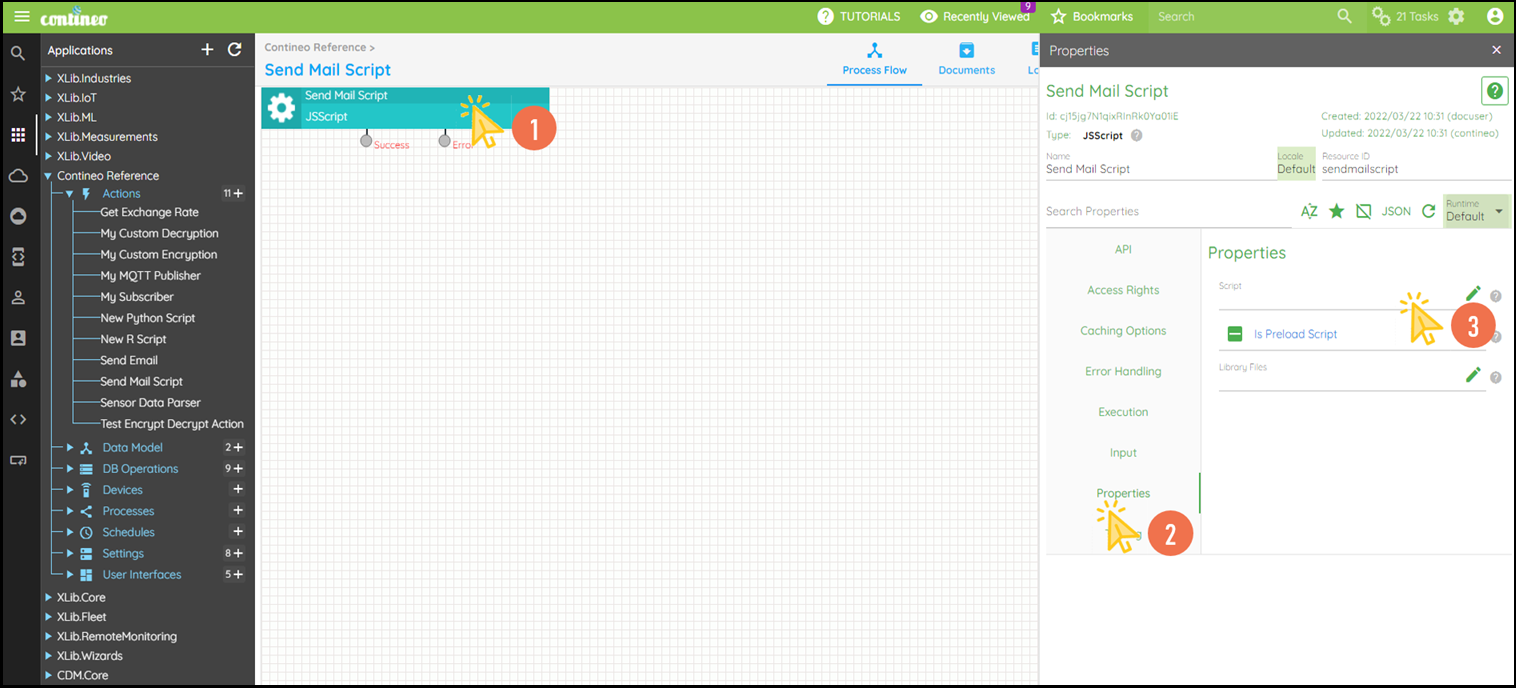
Navigate to Properties > Script in the newly created JavaScript action and open the editor.
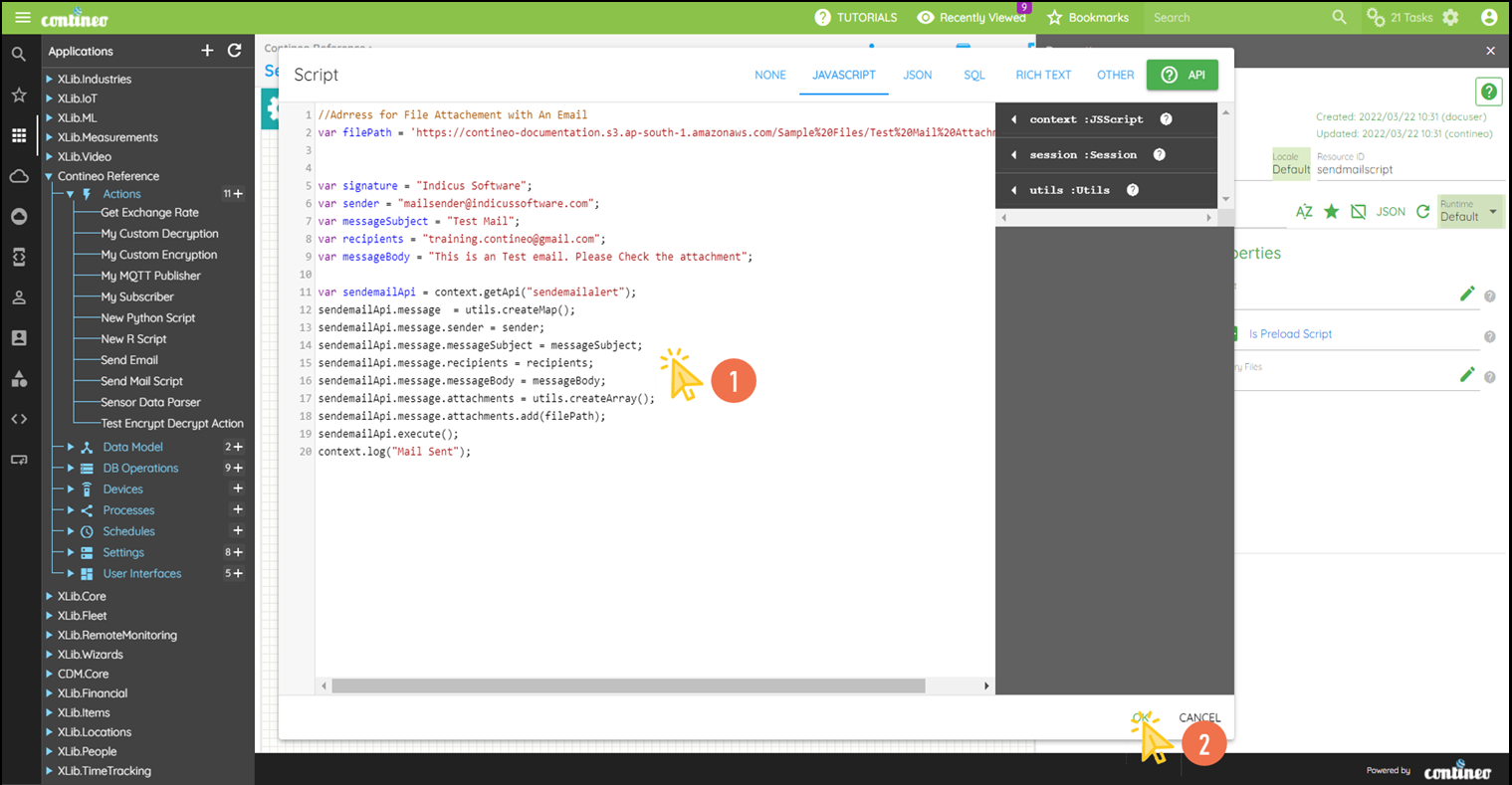
Write the JavaScript code to send an email with an attachment. Create a JSON map as a message, which is passed to the
Send Mailaction for execution.Click OK.
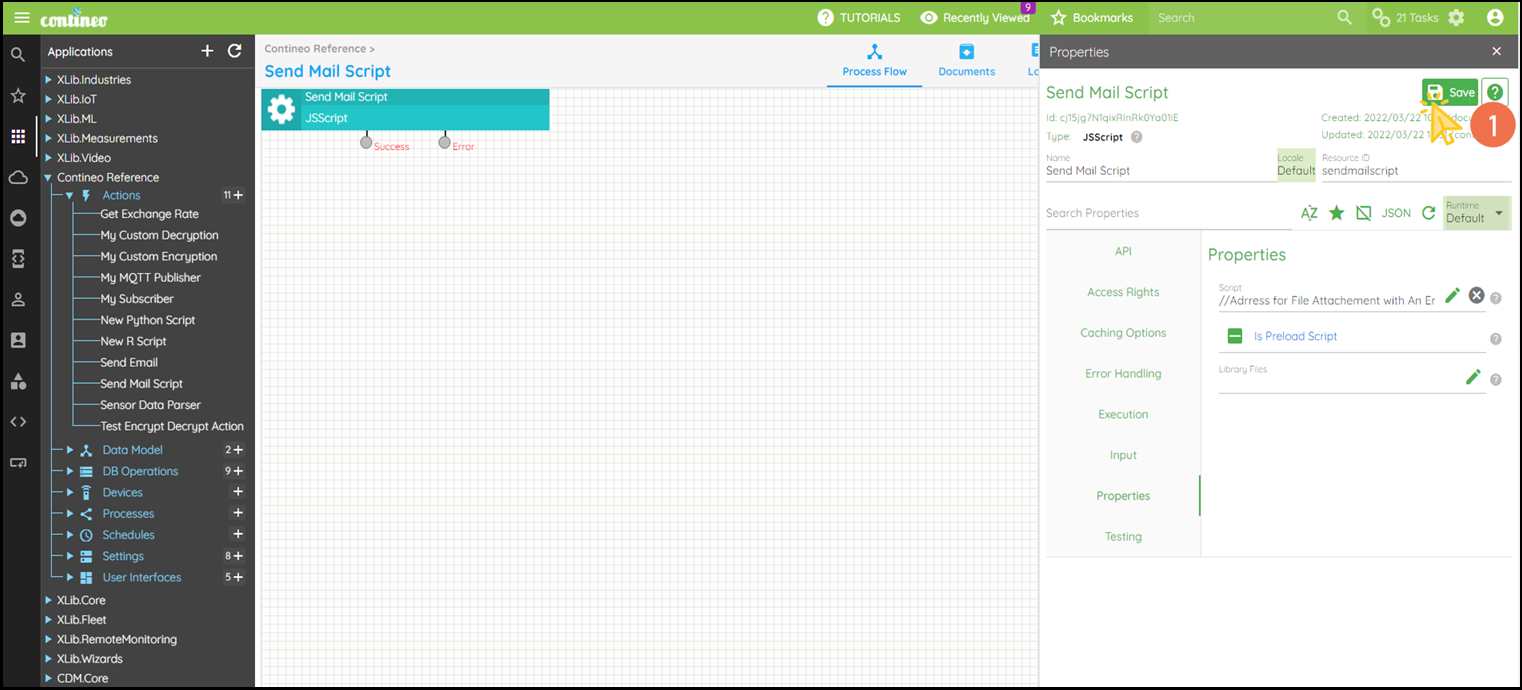
Click SAVE to save the configuration.