Simple Auth Service - Create New Simple Auth Service
This is an authentication service with userid and password, which the user can register and map to different UI web pages while generating a web application.
To create a Simple Auth Service with Username as Admin and Password as Admin.
Steps:
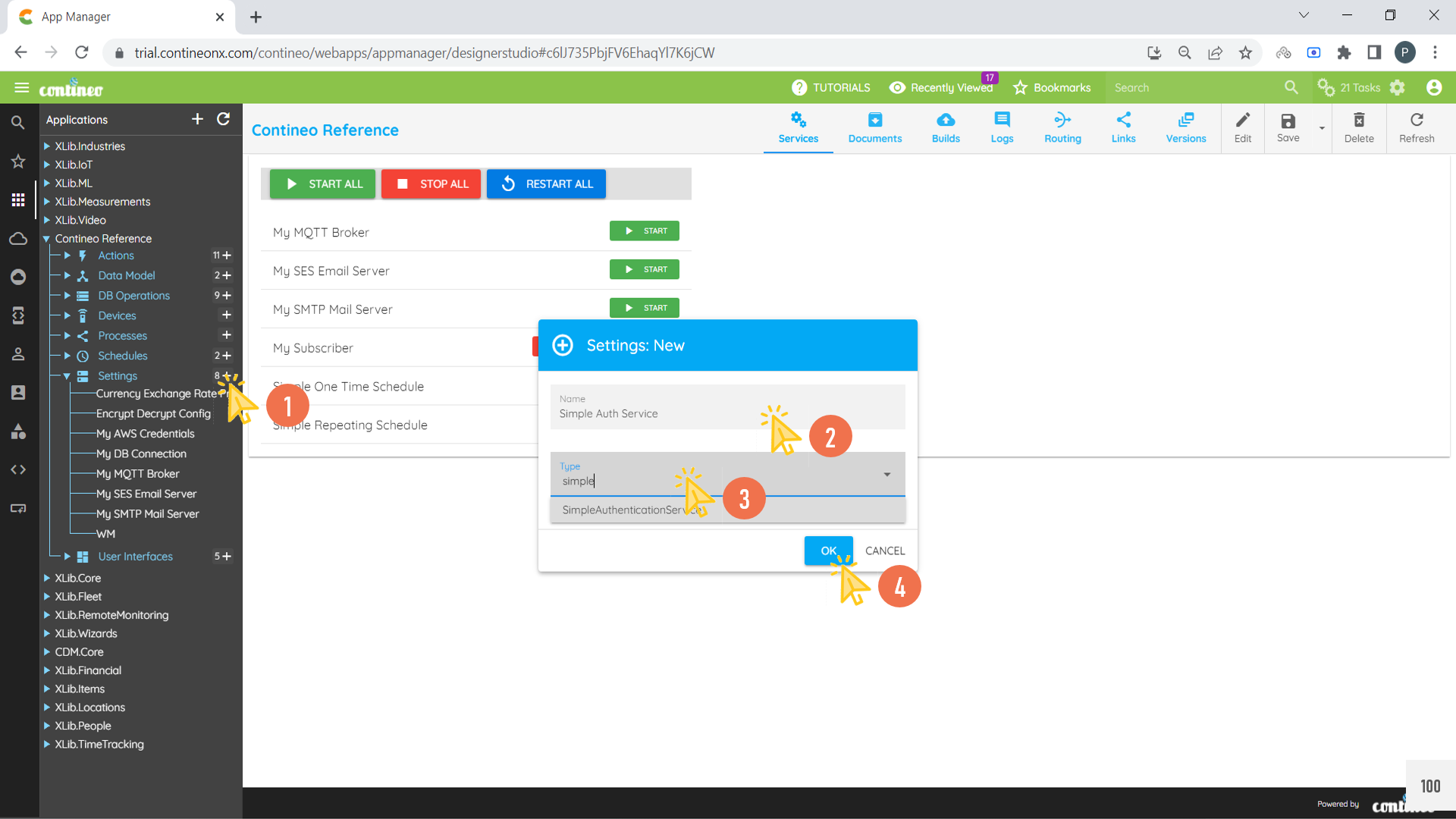
Click + under settings and create a new Simple Auth Service.
Enter the Name for Auth Service and select Type as Simple Auth Service.
Click OK.
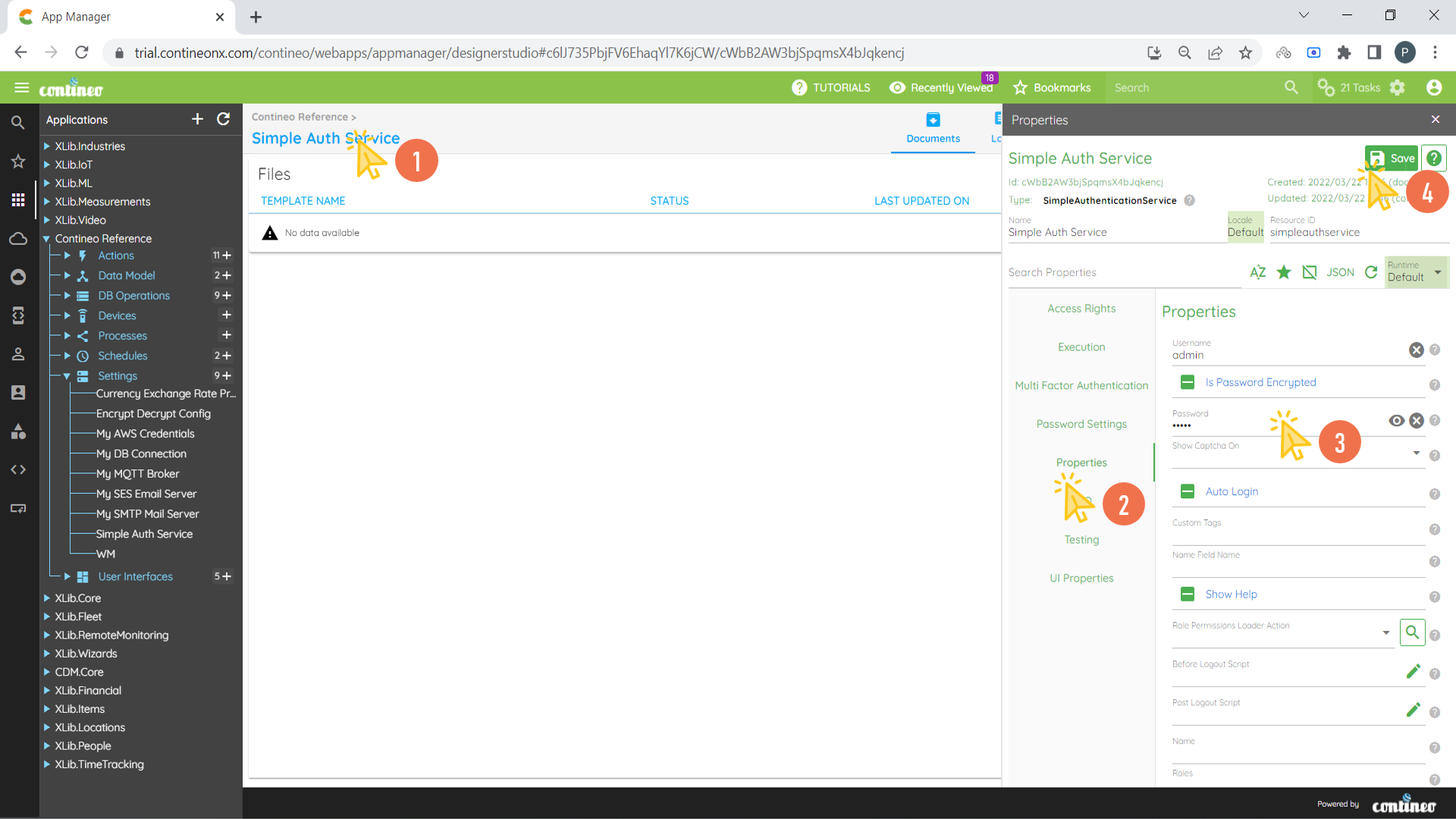
Navigate to Properties Panel of the newly created Auth Service.
Enter the Username in Properties > Username.
Enter the Password in Properties > Password.
To save the configuration, click SAVE.