Configure No-Authentication Service
Deactivate the Authentication Service in Contineo.
No-Authentication Service for Web Modules
At times, it is required to access a web module without any authentication. For example, a user should not be required to log in during the self-registration process.
Since every Contineo web module requires an authentication service, it is necessary to create a no-authentication service.
Contineo developers can configure SimpleAuthenticationService to auto-login.
Steps to Configure No-Authentication Service
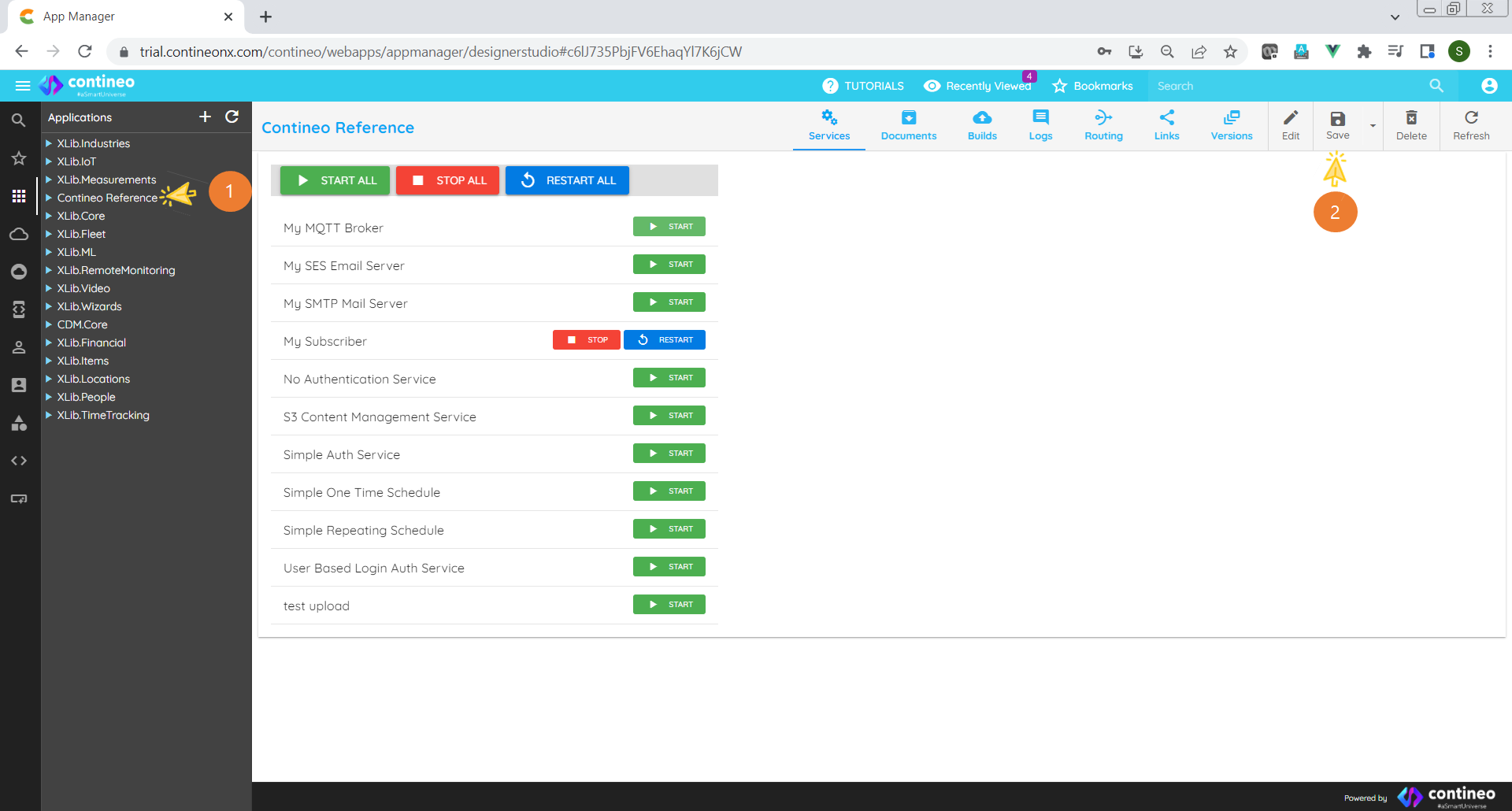
Click
<Application Name>> Settings > +.Enter a unique component name.
Select SimpleAuthenticationService from the Type dropdown list.
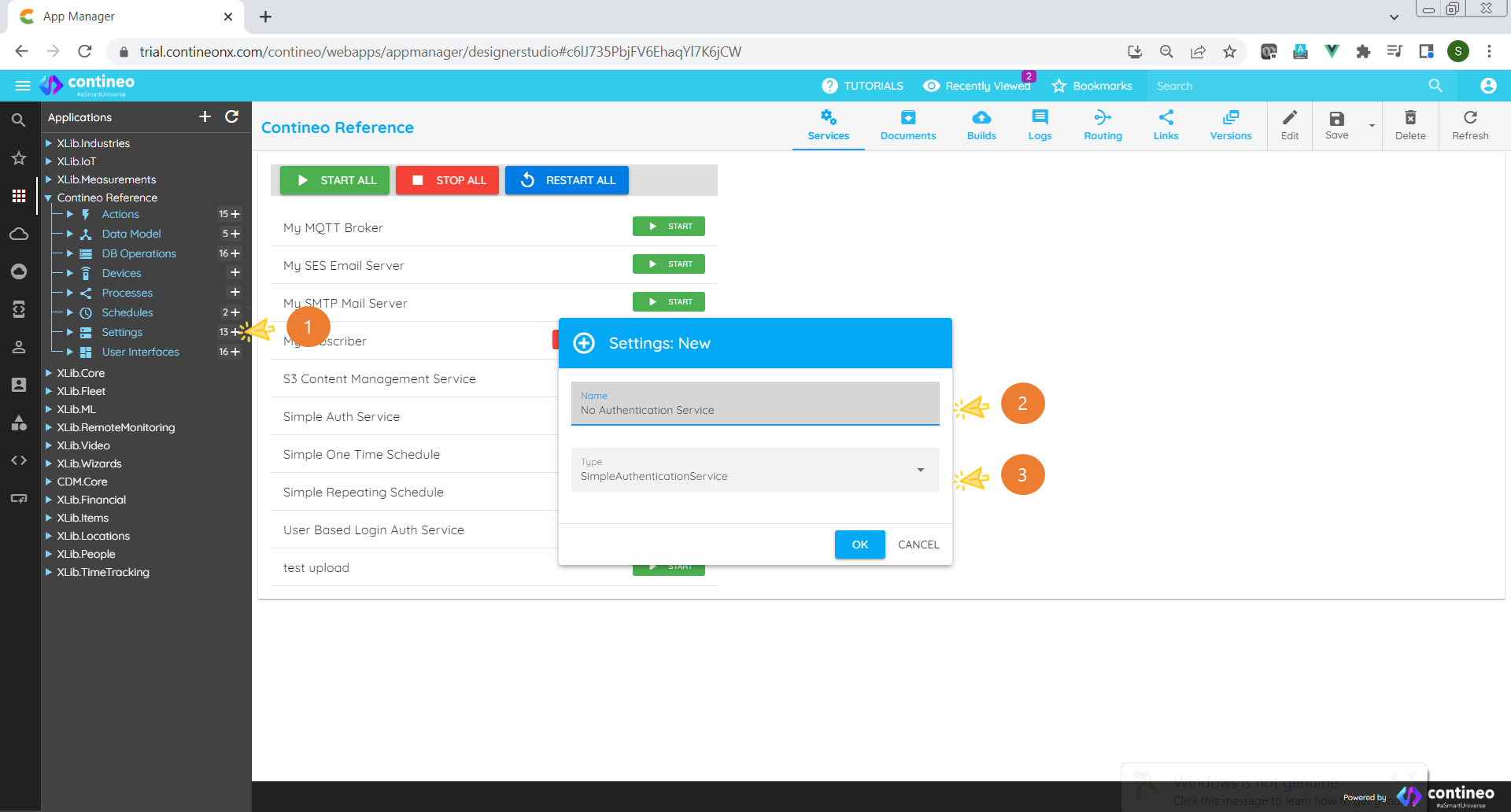
Click Component name.
Click Properties.
Enter values for username (any string).
Enter values for password (any string).
Select the Auto Login checkbox.
Enter
#auto-login(without quotes) in Custom Tags.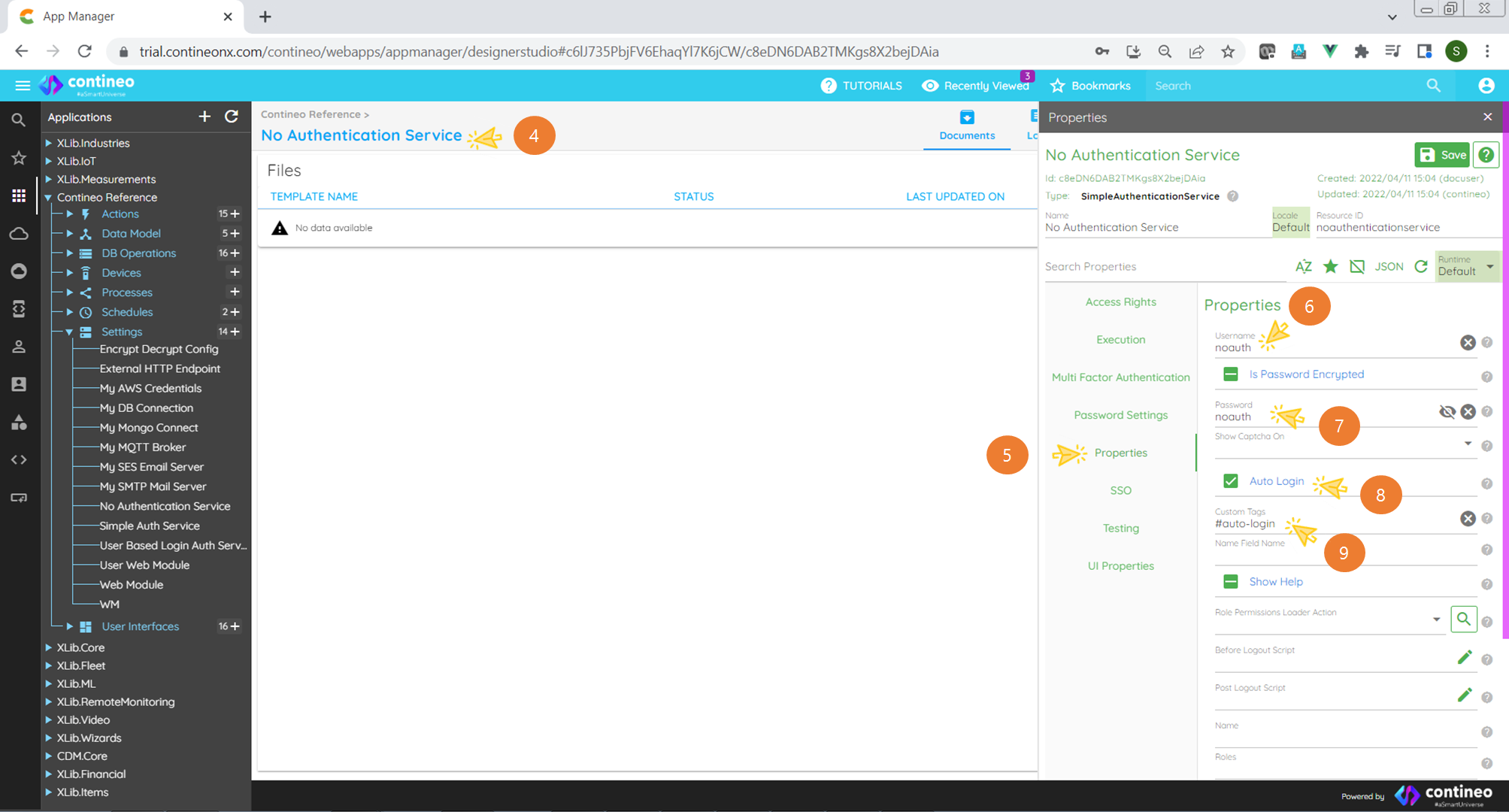
Click Save.
Notes
To configure a web module with no-authentication service:
To open the Properties Panel, select the web module.
Click Security.
Select the no-authentication service from the dropdown list.
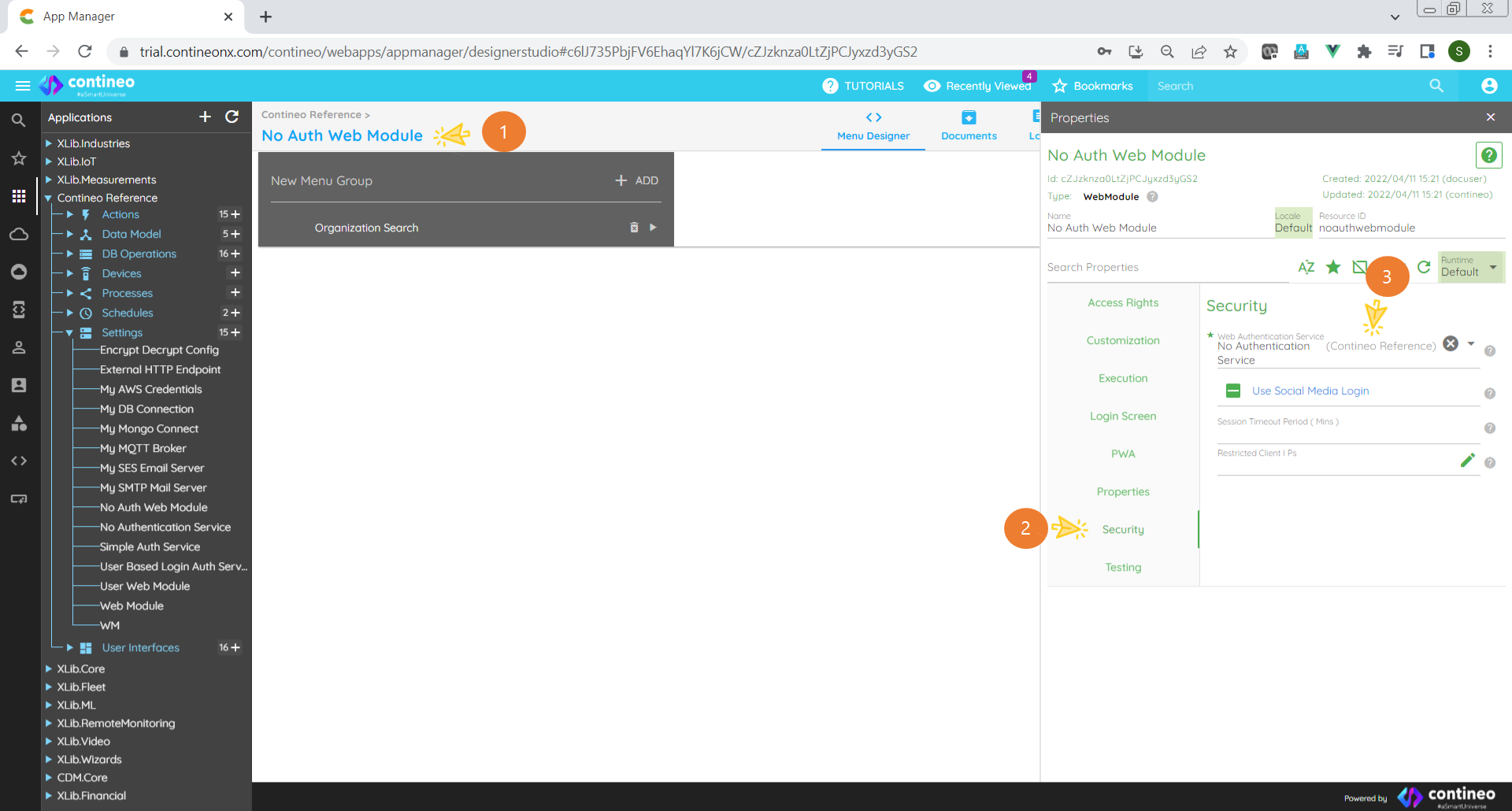
Save the web module.
Important
It is critical to save the main application:
Select
<Application>.Click Save.