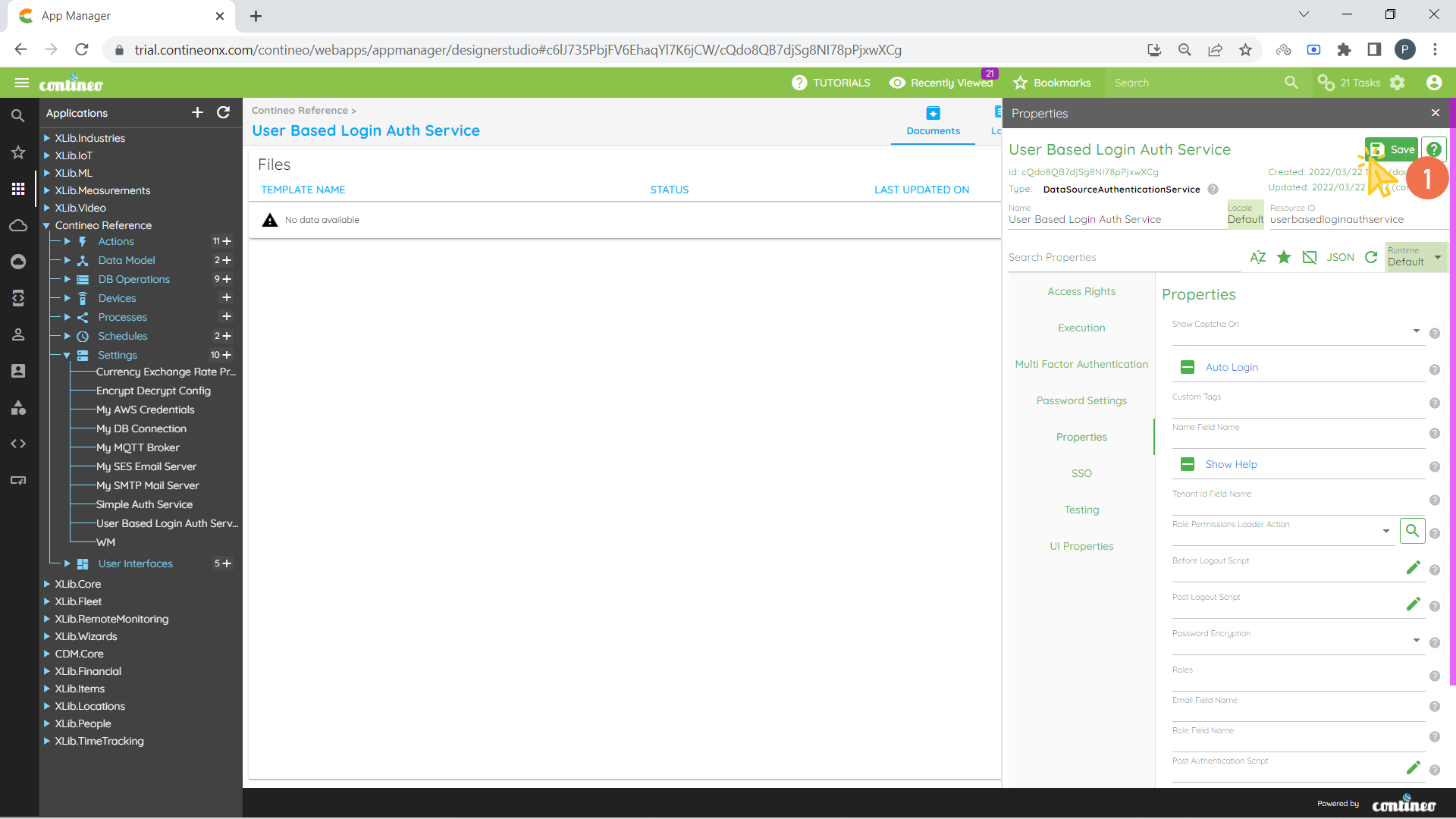
Data Source Auth Service - User Based login Auth Service with Roles
The Data Source Auth Service is an authentication service which retrieves user roles from the database using the username and password.
To create a user-based login Auth Service to validate from given user account table:
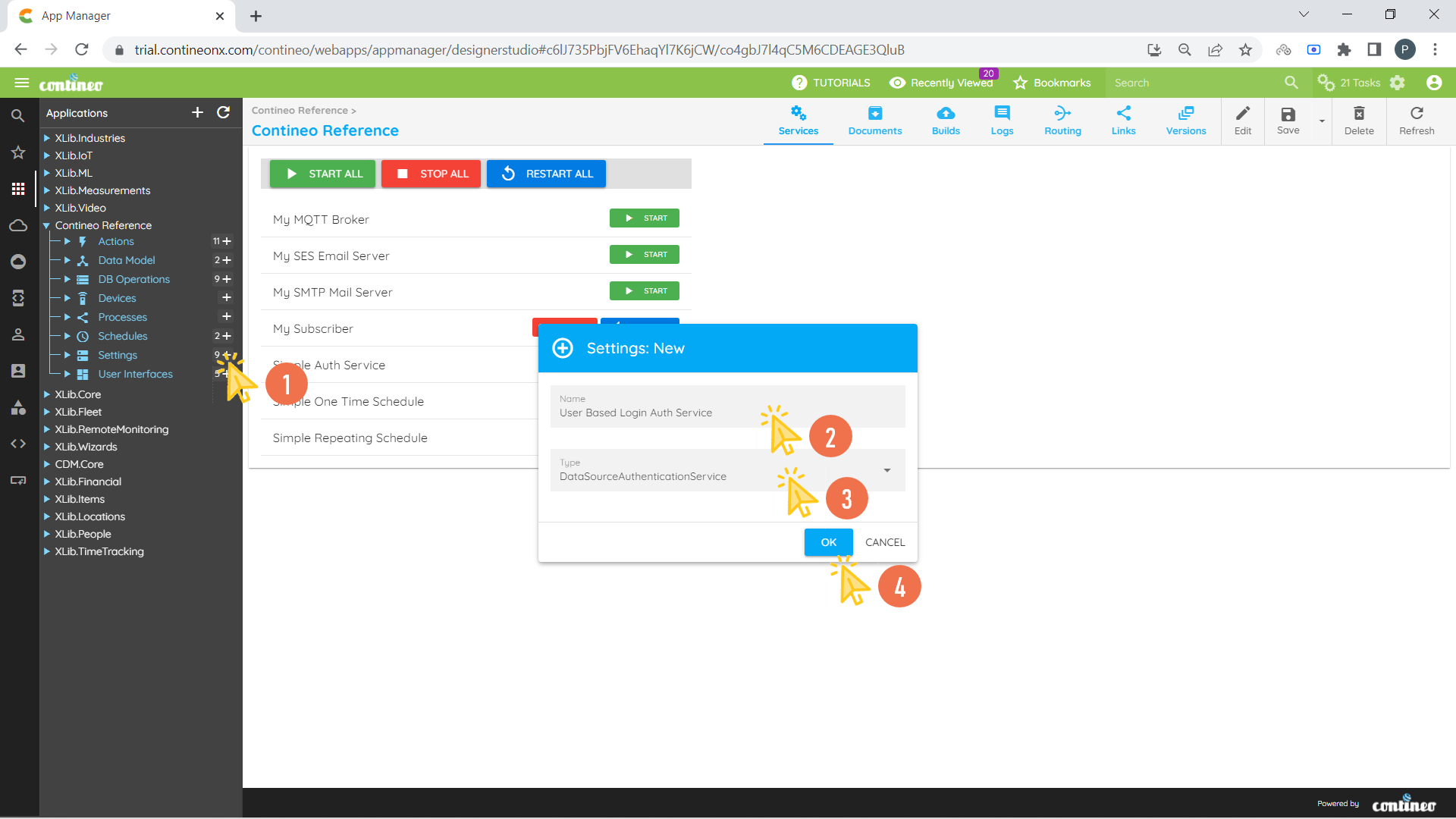
Click + under settings and Create a new Data Source Auth Service.
Enter the Name for Auth and Select Type as Data Source Auth Service.
Click OK.
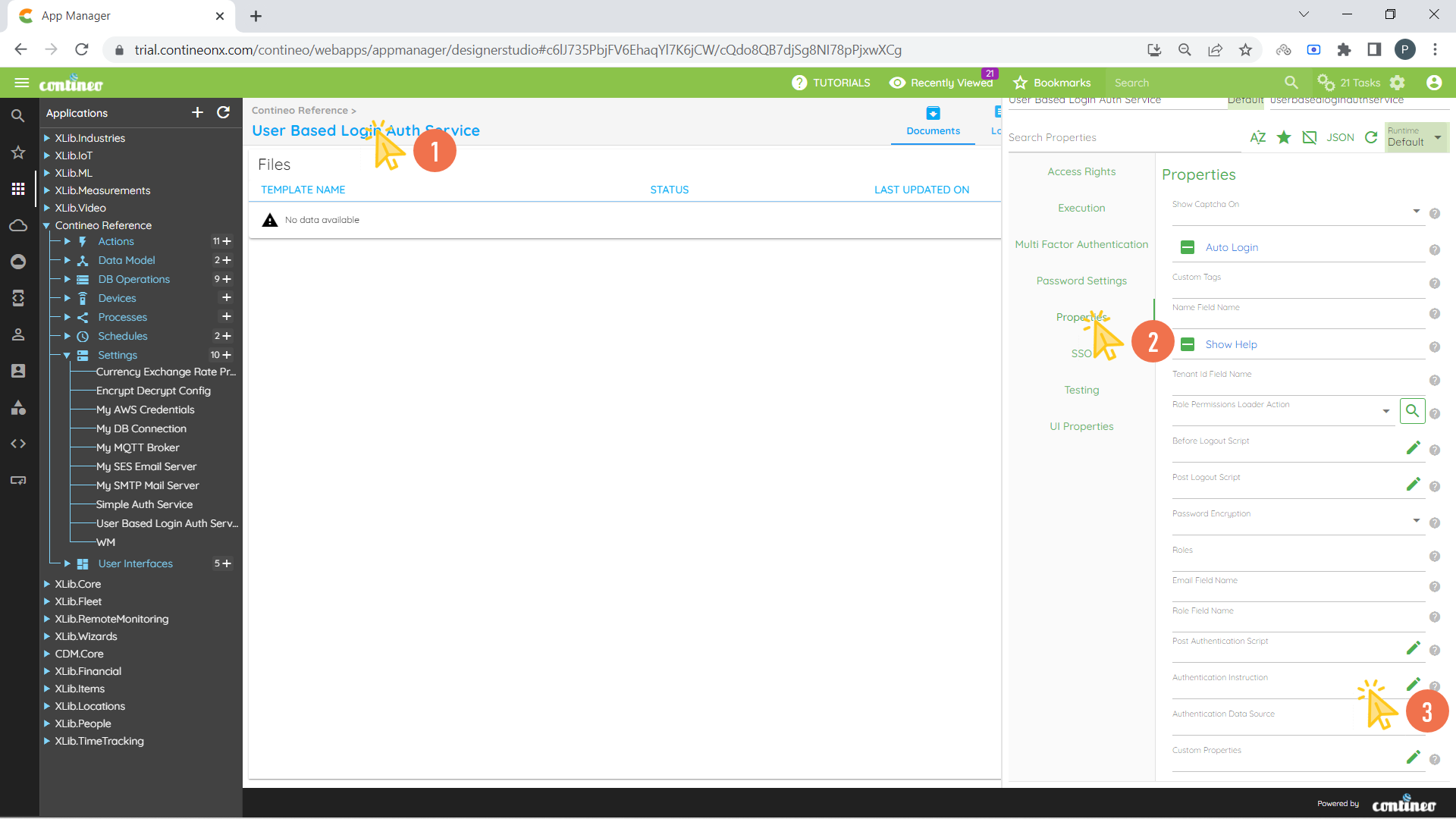
Navigate to Properties Panel of Newly created Auth Service.
Click Properties > Authentication Instruction to enter the new SQL Instruction to validate the user. Open the editor.
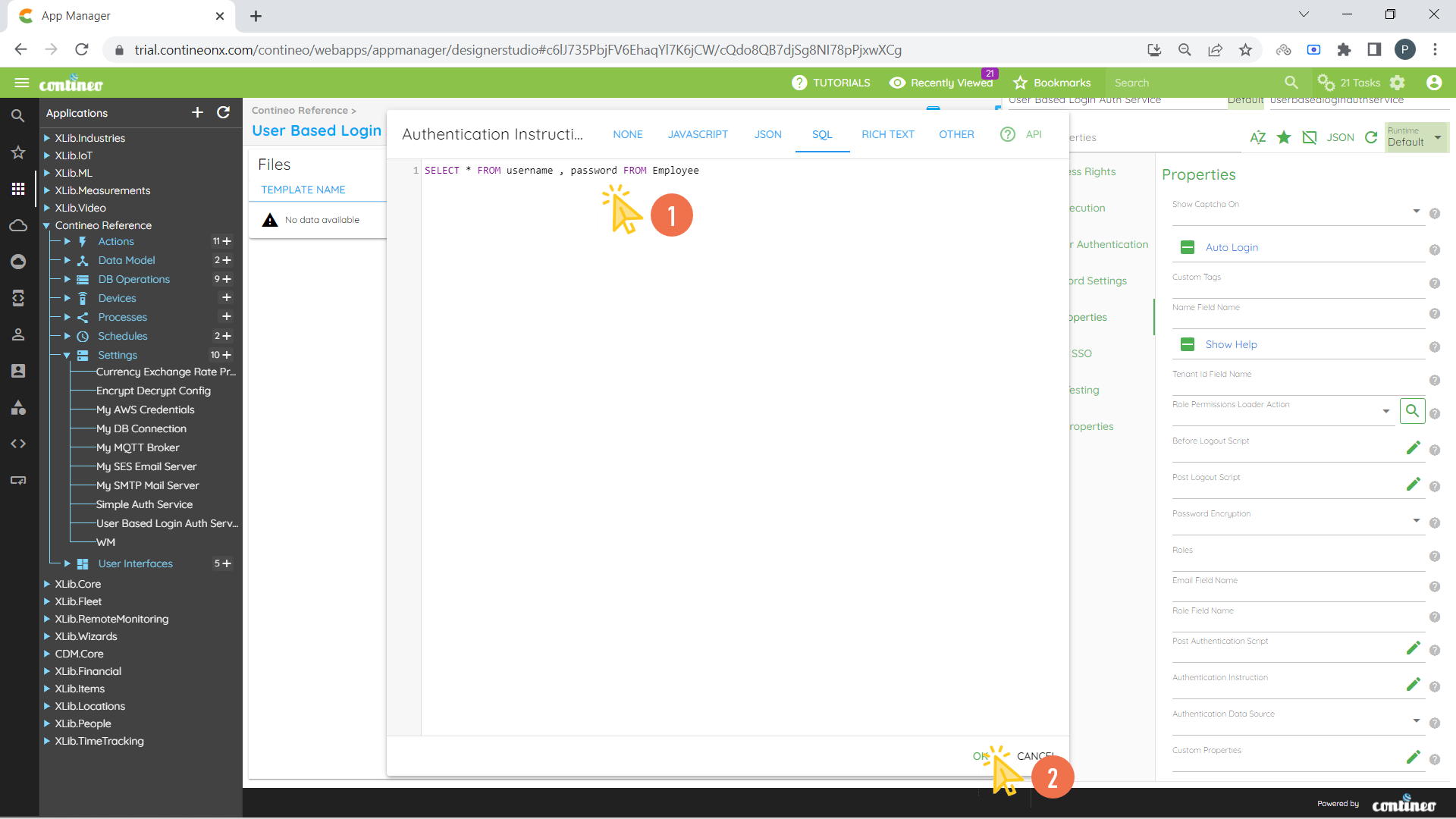
Write the SQL Instruction and click OK.
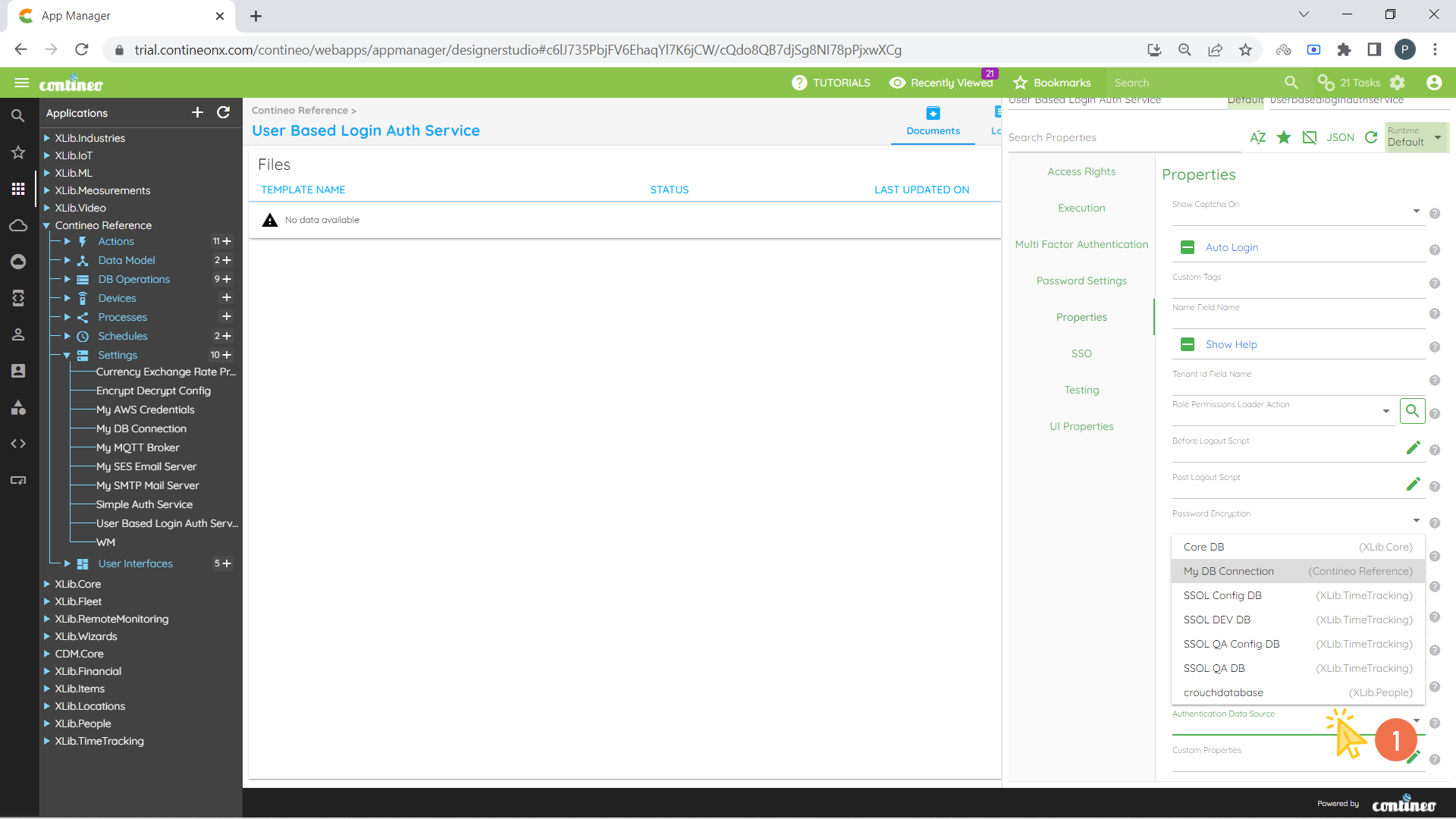
Select the Data Source for given SQL Instruction from Properties > Authentication Data Source.
Click SAVE.