Custom Filters and SQL Expressions for Virtual Fields
Custom GET is used to show preloaded value fetched by the SQL query.
Custom Server-side Scripts for Custom Filters and SQL Expressions
Using the Properties > Custom Server Side Scripts property of an Entity Field, you can specify custom SQL filters and SQL expressions in JSON format.
JSON Structure
Feature | JSON Key | Description |
|---|---|---|
Get Value |
| SQL expression for getting a field's value. Mainly used for Virtual Fields. |
Custom Filter |
| Custom SQL condition used instead of standard equals/user-defined check. |
| SQL join required for the filter. | |
| Default parameters if user input is not present. | |
Search All |
| Custom SQL condition for full-text search. |
| SQL join for full-text search. | |
| Default parameters for full-text search. |
To Configure Filters or SQL Expressions for a Field
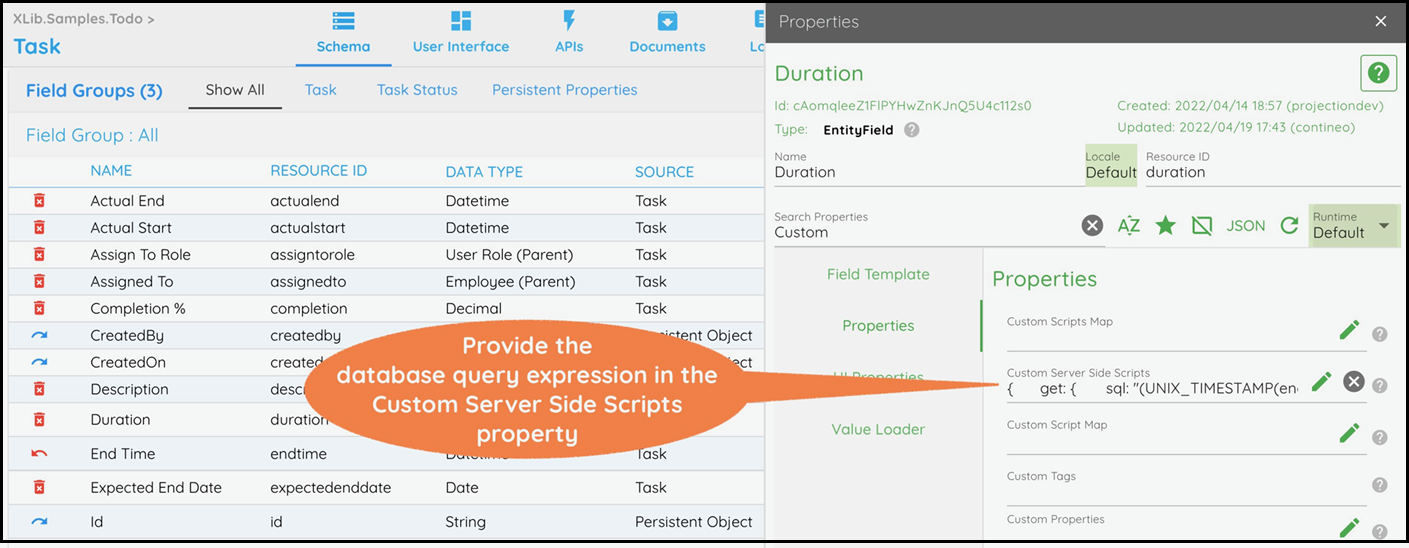
Select the Virtual Field from the list of fields. In the Properties > Custom Server Side Scripts property, enter the JSON. Example below calculates age from a Date of Birth field.
Click Save to save your changes.
Sample Value
{"get":{"sql":" SELECT CONCAT(name, ', ', phone) from Customer c where c.id = e.customerid "},"filter":{"sqlCondition":"(c.name like CONCAT('%', :customerName, '%') OR :customerName = '<NA>')","sqlJoin":" JOIN Customer c on c.id = e.customerid ","defaultParams":{"customerName":"<NA>"}},"search":{"sqlCondition":"(c.name like CONCAT('%', :_searchAll, '%') OR c.address like CONCAT('%', :_searchAll, '%') OR c.phone = :_searchAll)","sqlJoin":" JOIN Customer c on c.id = e.customerid "}}
Examples of SQL Expressions for Virtual Fields
See the Duration field in the
XLib.Samples.Todo > TaskEntity.See the Age field in the
XLib.Samples.Todo > EmployeeEntity.
Examples of Custom Filters
See the Assigned To ID field in the XLib.Samples.Todo > Task Entity. (Turn Show Hidden Fields ON)