Get SessionId
The Get SessionId component keeps continuity in multi-step processes by managing sessions across API interactions. It gets and stores session identifiers from API responses. This makes them available for later calls in your agent workflow. This component checks incoming data, processes session details, and gives consistent session tracking. This is important for operations that use multiple API requests.
Skill Level
No coding knowledge is required. Basic understanding of API concepts and session management helps with troubleshooting.
Overview
The Get SessionId component manages session tracking by getting and updating session IDs from API responses. It checks input data, gets session details, and makes sure session management stays consistent in your agent's workflow.
You must set both Name and ResourceID inputs to identify and track the session correctly in multiple API calls.
The onComplete event starts when session extraction is successful and passes the session details in the result object. The onError event starts if the extraction fails or the required data is missing.
The extracted session ID is automatically stored in the agent's data and made available to later components. This allows smooth session continuity throughout multi-step processes.
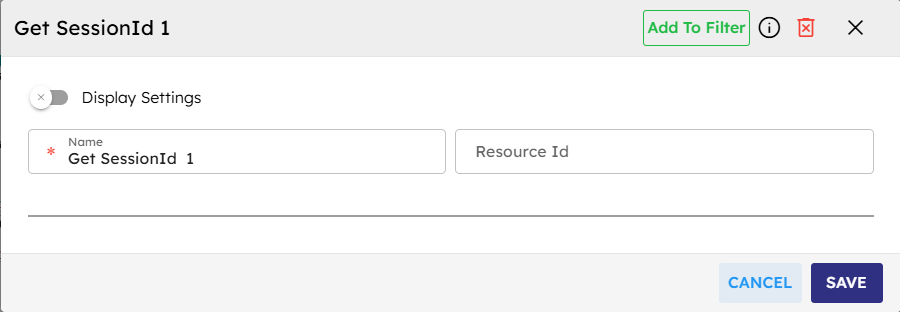
Input
Name | Code | Type | Description | Data Type |
|---|---|---|---|---|
Name |
| text | Identifier for the session. | string |
ResourceID |
| text | Unique identifier for the resource. | string |
Methods
Id | Name | Description | Input | Output |
|---|---|---|---|---|
| Extract Session ID | Extracts session ID from provided data. | API response data | Session ID or empty string |
| Execute | Manages session data and triggers events. | Event data | Session details |
Events
Id | Name | Description | Arguments | Source Methods |
|---|---|---|---|---|
onComplete | On Complete | Triggered when session ID extraction succeeds. | result, timestamp | execute |
onError | On Error | Triggered when data is missing or invalid. | error: {message, component, currentSessionId, timestamp, details} | execute |
Typical Chaining of Components
Source Component | Purpose | Description |
|---|---|---|
| Provide Response Data | Sends API request and receives response with session info. |
Target Component | Purpose | Description |
|---|---|---|
| Use Session ID | Uses session ID to maintain session continuity. |
Implementation Example
The following example depicts how you could typically use the Get SessionId component in an agentic flow.
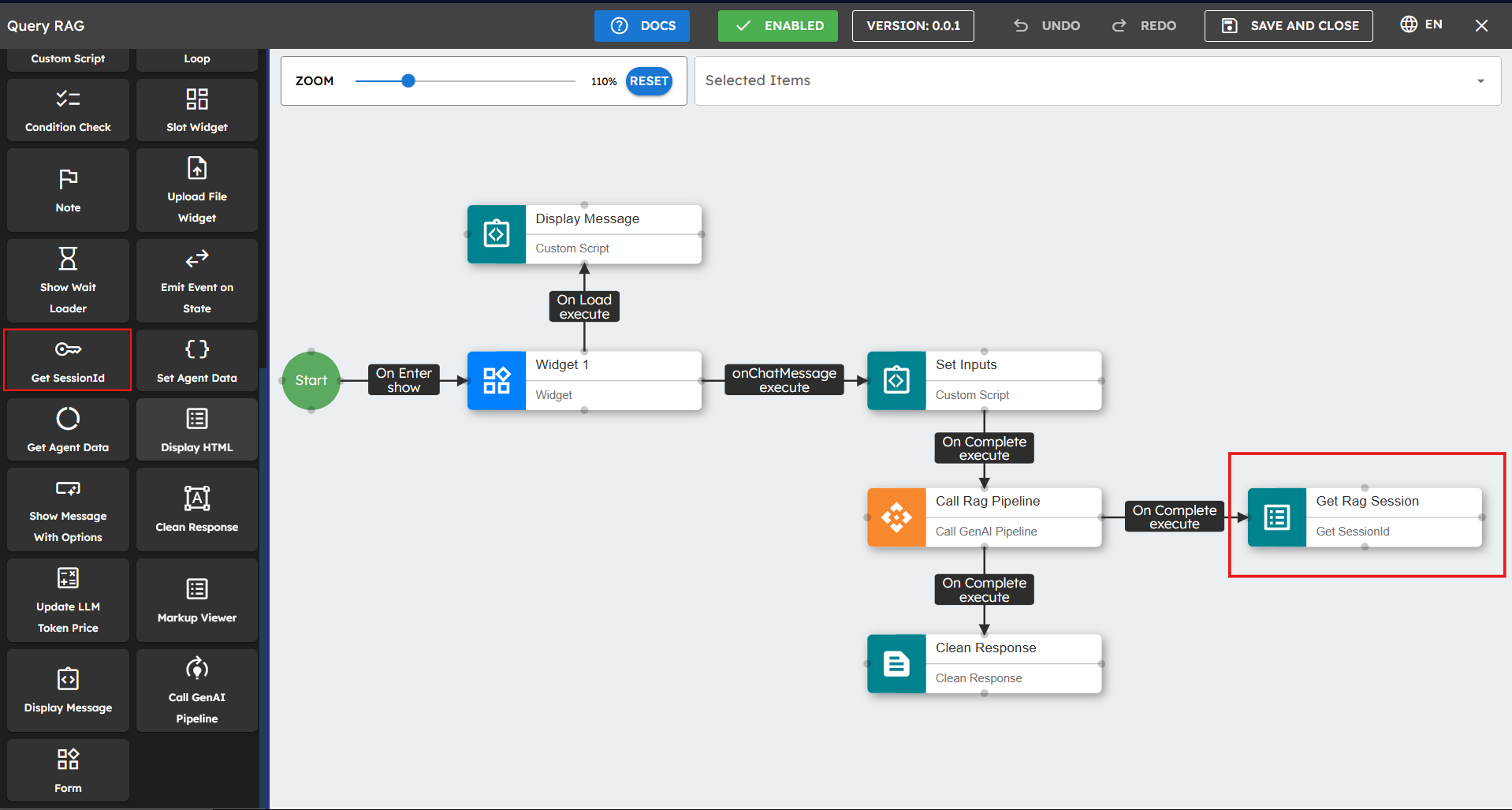
Drag the Get SessionId component to your canvas.
Set up the input parameters. Fields marked with * are required.
Connect the API component's output events to this component's execute method.
Connect the "onComplete" event to later components.
Best Practices
Make sure API responses include consistent session information.
Connect the onError event to handle getting failures.
Implement session persistence for multi-interaction workflows.
Keep session IDs secure when sending and storing them.
Add logging components for debugging.
Add error handling for missing session IDs.
Use with API calls that need session maintenance.
Test with different response formats.
Add session timeout handling.
Common Use Cases
Use Case | Description |
|---|---|
Multi-step API Workflow | Get the session ID after authentication for later API calls. |
Conversation History | Track session IDs in multiple user interactions. |
Stateful Operations | Keep state for difficult operations that use multiple calls. |