Note
The Note component lets you add text notes to your agent workflow. These notes work as documentation in your flow design. They help explain difficult logic, give context for specific components, or add reminders for future development.
Skill Level
No coding knowledge is needed.
How to use

Overview
The Note component helps maintain clarity and improve teamwork when building complex agent workflows with multiple branches and components. It makes workflows easier to read, helps knowledge sharing, gives context for complex agent logic, works as documentation for future use, and makes it easier to understand complex agent structures later. The Note component works as a visual note that helps developers understand the purpose and function of different parts of a workflow without affecting the actual execution of the agent.
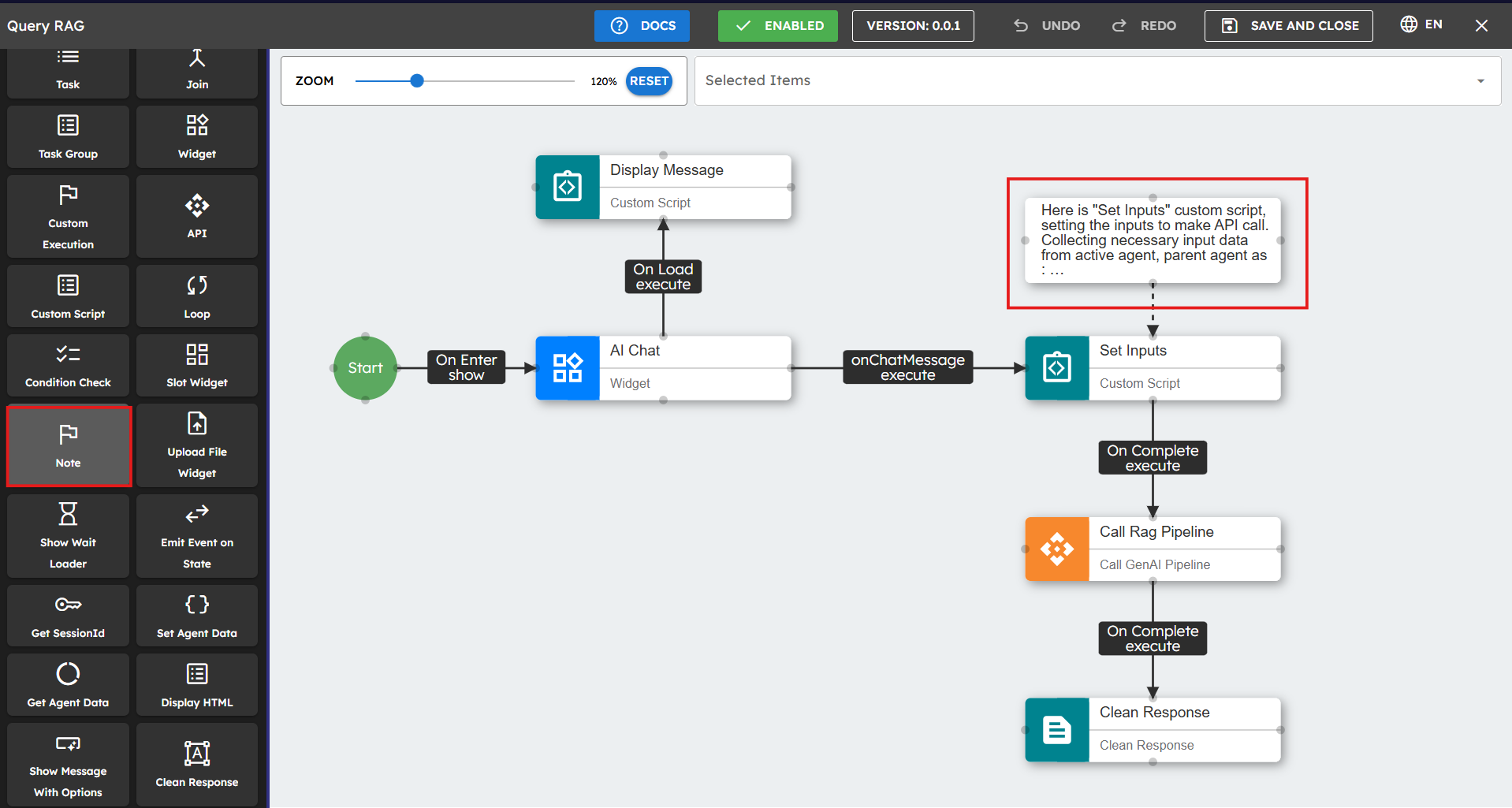
Input
Name |
Code |
Type |
Description |
Data Type |
|---|---|---|---|---|
Text Field |
NA |
text |
Field where you enter text that can be styled or formatted to highlight important information. |
string |
Implementation Example
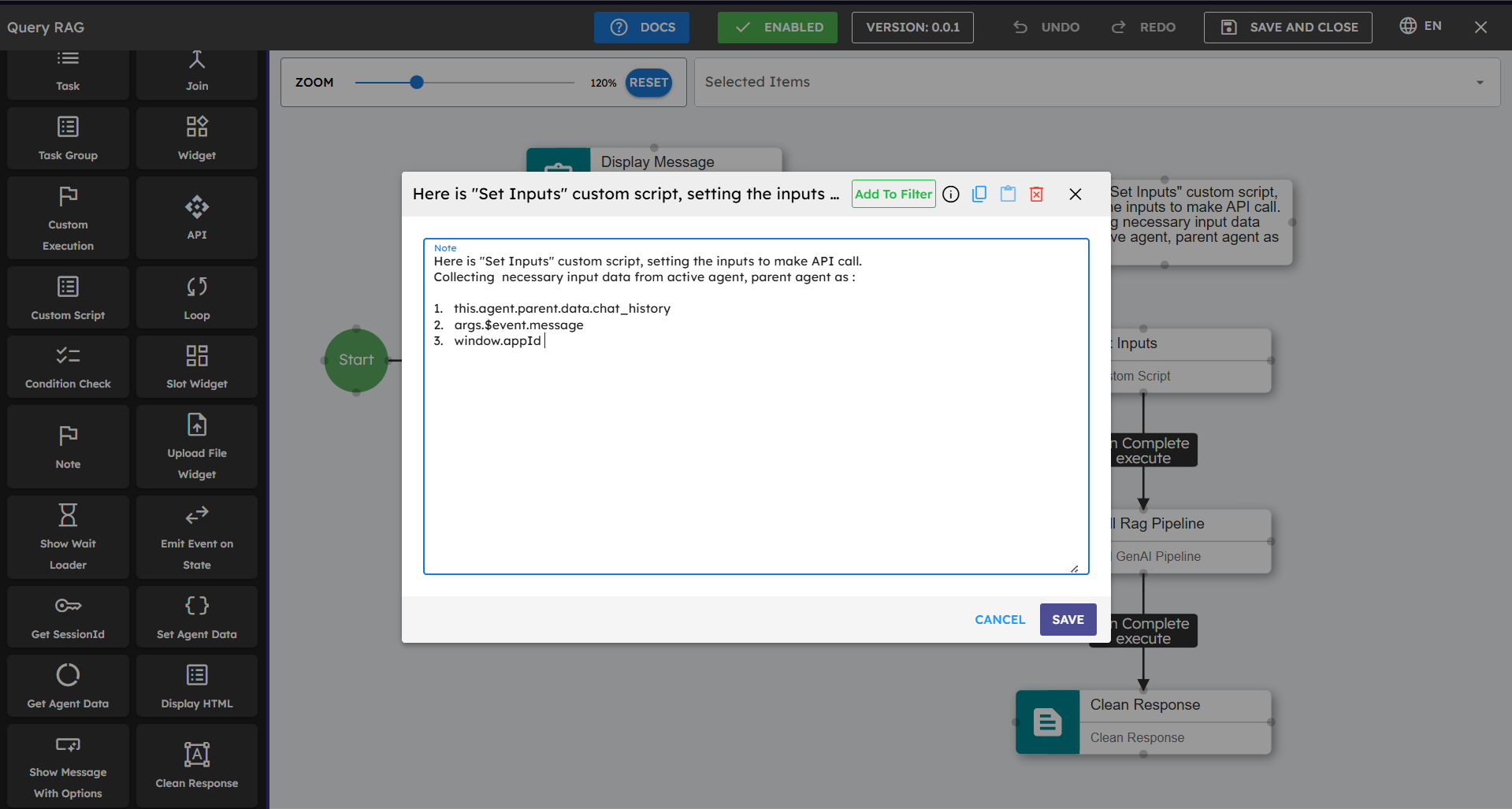
To add a Note to your Agent Builder workflow:
Drag the Note component from the component palette to your design canvas.
Position it near the components or flow section you want to document.
Enter your text in the Note's text field.
You can style or format the text to highlight important information.
Best Practices
Use Notes to explain complex decision logic or conditional branches.
Include information about component settings that might not be clear.
Write down the purpose of data transformations or custom scripts.
Add implementation details that would be helpful for future maintenance.
Use the same note format in your agent for better readability.
Unlike other components, Notes are visual elements only and do not affect the runtime execution of your agent.
Notes are visible only in the Agent Builder and are not visible to end users of your agent.
You can add multiple Note components in your agent workflow as needed.
You can resize and move Notes freely on the canvas to fit your documentation needs.
Common Use Cases
Use Case |
Description |
Implementation |
|---|---|---|
Documenting complex decision logic |
Explain conditional branches and decision points. |
Place notes near decision components. |
Explaining component configurations |
Write down settings and parameters that are not clear. |
Put notes next to complex components. |
Documenting data transformations |
Explain the purpose of custom scripts. |
Place notes near script components. |
Adding implementation details |
Write down technical decisions for future maintenance. |
Add notes to explain technical implementation choices. |
Visual organization |
Create structure in complex workflows. |
Use notes as section dividers or markers. |