Map - Including a Map Component and Rendering Points on a Map
Including a Map component and rendering points on a Map.
The Map component uses the Google Maps API. It is a type of List component. A valid API access key is required to use this component. The access key must be specified in the Third Party License Keys property of the application.
To include a Map Component in a UI Widget:
Steps:
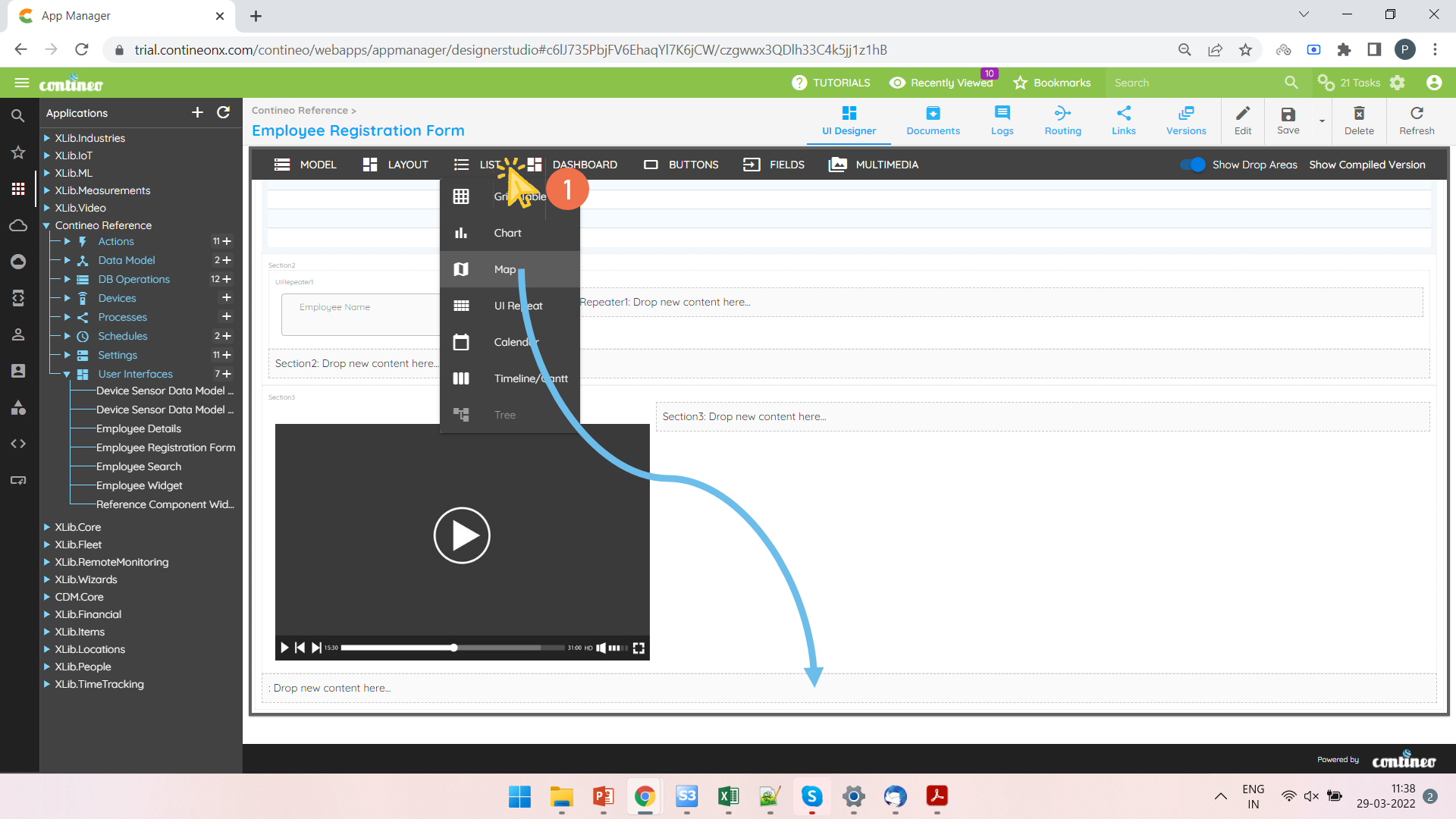
Open a UI Widget. Add a Map to the section.
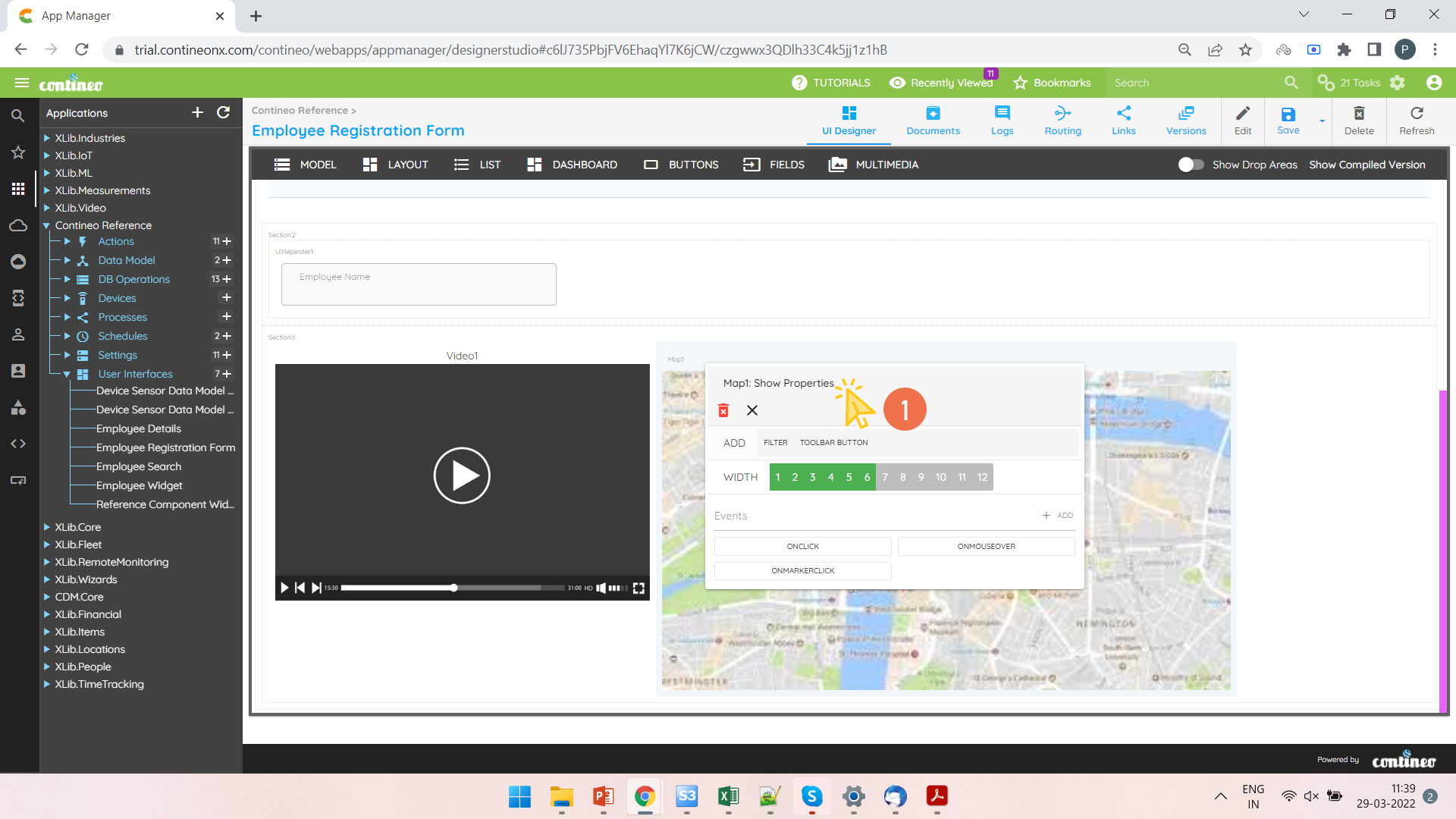
Right-click on the Map and open the Property Panel.
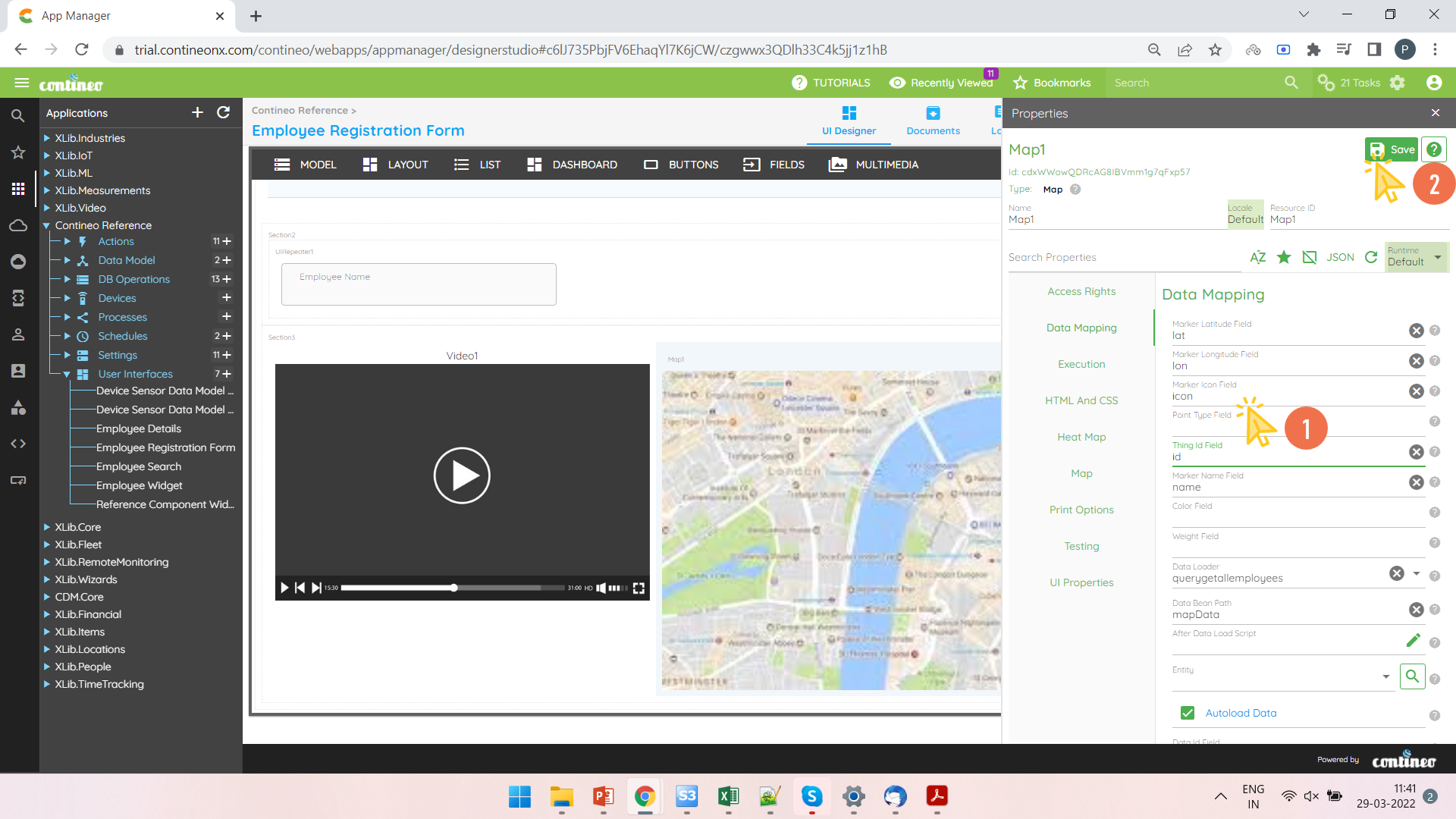
Configure the following to render points on the Map:
Enter the latitude and longitude field names under Data Mapping > Latitude and Data Mapping > Longitude
Enter the marker icon field under Data Mapping > Marker Icon Field and the display name for the point under Data Mapping > Marker Name Field
Select the Data Loader in Data Mapping > Data Loader, and enter the data path under Data Mapping > Data Bean Path
Click SAVE.