UI Repeater - Rendering any UI Component
The Repeater control is used to display a repeated list of items that are bound to the control.
The Repeater control may be bound to a database table or another list of items.
Example: To display all the employees in the Indicator form.
Steps:
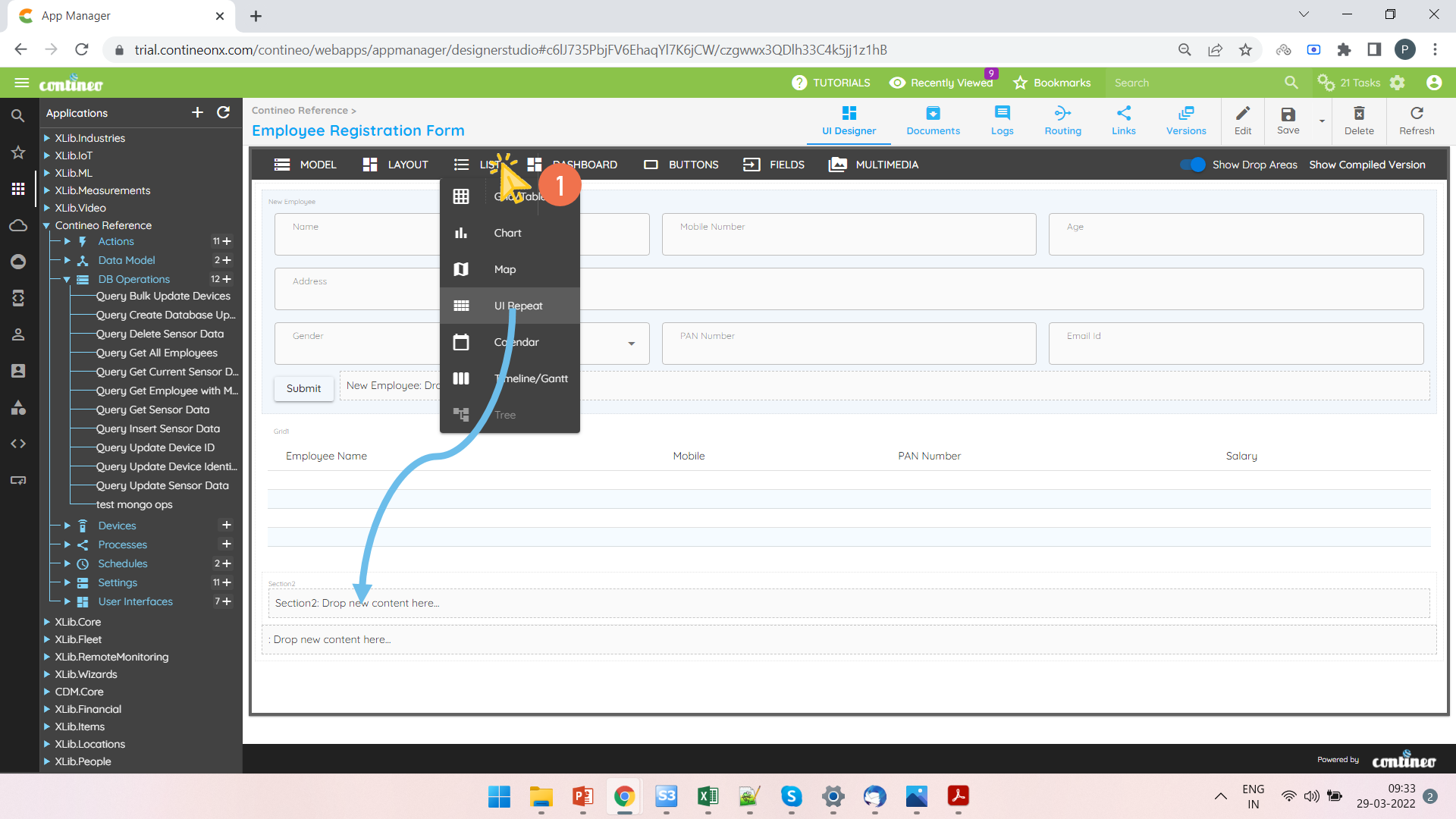
Open a UI widget. Add a UI Repeater to a section.
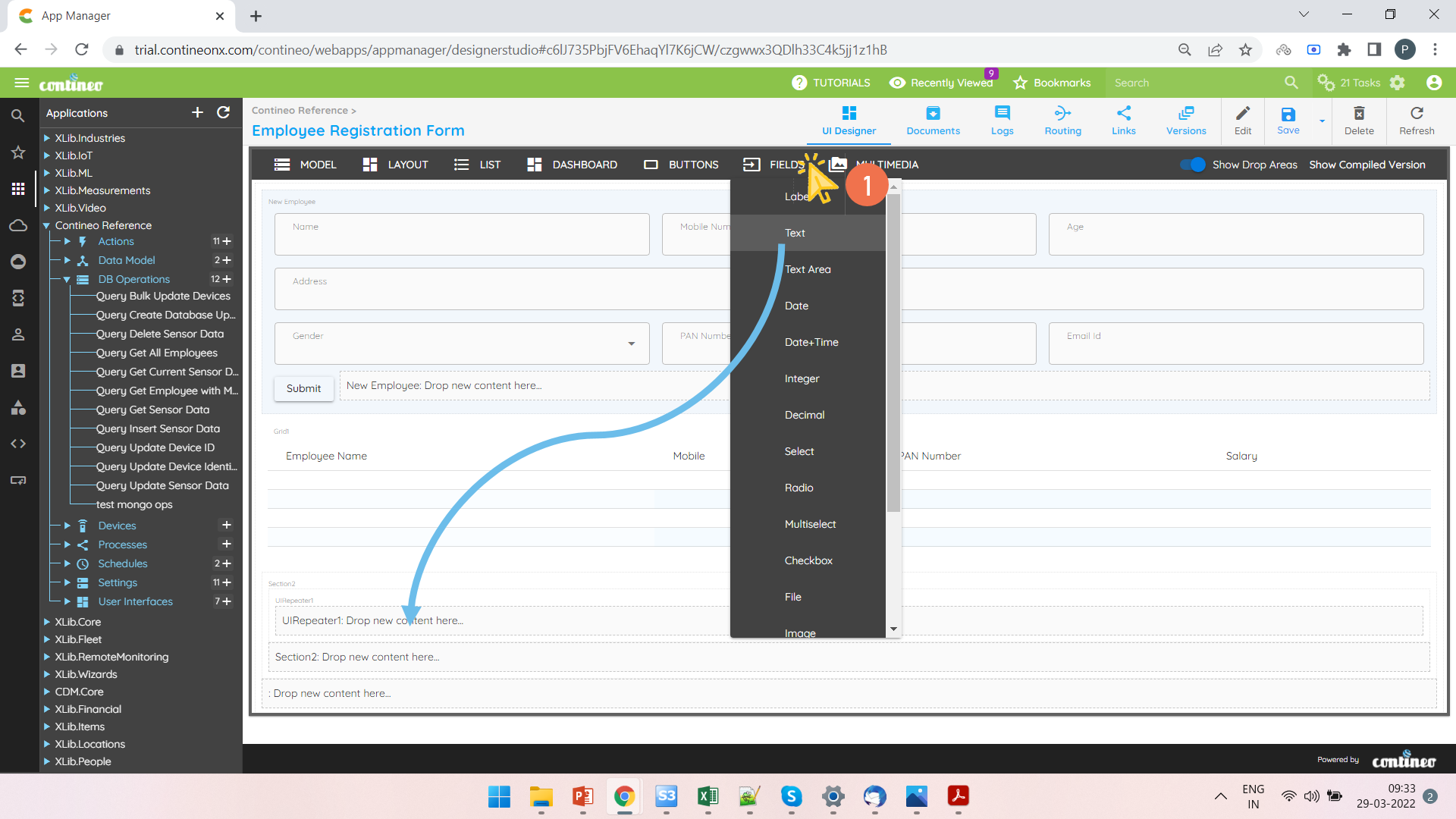
Add the text field inside the UI Repeater and then change its control type to Indicator.
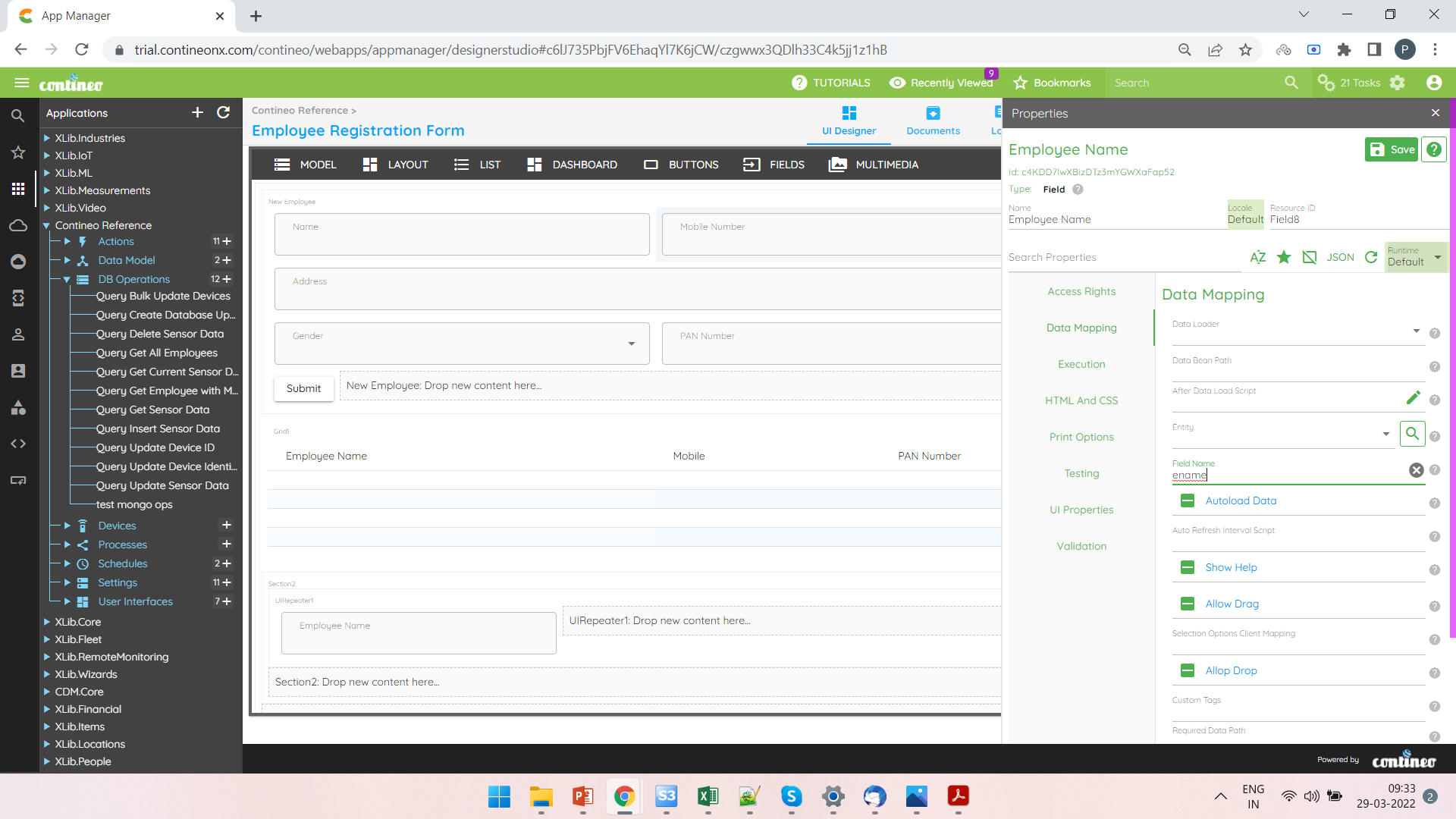
Right-click the field and open the property panel to edit name and field name.
Enter the field name in Data Mapping > Field name. Enter the label to display under UI Properties > Localized Label.
Click SAVE.
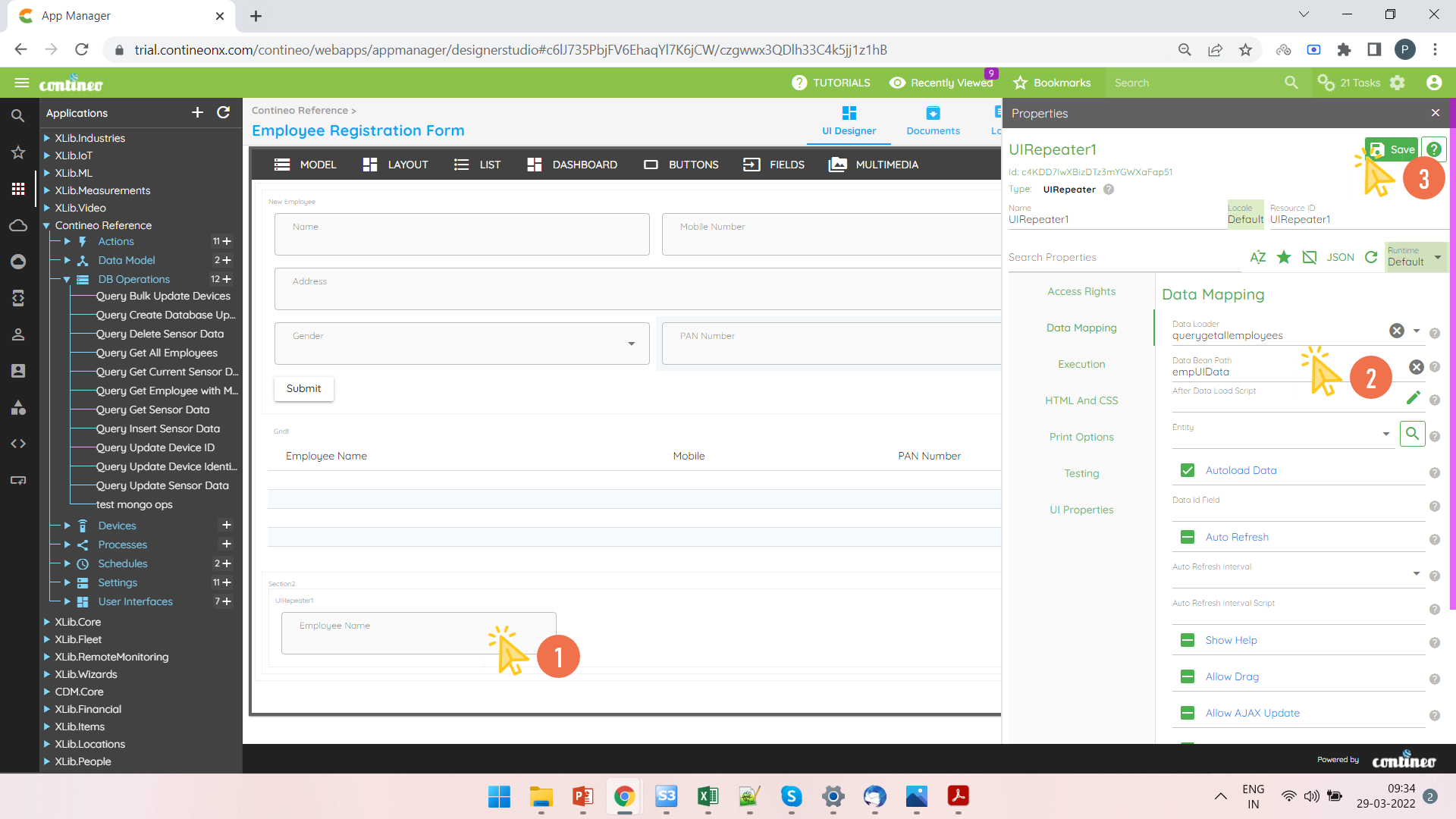
Right-click the UI Repeater and open the property panel.
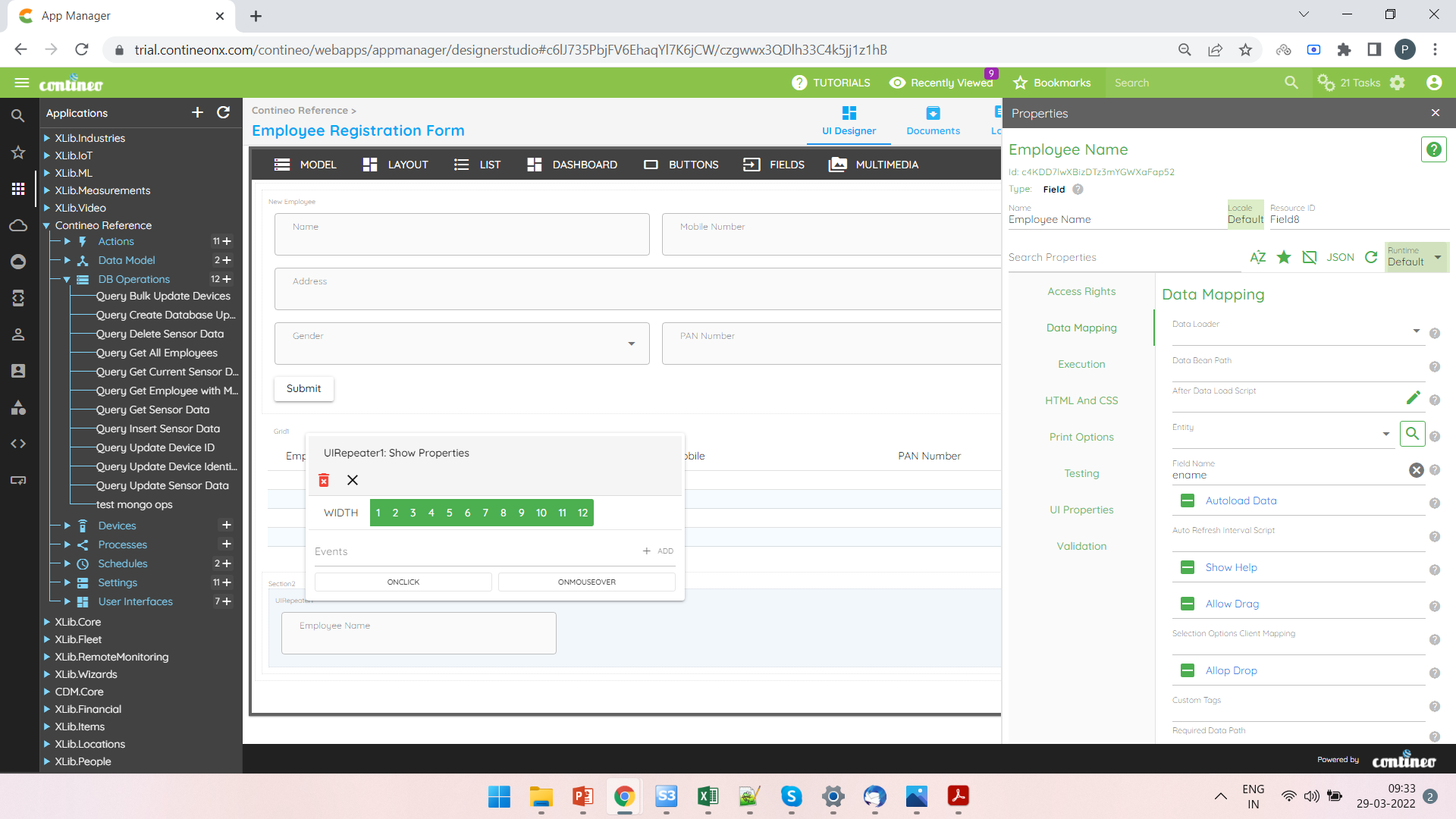
Select the data loader in Data Mapping > Data Loader and enter the databean path in Data Mapping > Data Bean Path.
Click SAVE.