Enabling or Disabling - Access Management of UI Components
You can manage the access for any UI Component using Enable or Disable feature.
Contineo supports UI Access Management controls by using the Enable/Disable feature.
Example 1: The Employee Name text field should never be editable
Steps:
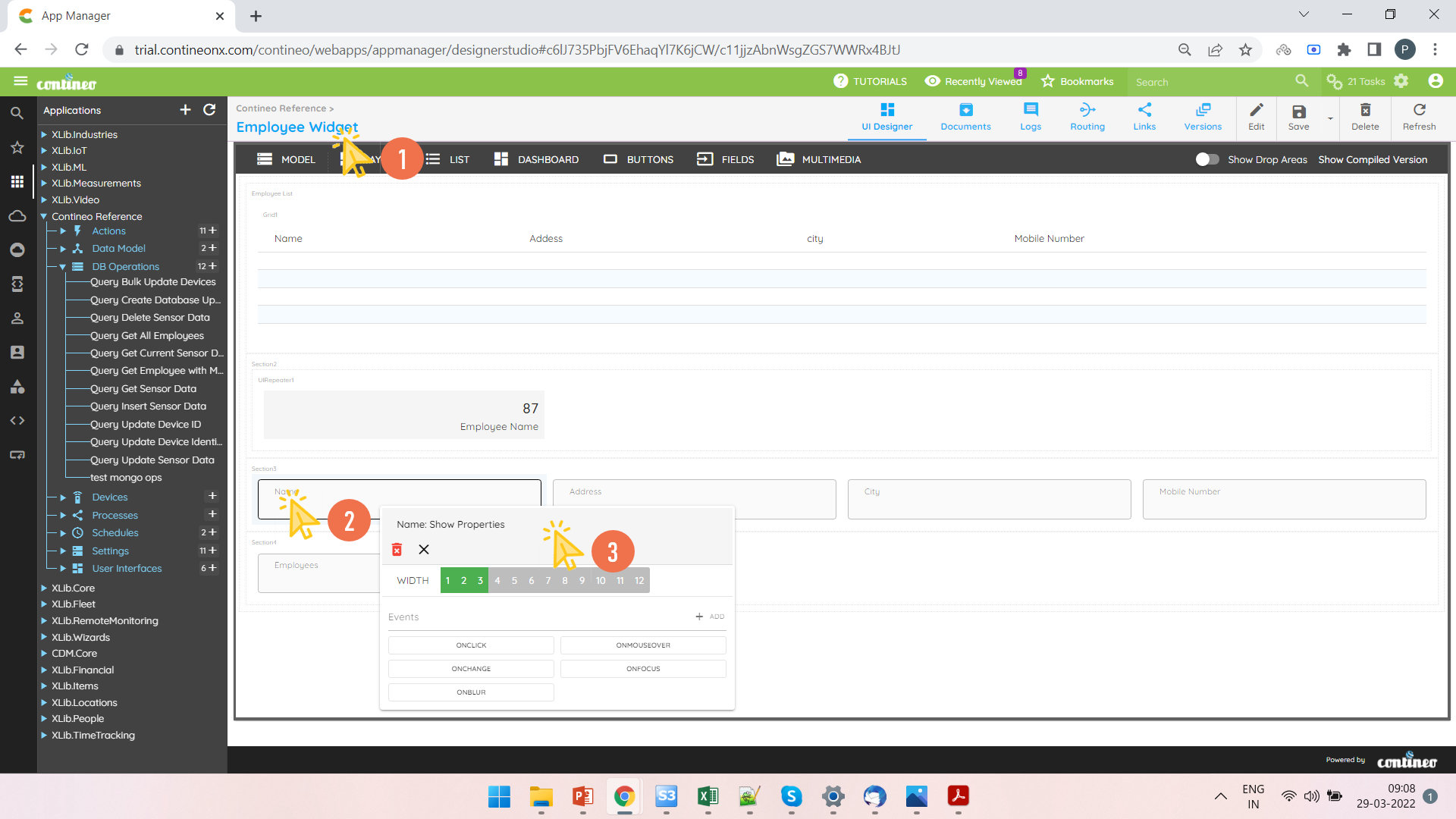
Open the UI Widget.
Right-click the text field and open the Properties Panel.
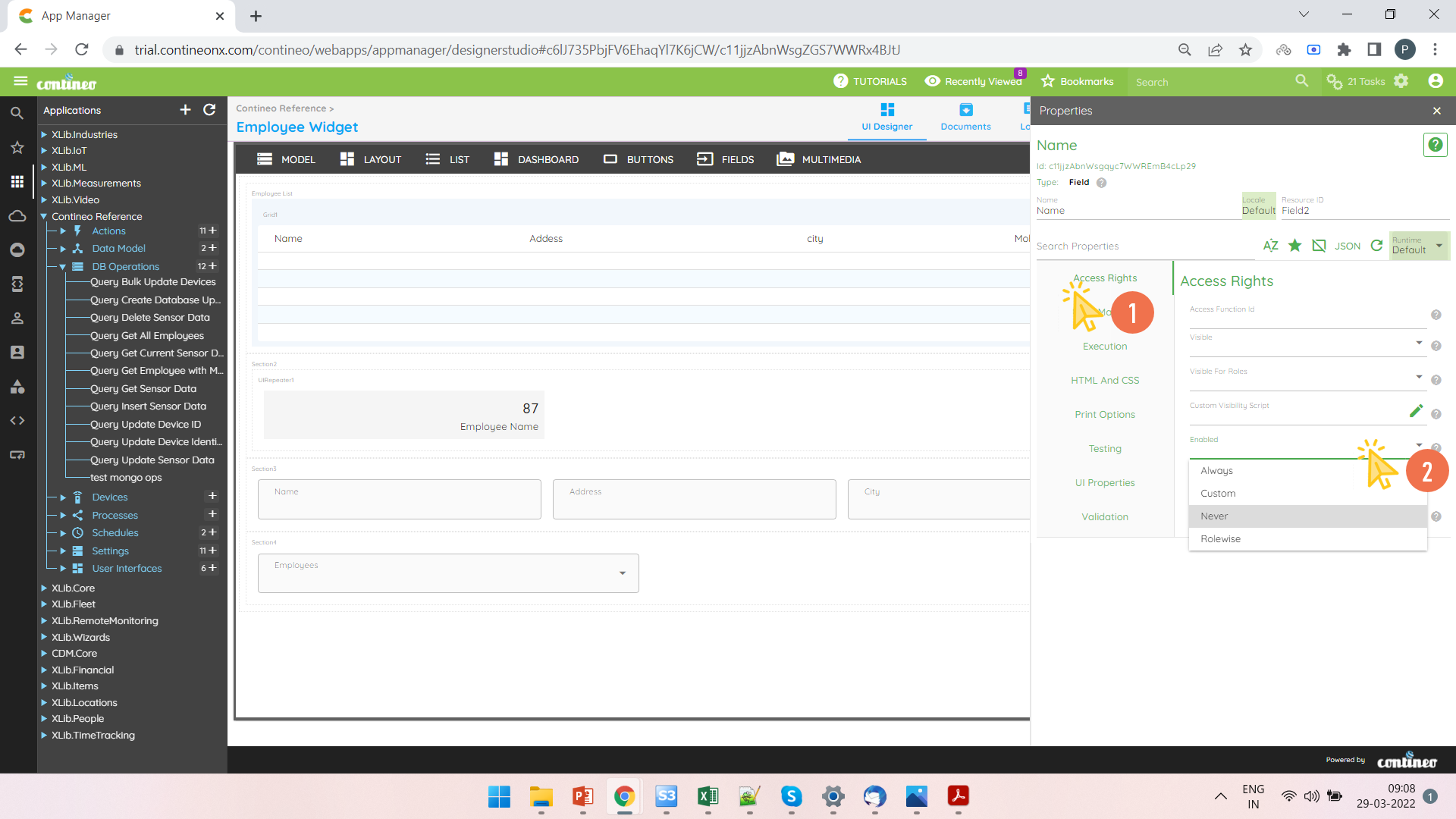
Select Enabled Never in Access Rights > Enabled.
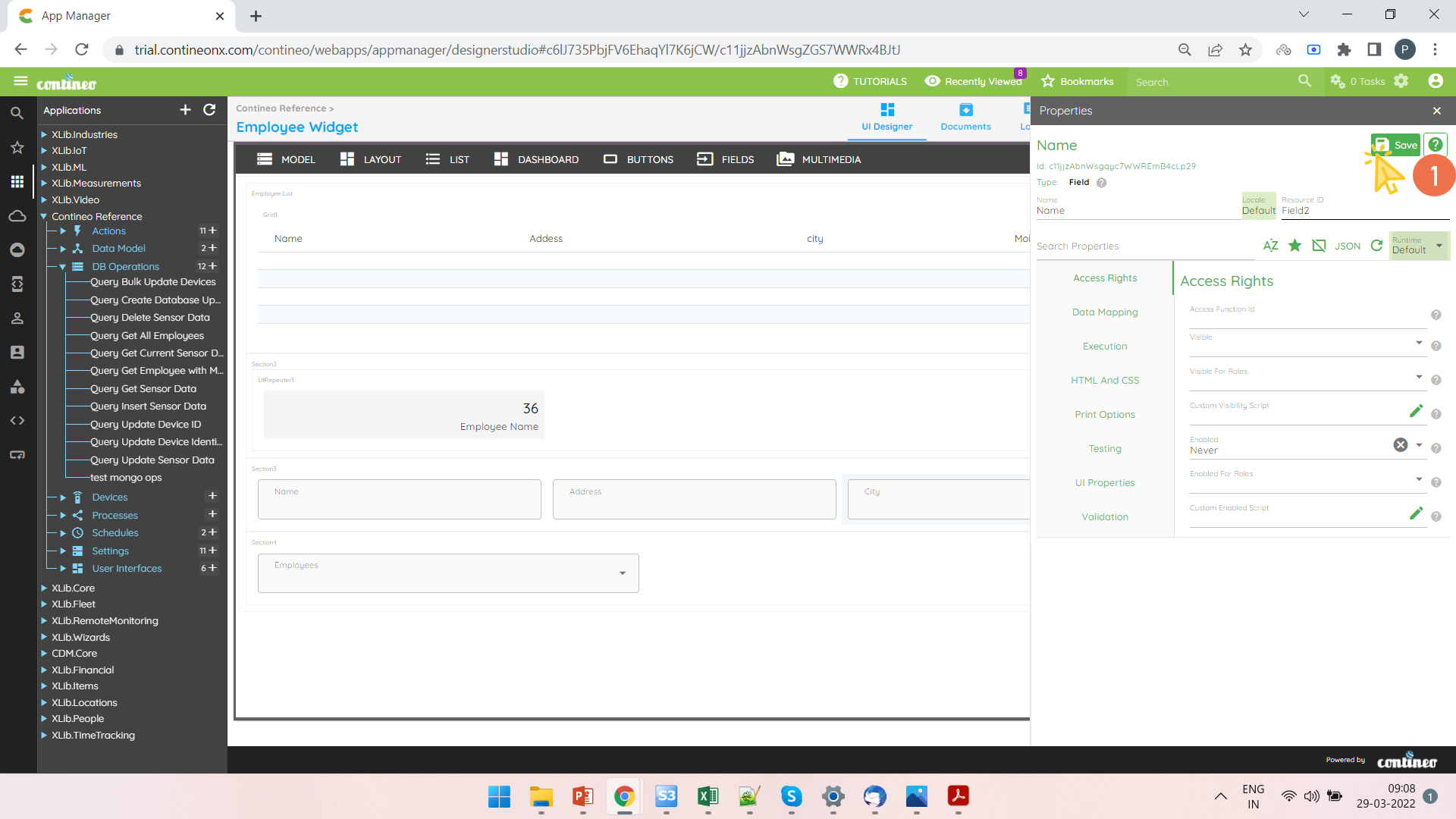
Click SAVE.
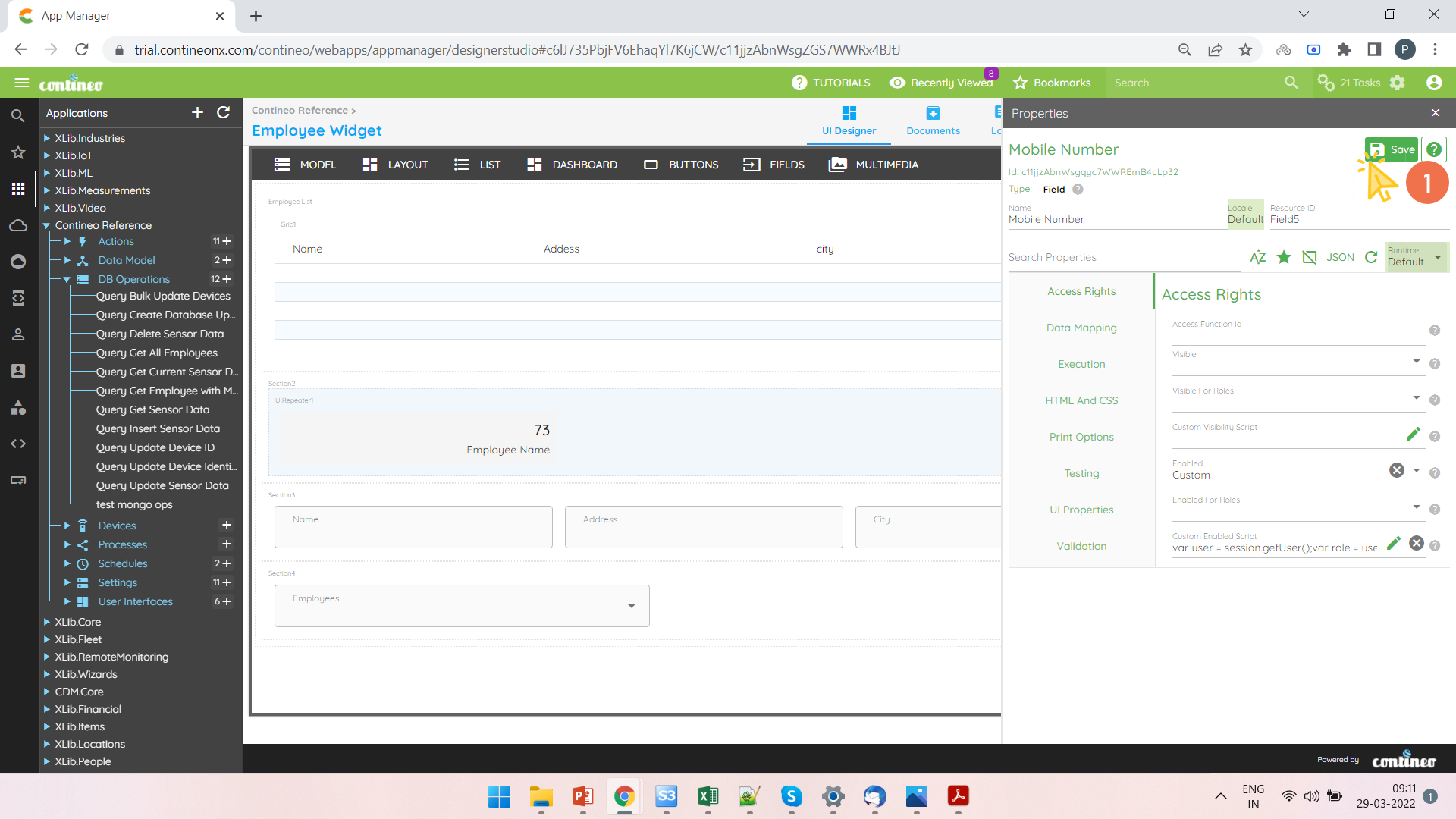
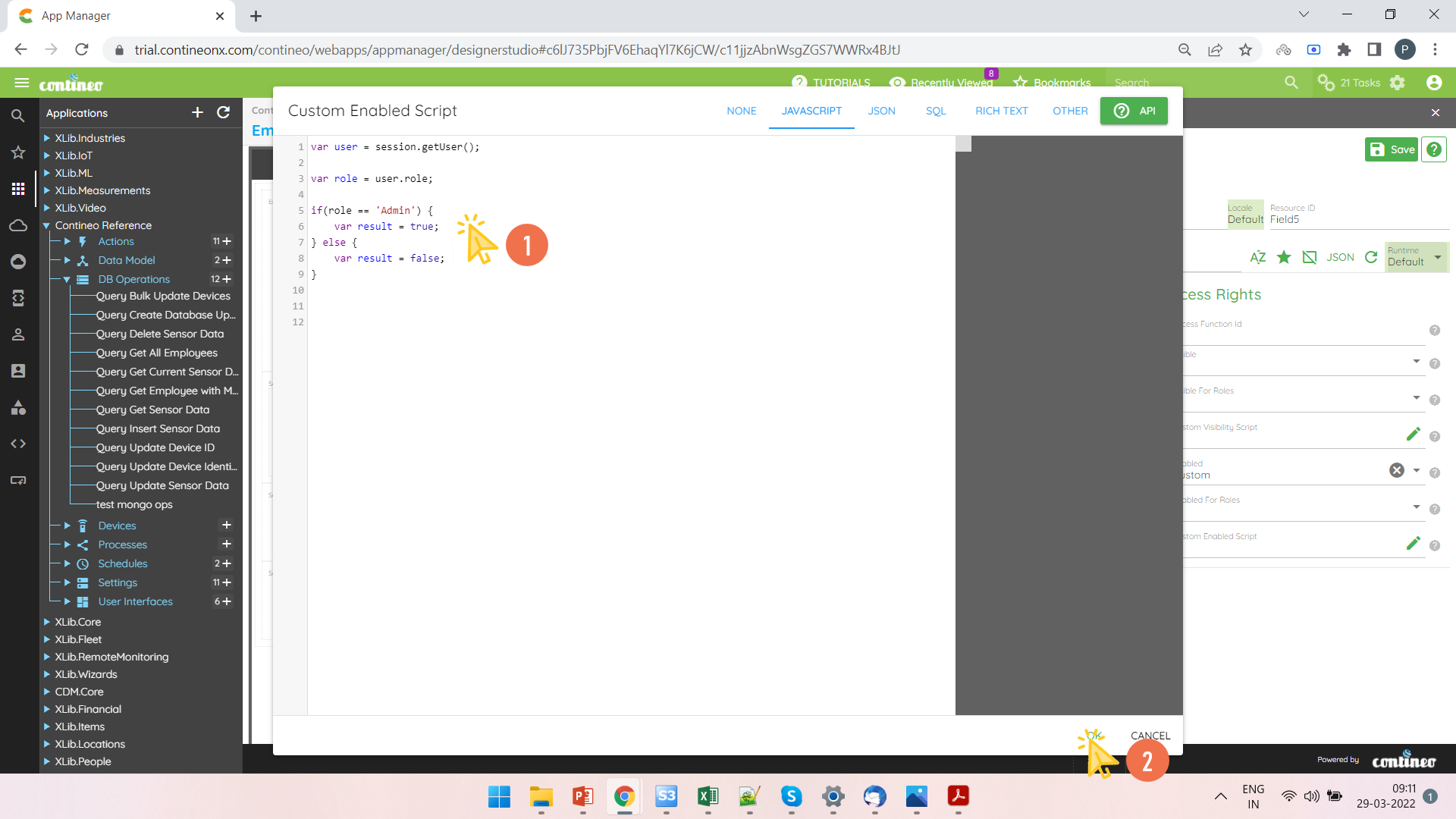
Example 2: Mobile Number text field should be editable only for Admin User Role
Steps:
Open the UI Widget.
Right-click the Text Field and open the Properties Panel.
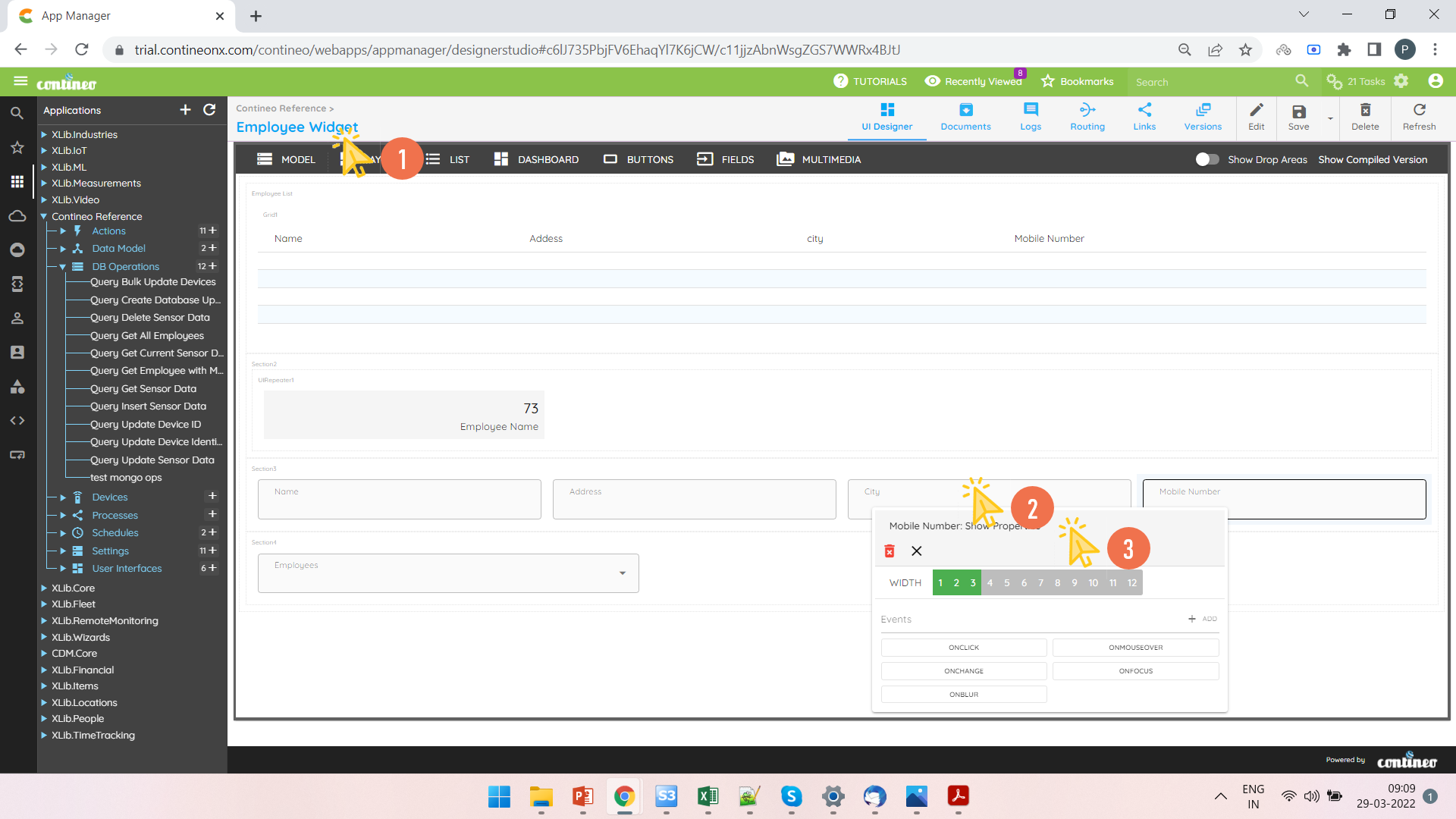
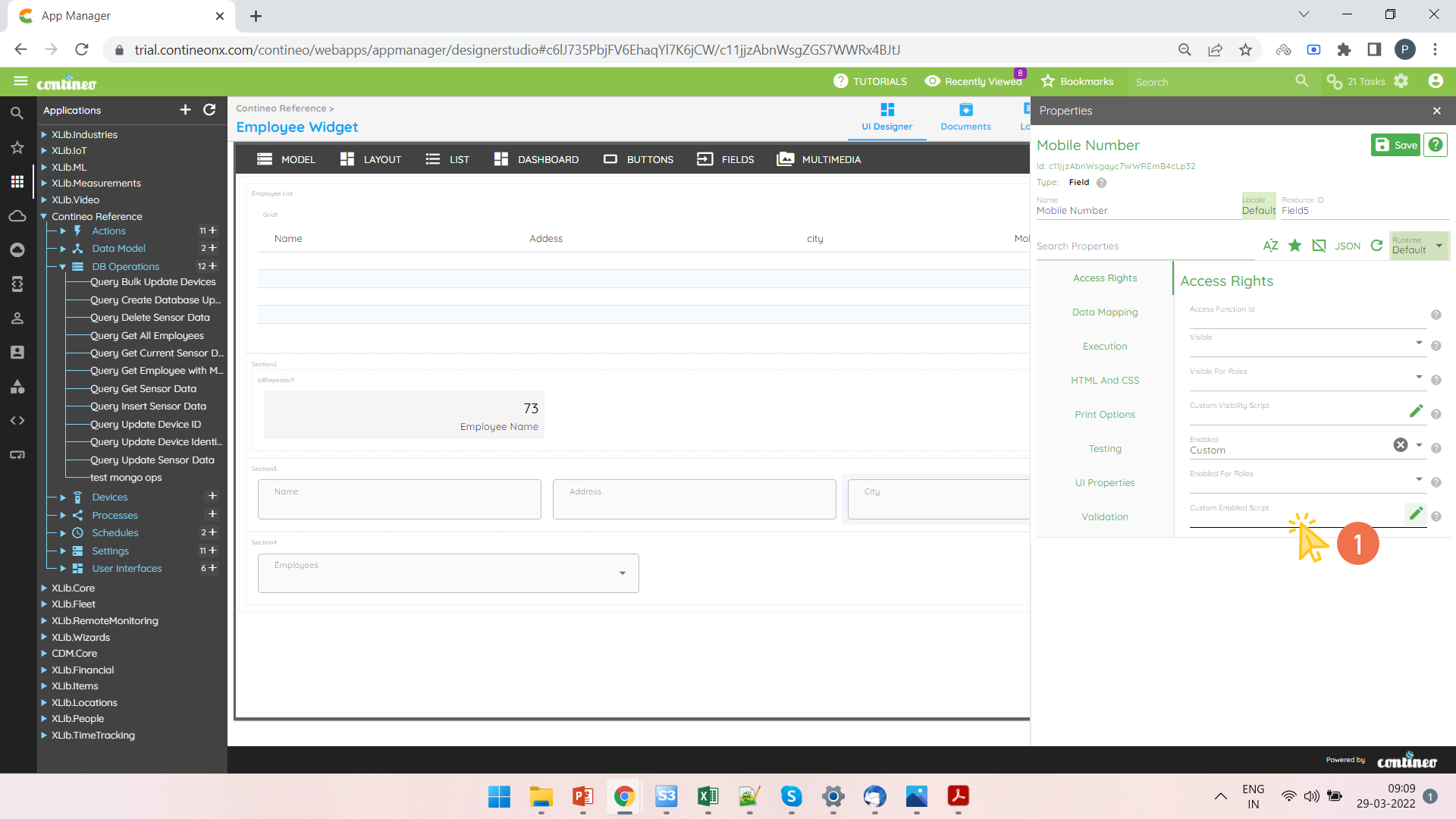
Select Enabled Custom in Access Rights > Enabled.
Click Access Rights > Custom Enabled Script to open the script editor.
Write the script and click OK.
Click SAVE.