Grid or Table - Creating Grid or Table in the UI Widget
You can create a Grid or a Table in the Ui widget in Contineo.
To create a Grid or a Table to display the list of Employees:
Steps:
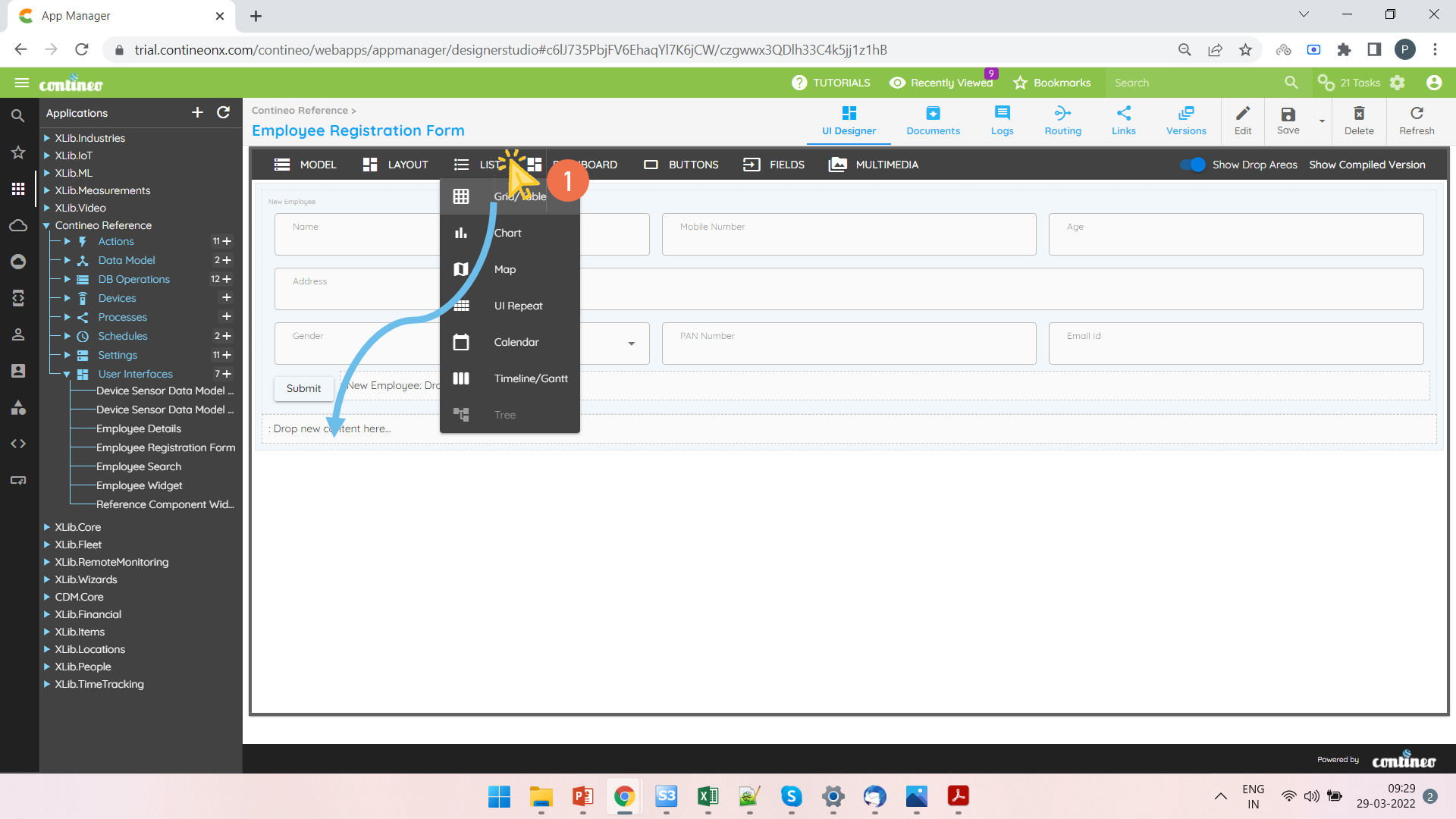
Open a UI Widget. Add a Grid to a section.
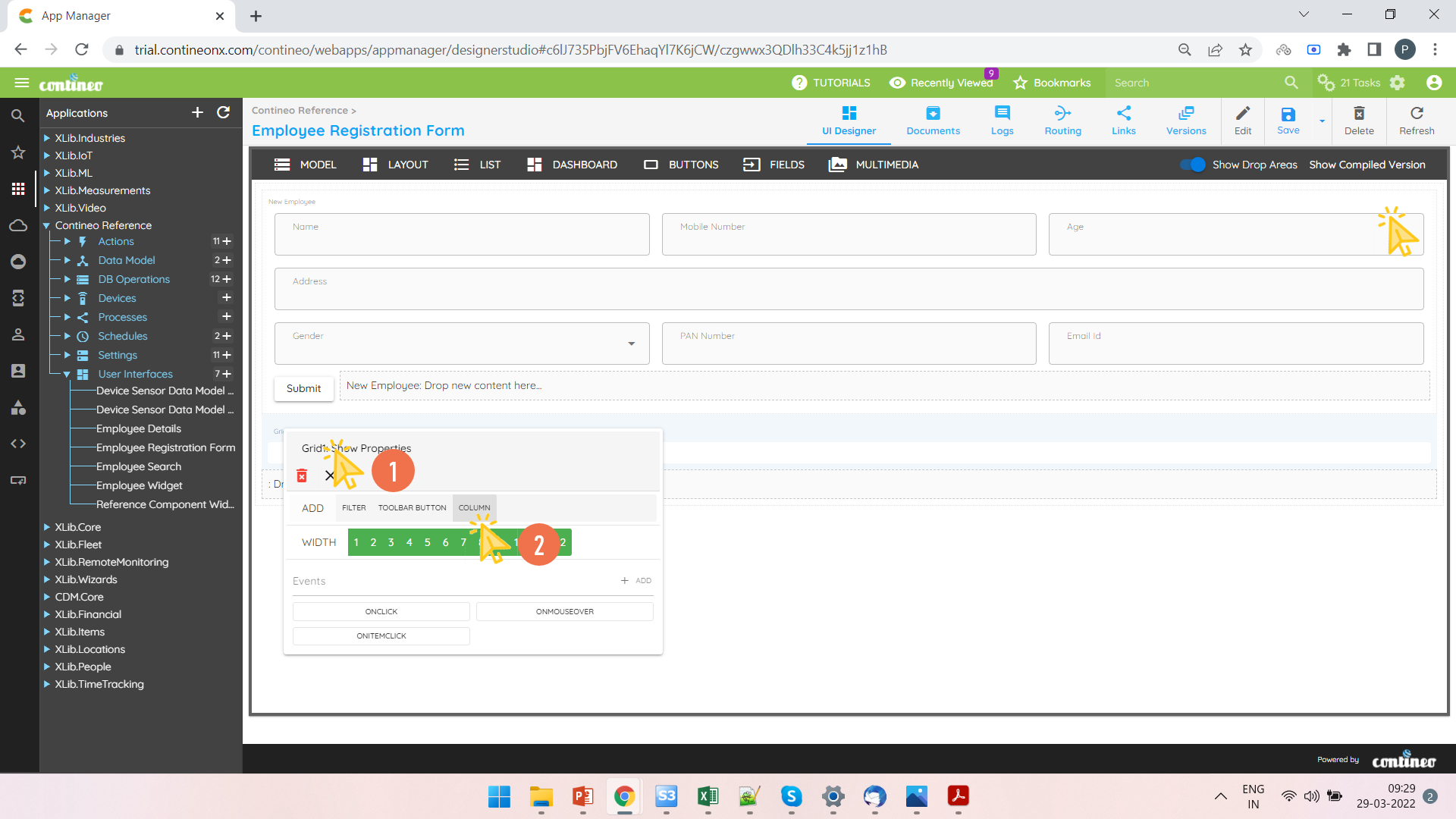
Right-click the Grid and click on COLUMN to add multiple columns.
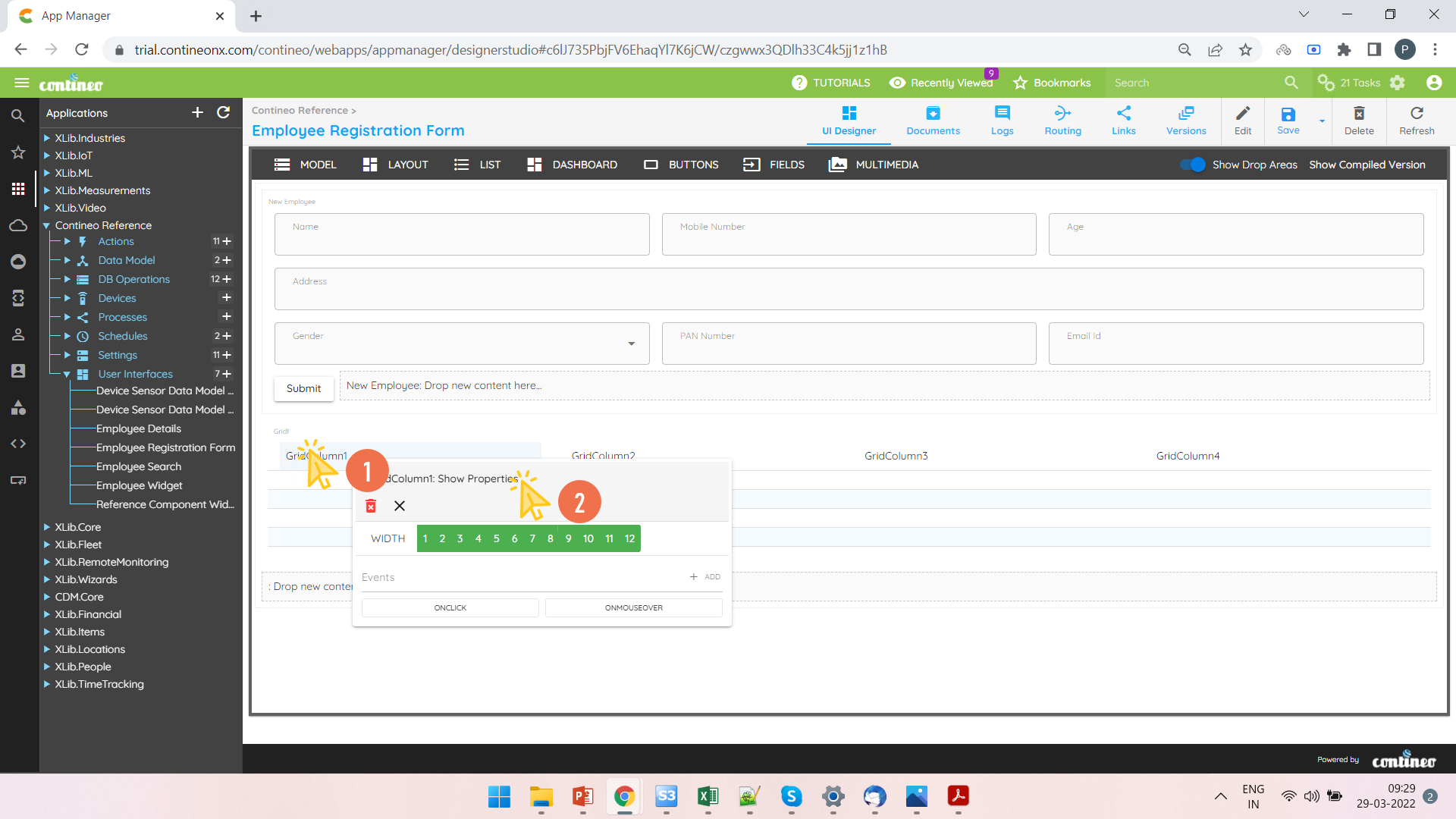
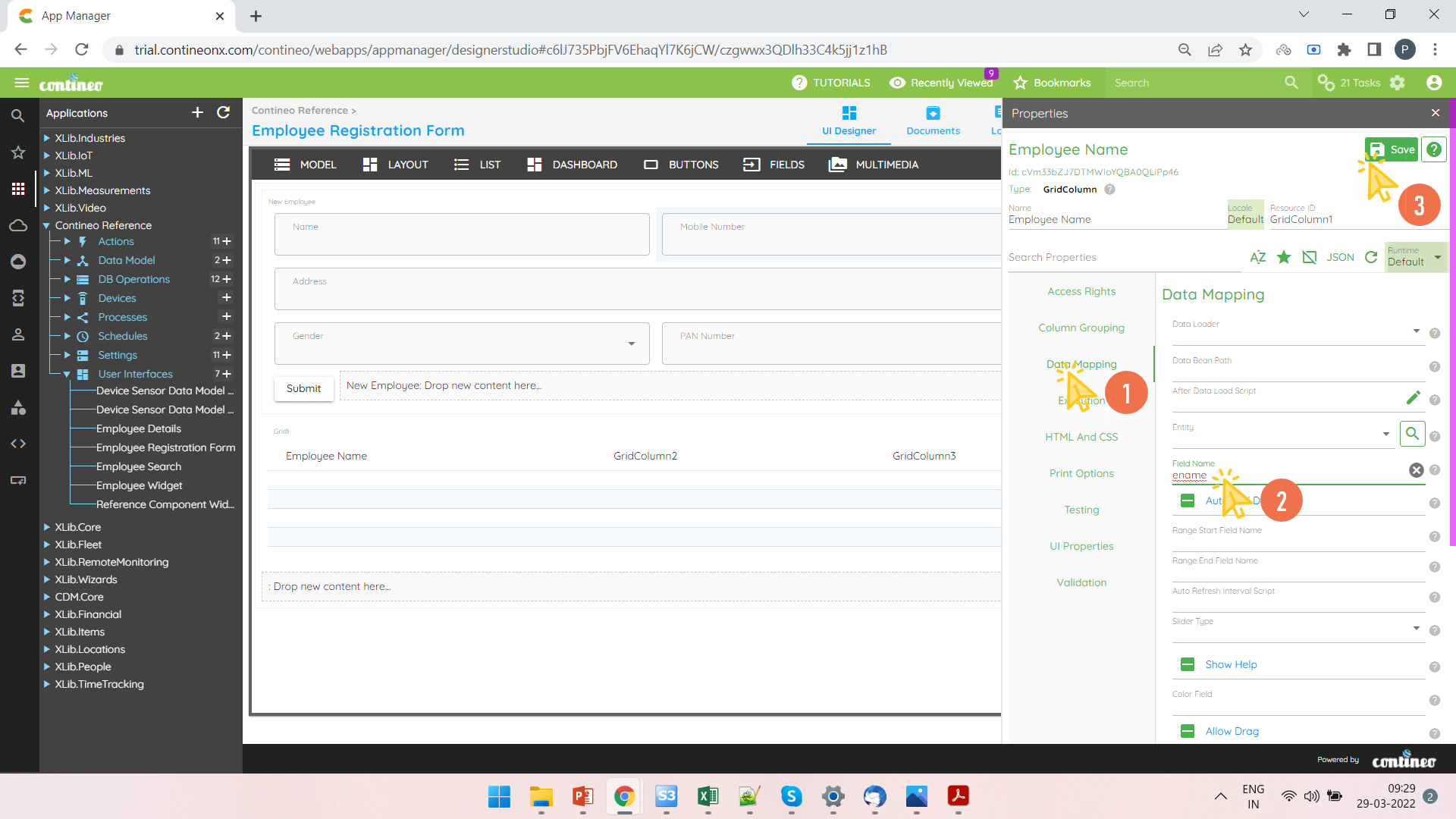
Right-click on the column and open the Property Panel to edit the name and the field name.
Enter the field name in Data Mapping > Field Name. Enter the label to display under UI Properties > Localized Label.
Click SAVE.
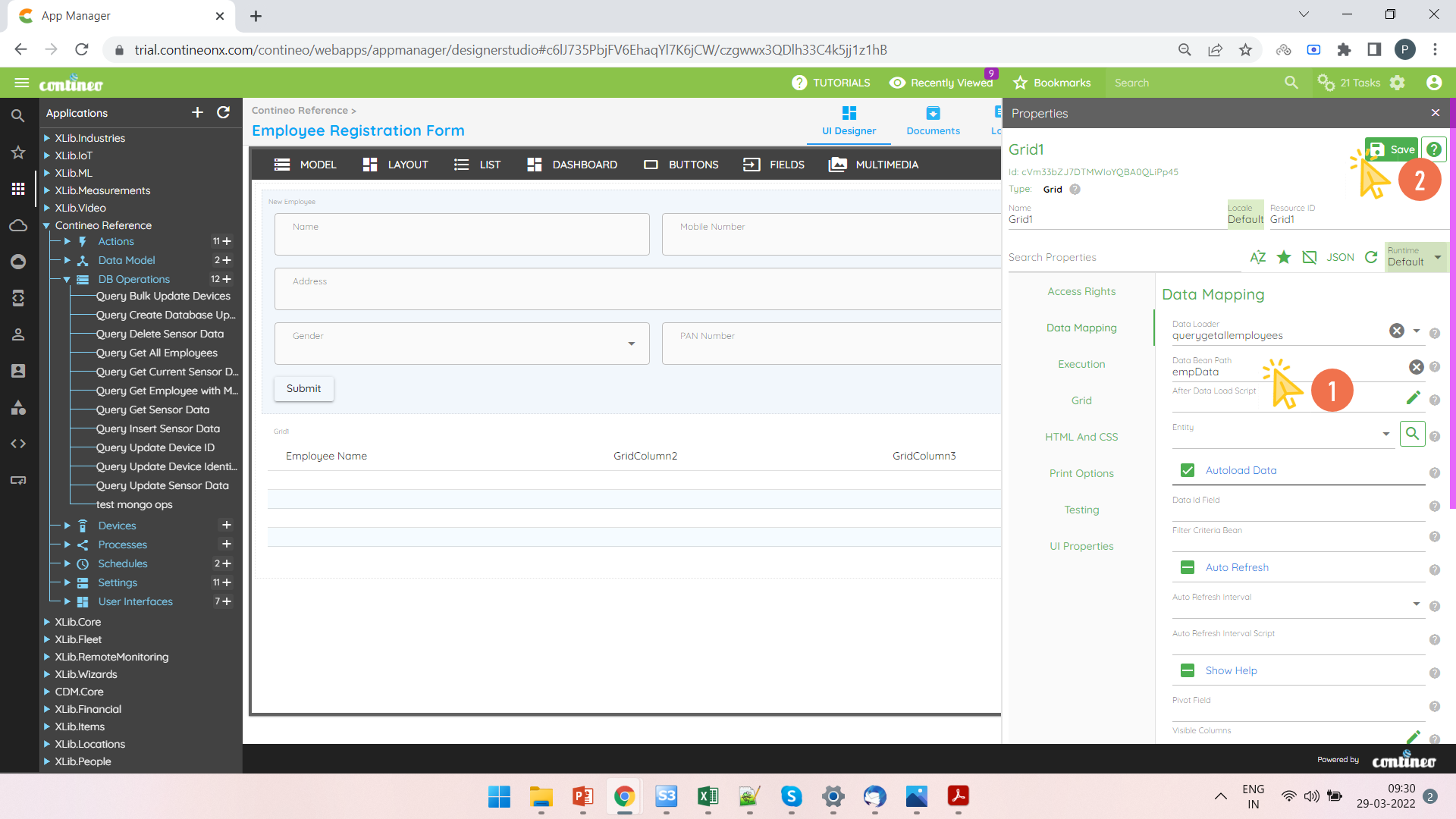
Right-click the Grid and open the Property Panel.
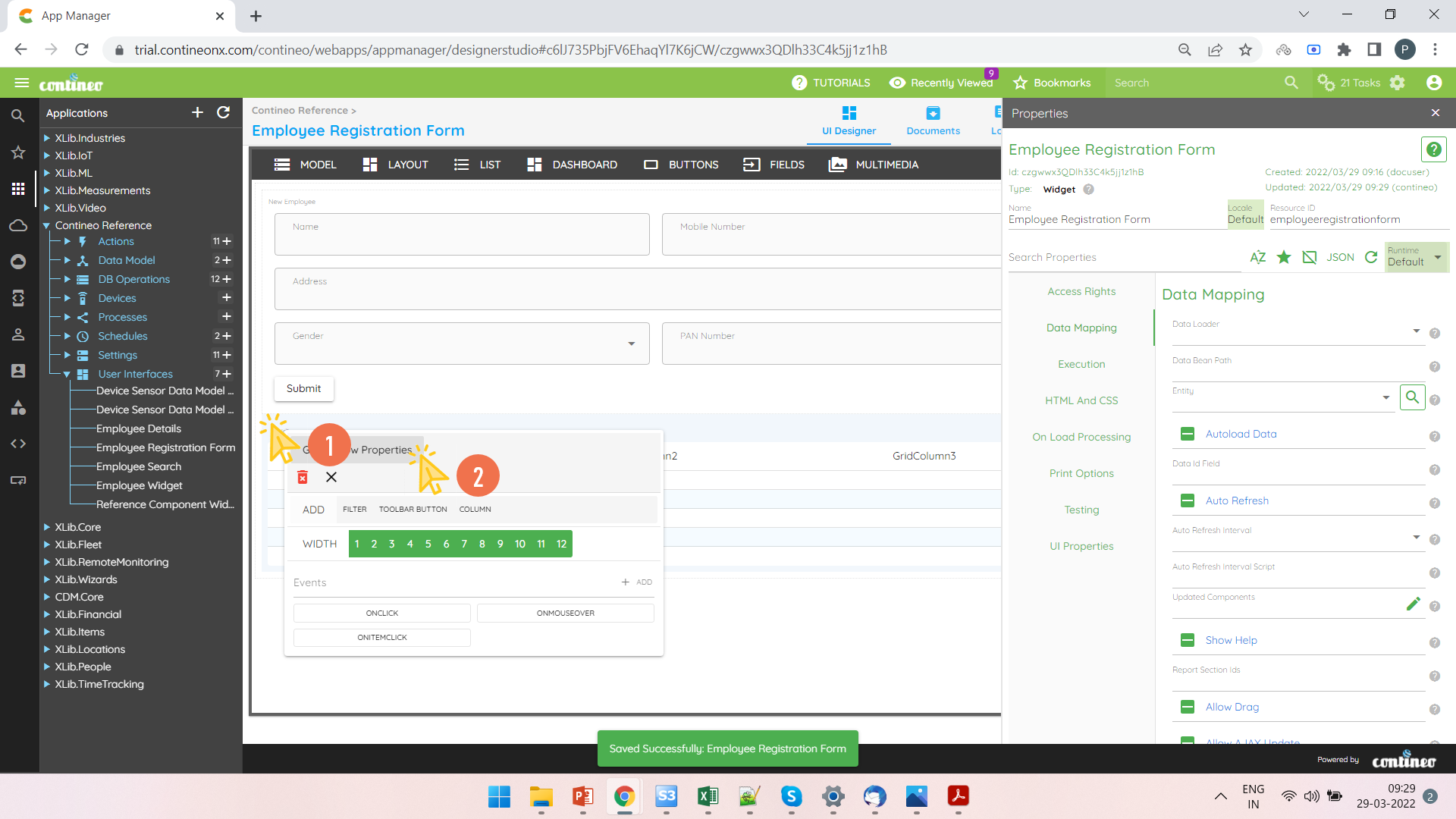
Select the Data Loader in Data Mapping > Data Loader and enter the Data Bean Path in Data Mapping > Data Bean Path.
Click SAVE.